User Manual of VDR-301N
The following table describes the parameters:
Field Description
Attain DNS
Automatically
Select it and the router accepts the first received DNS assignment from
one of the PPPoA, PPPoE or MER enabled PVC(s) during the
connection establishment.
Set DNS Manually
Select it and enter the IP addresses of the primary and secondary DNS
server.
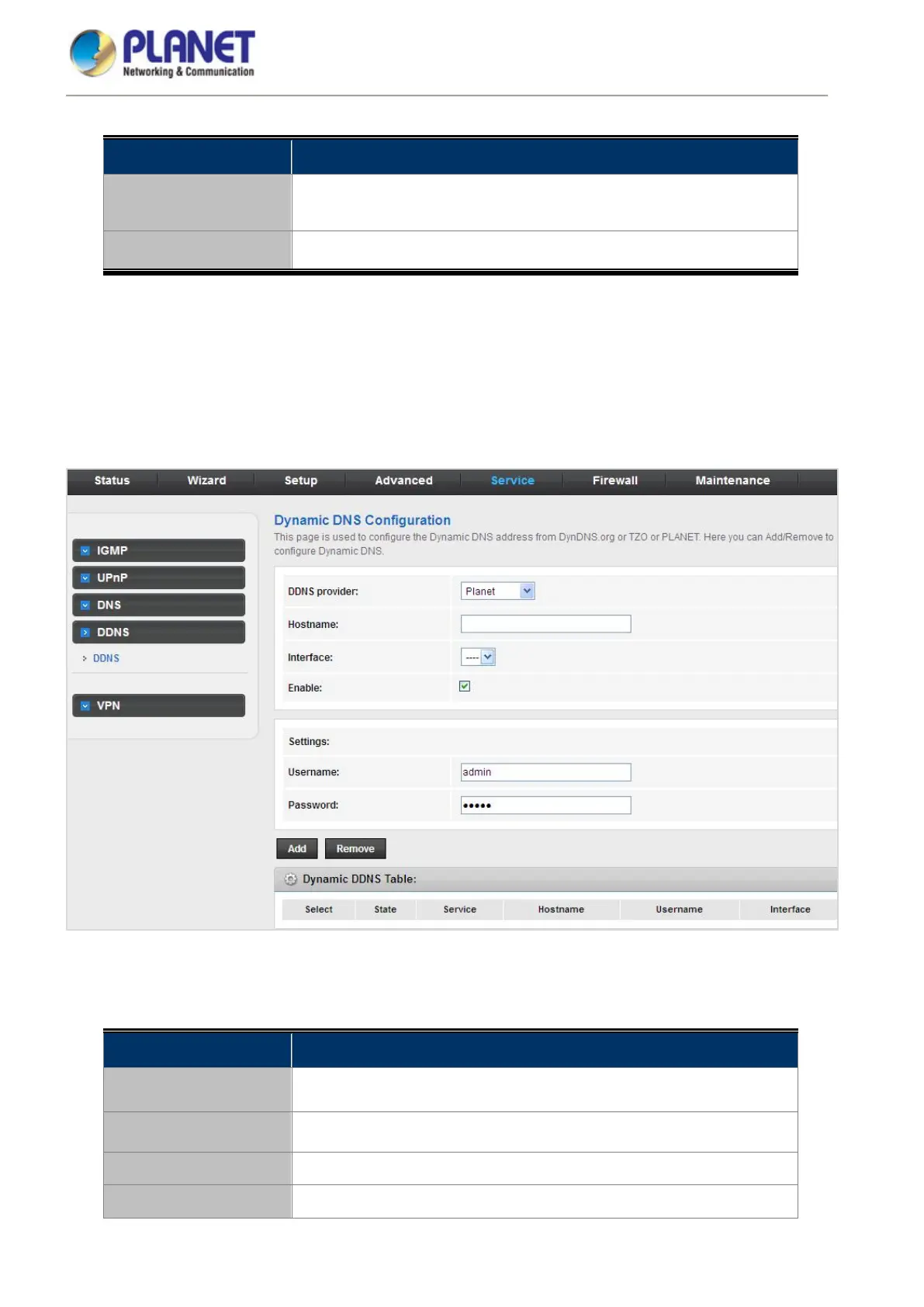
5.5.4 DDNS
Click DDNS in the left pane and the page shown in the following figure appears. This page is used to configure the
dynamic DNS address from DynDNS.org, TZO, PHDNS or PlanetDDNS. You can add or remove to configure
dynamic DNS. The Planet DDNS is free for customers
Figure 5-68 DDNS
The following table describes the parameters:
Field Description
DDNS provider
Choose the DDNS provider name. You can choose DynDNS.org, TZO,
PHDNS or Planet.
Host Name The DDNS identifier.
Interface The WAN interface of the VDSL2 Router.
Enable Enable or disable DDNS function.














 To Next Page