User Manual of VDR-301N
55
5.3.6 WLAN
5.3.6.1 Basic
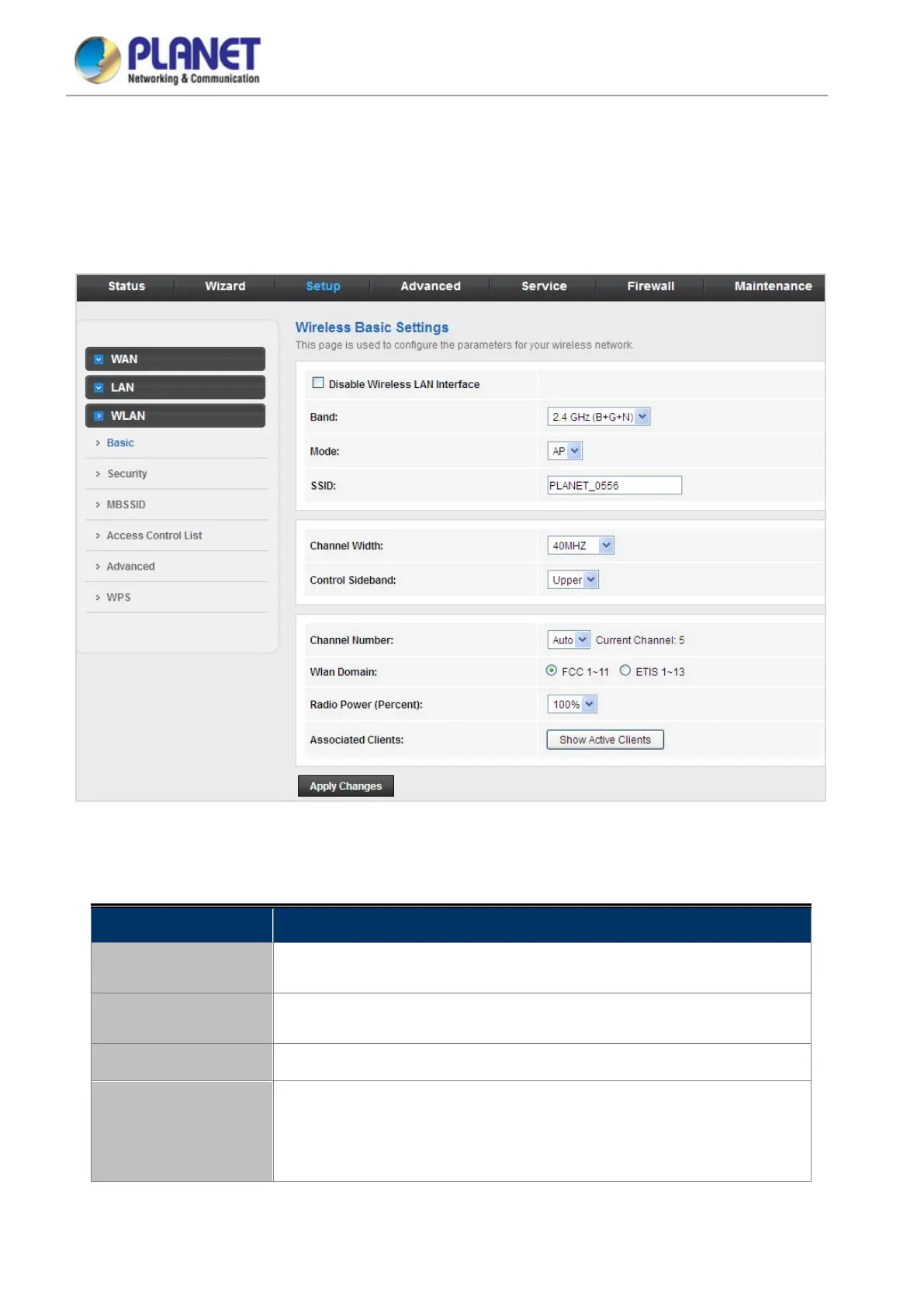
This page contains all the wireless basic settings. Most users will be able to configure the wireless portion and get
it working properly using the setting on this screen.
Figure 5-33 WLAN
The following table describes the parameters:
Field Description
Disable Wireless LAN
Interface
Enable/Disable the wireless function for VDR-301N.
Band
Select the appropriate band from the list provided to correspond with your
network setting.
Mode Select AP Mode.
SSID
The Service Set Identifier (SSID) or network name. It is case sensitive and
must not exceed 32 characters, which may be any keyboard character. The
mobile wireless stations will select the same SSID to be able to
communicate with your VDSL2 Router.














 To Next Page