User Manual of VDR-301N
Click the Usual Application Name drop-down menu to choose the application you want to set up for port
triggering. When you have chosen an application the default Trigger settings will populate the table below.
If the application you want to set up isn’t listed, click the User-defined Application Name button and type in a
name for the trigger in the Custom application field. Configure the Start Match Port, End Match Port, Trigger
Protocol, Start Relate Port, End Relate Port, Open Protocol and Nat Type settings for the port trigger you
want to configure. When it is finished, click the Apply changes button.
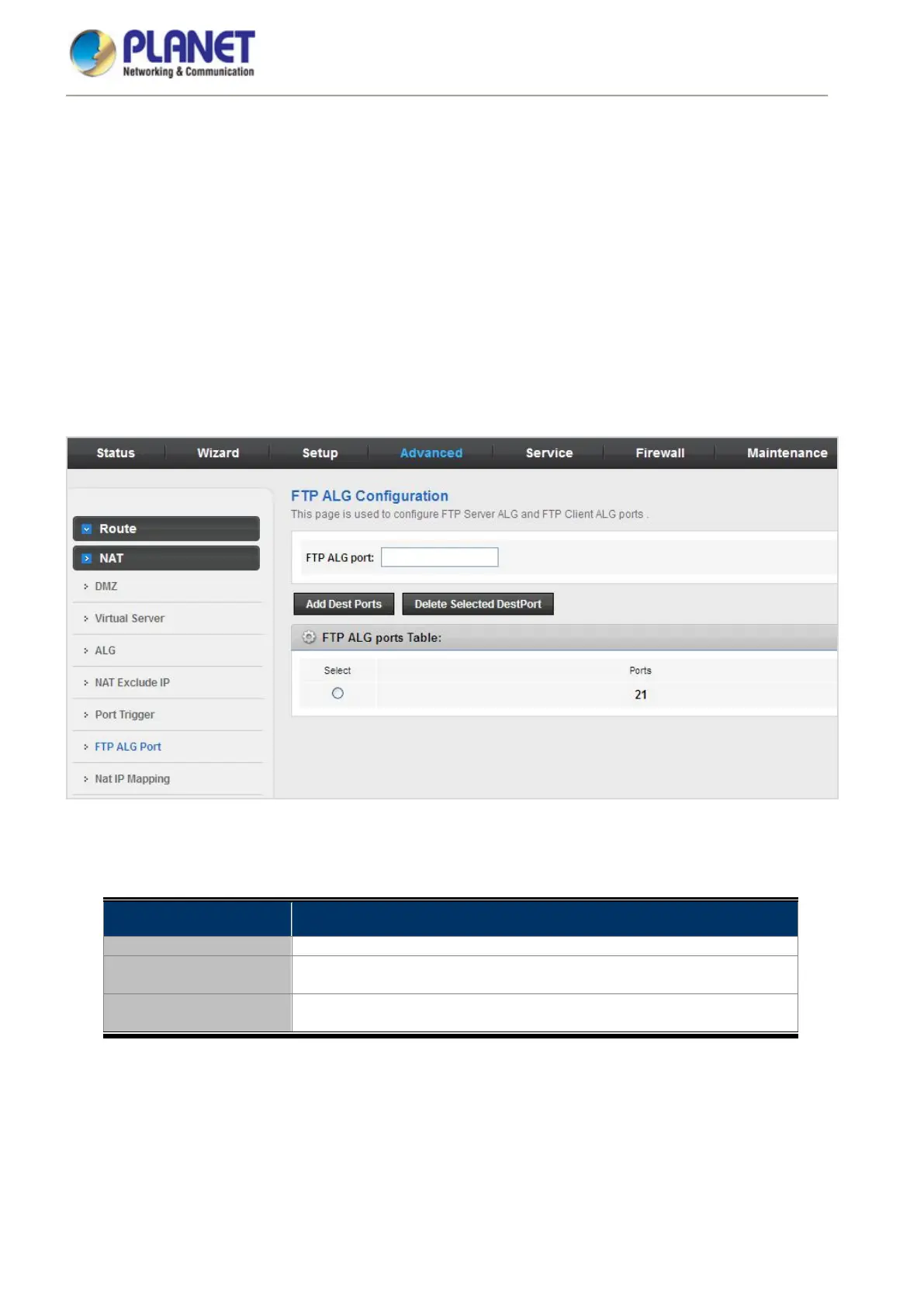
5.4.2.6 FTP ALG Port
FTP uses two communication channels, one for control commands and one for the actual files being transferred.
When an FTP session is opened, the FTP client establishes a TCP connection (the control channel) to (usually)
port 21 on the FTP server. What happens after this point depends on the mode of FTP being used.
Figure 5-50 FTP ALG Port
The following table describes the parameters:
Field Description
Add Dest Ports Add a port configuration.
Delete Selected Dest
Port
Delete a selected port configuration from the list.














 To Next Page