User Manual of VDR-301N
5.4.6.3 Tunnel
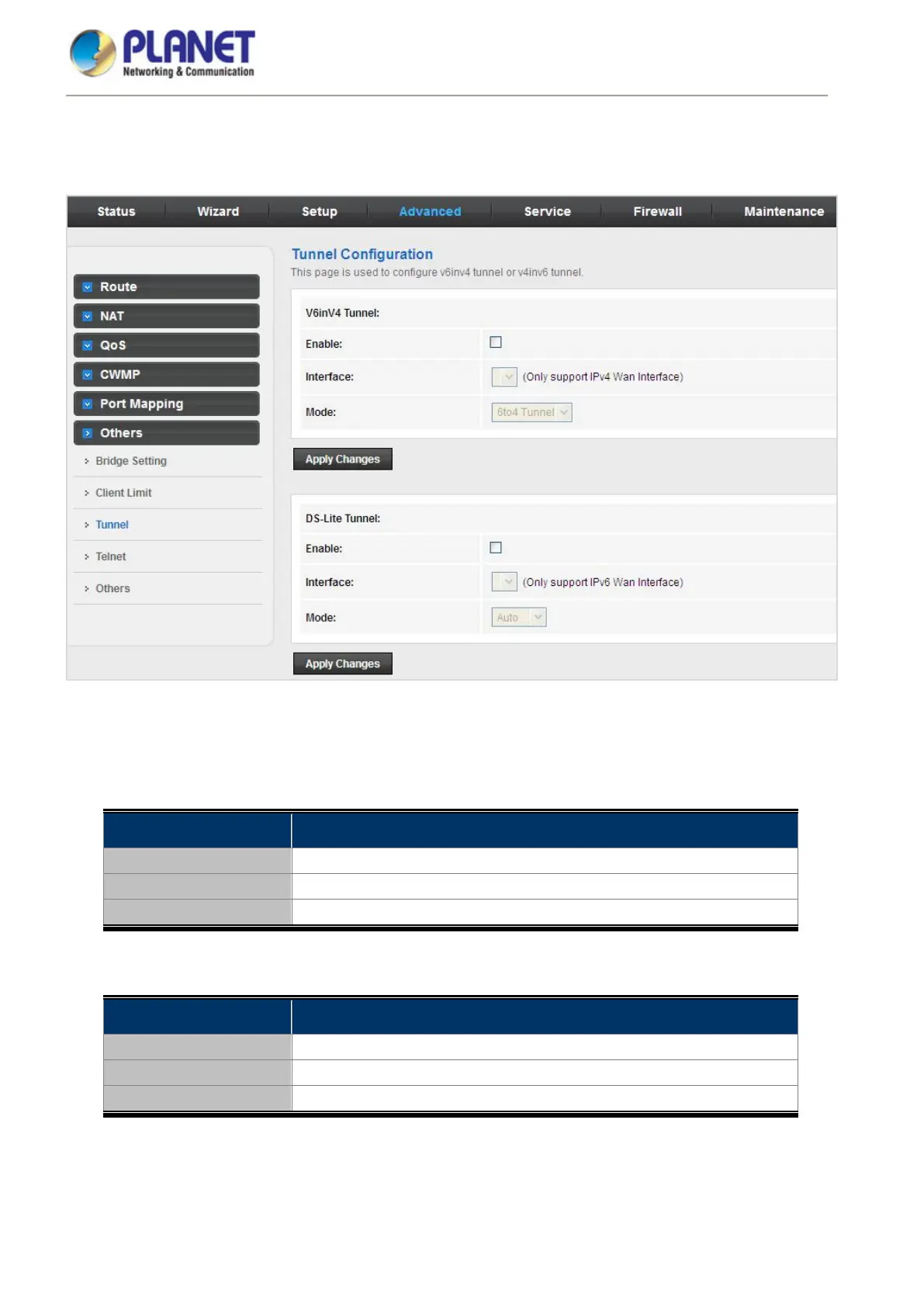
Choose Advanced > Others > Tunnel and the page shown in the following figure appears. This page is used to
configure the IPv6 with LAN to transfer to IPv4.
Figure 5-60 Tunnel
The following table describes the parameters:
V6inV4 Tunnel
Field Description
Enable Enable or Disable the V6inV4 Tunnel.
Interface Select the current WAN interface used as tunnel interface.
Mode
6to4 Tunnel or 6rd Tunnel.
DS-Lite Tunnel
Field Description
Enable Enable or disable the DS-Lite tunnel.
Interface Select the current WAN interface used as tunnel interface.
Mode
Auto or Manual.



 To Next Page