Chapter E - DIMAX3 DIGITAL SYSTEM ADJUSTMENT
E-56 Planmeca Proline CC panoramic x-ray
Technical Manual
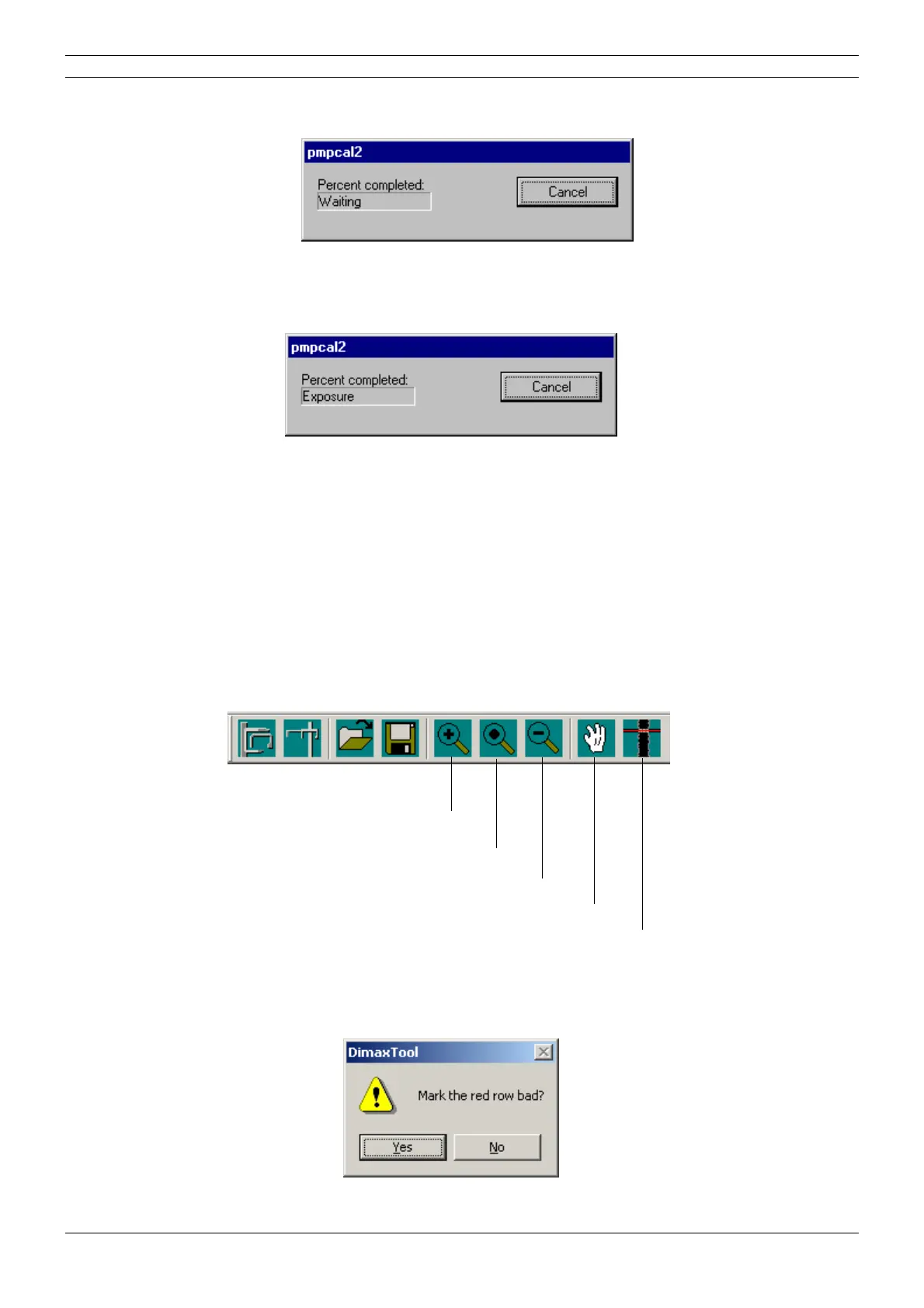
The pmpcal2 window with text Waiting appears.
Figure 98
Press the ready key to drive the x-ray to the exposure position.
The text Exposure appears.
Figure 99
The calibration tool image should be evenly grey. If it is not, recalibrate the sensor head. If recal-
ibration does not help, check that the Dimaxis, DIDAPI and drivers you are using are all from the
same CD rom. Check also the cephalostat adjustments by taking an exposure from the ear posts
(see section
“Checking the head support position” on page E-59).
Editing the calibration image
In case the calibration image contains horizontal stripes, the image can be edited, i.e. the
selected row can be removed by marking it as “bad”. You can enlarge the image with the zoom
function if needed. The image can be moved with the Hand-tool.
Press the Marking tool -button located on the right side of the toolbar and then click the row that
you want to mark with the left mouse button. Note, that the row number is shown on the status
bar at the bottom of the window.
Figure 100
The message window shown below appears. Confirm the selection by clicking Yes, or cancel the
selection by clicking No. While marking the row bad the sensor is simultaneously recalibrated.
Figure 101
Zoom in
Fit image to window
Zoom out
Hand
Marking tool



 To Next Page