Chapter E - DIMAX3 DIGITAL SYSTEM ADJUSTMENT
E-60 Planmeca Proline CC panoramic x-ray
Technical Manual
6.7 Head support adjustment
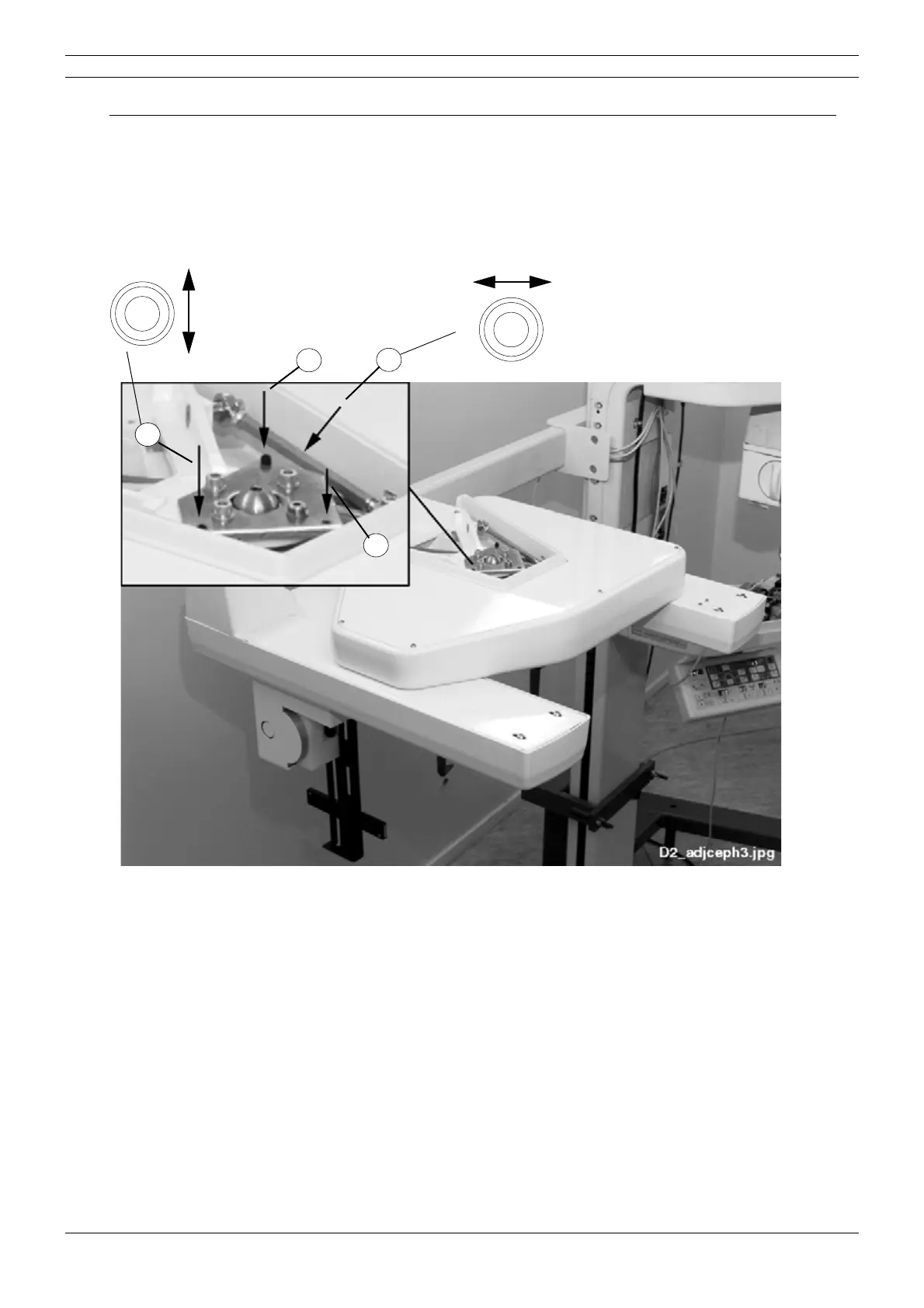
Switch the unit off. Remove the cover of cephalostat head support.
Make sure that the locking screw of the adjustment flange is loosened (Fig. 108, 1).
Adjust the head support position according to the Fig. 108. Rotate the head support around its
vertical axis to adjust the ear posts in horizontal direction (Fig. 108, 2) and around its horizontal
axis to adjust the ear posts in vertical direction (Fig. 108, 3).
Figure 107
1
2
3
4



 To Next Page