1-56
November 2012
Book Folder
Installation
BOOK FOLDER INSTALLATION
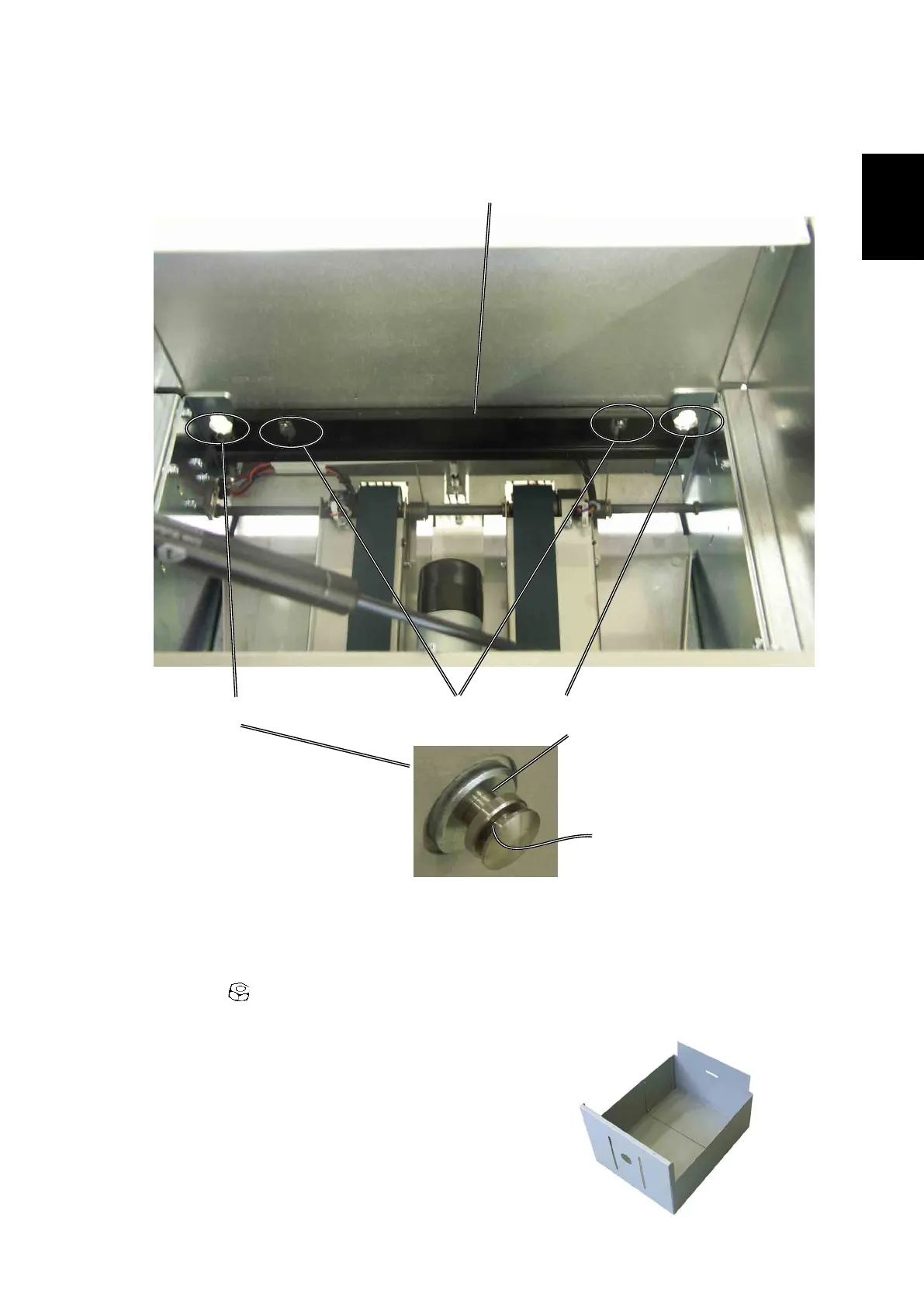
1. Loosen nuts [A] to the Locking bracket [B].
2. Dock the Book folder to the Trimmer.
3. Secure the Book folder by lifting the Locking bracket [B] and tightening nuts
[A] ( x 2).
NOTE: Make sure that the Book Folder locking bracket [B] locks in the outer
slot [C] on the positioning pin [D].
4. Install the new Extended trim bin.
[A]
[B]
1.6.4 DOCKING
Docking procedure
[C]
[D][D]
Book Folder interior, view
towards Belt Stacker



 To Next Page