1-59
November 2012
BOOK FOLDER INSTALLATION
Com. Bookletmaker
Com. SQF/BF
Com. Bookletmaker
Com. SQF/BF
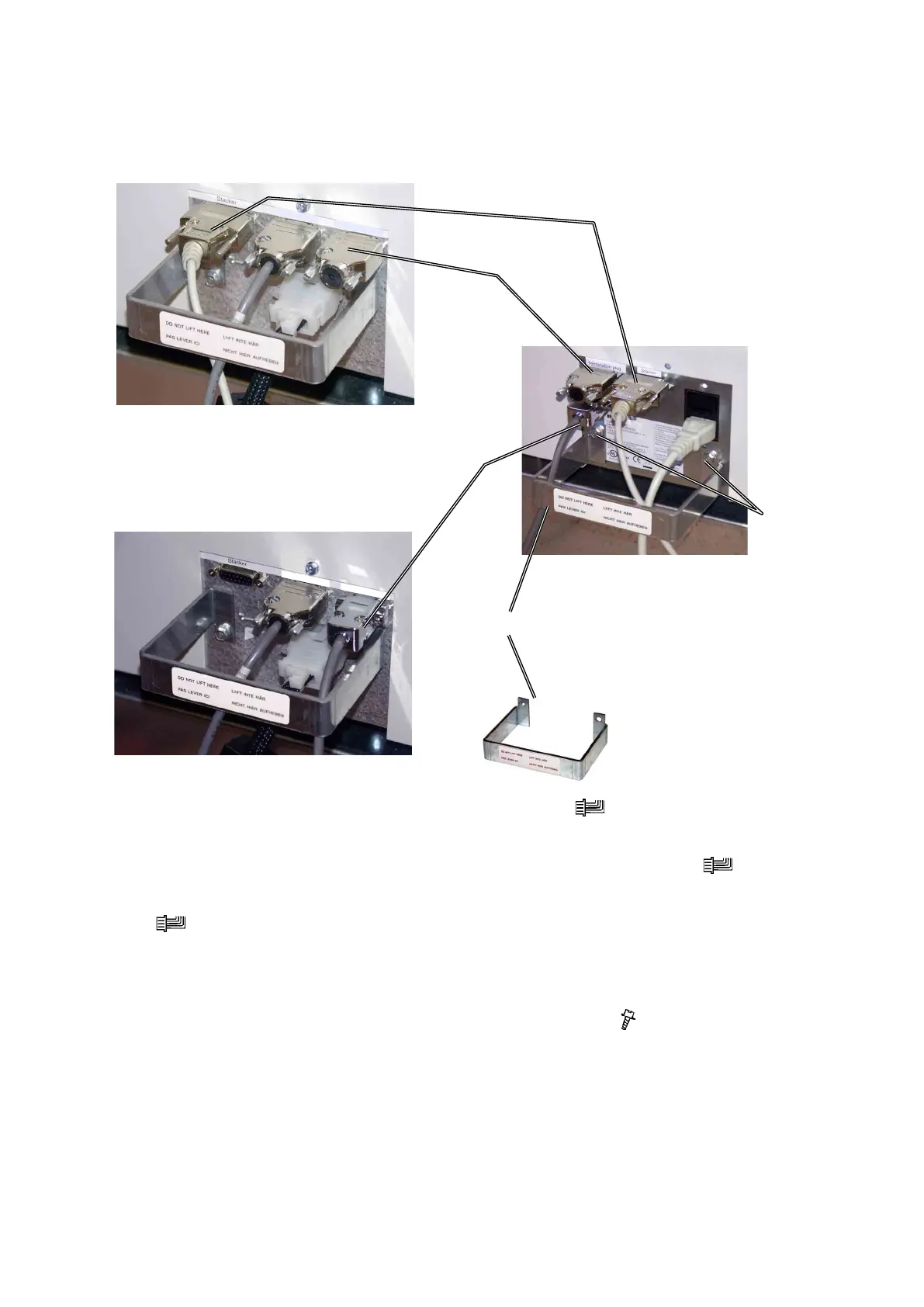
1.6.6 CONNECTORS
[B]
[A]
1. Move the Belt stacker cable [A] to the Book Folder ( x 1).
NOTE: Do not connect the Belt stacker cable [A] to the Trimmer.
2. Move the Terminator plug [B] from the Trimmer to the Book Folder ( x 1).
3. Install the communication cable [C] between the Trimmer and the Book Folder
( x 1).
4. Connect the power cord from the BK5030 to the BF5030
5. Mount the cable protector [D] positioned as shown with two screws in the
holes [E] and route the cables inside the cable protector ( x 2).
6. Install the cable holder [F] to the hole [G] on the rear side of the Book Folder
base.
Book Folder
Trimmer without Book Folder installed
[C]
Trimmer with Book Folder installed
[D]
[E]



 To Next Page