25 November 2011
Trouble-
shooting
CF-4-9
CF-009 CF-Q30 DSD Sensor Faulty
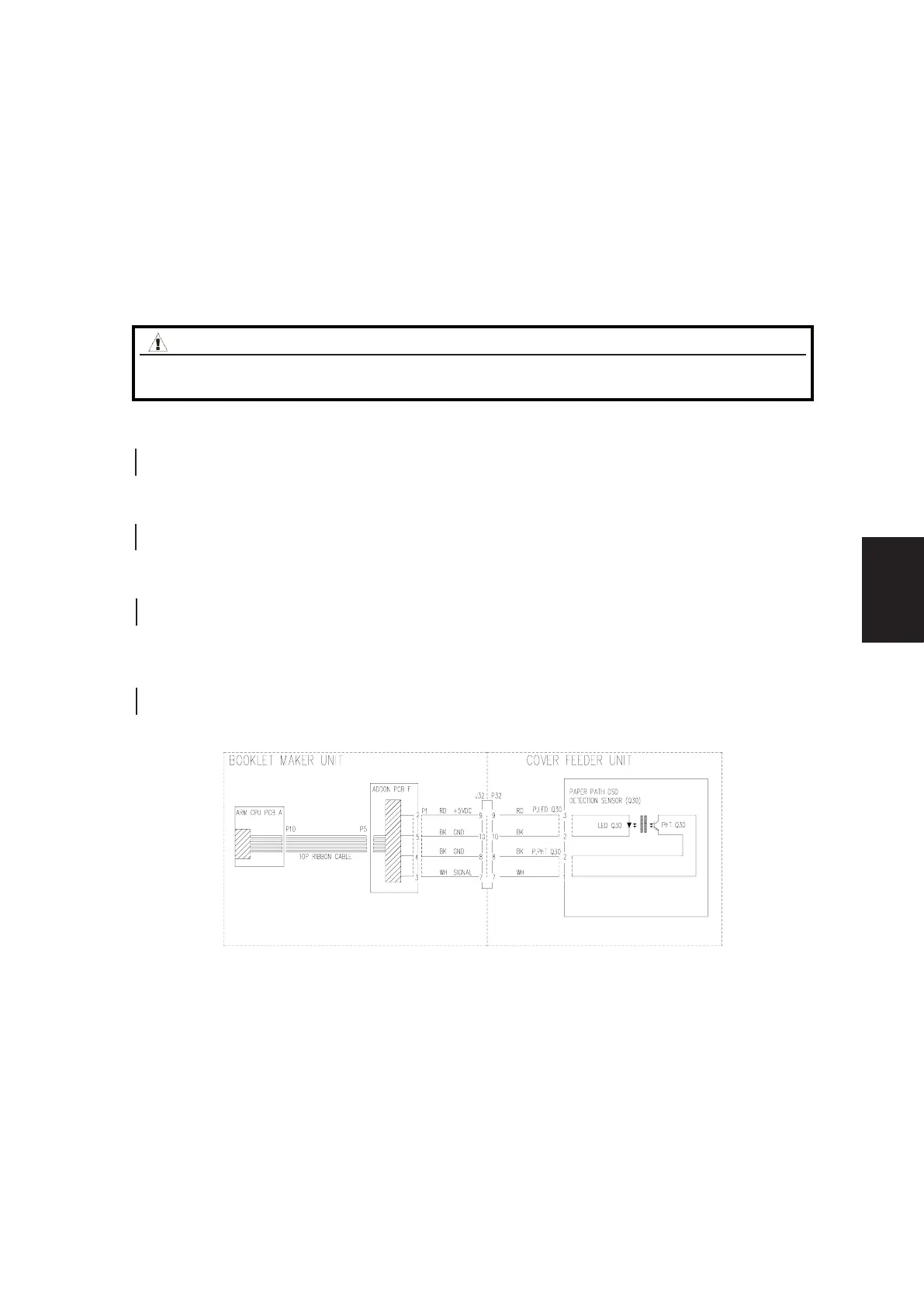
Fault Code indicates that the DSD/paper path sensor CF-Q30 is faulty.
Initial Actions
• Make sure that Q30 is installed and connected correctly.
• Check calibration of Q30.
• Make sure that plug F P1 on Addon PCB “F” in the Booklet Maker is connected.
• Make sure that jack/plug J32/P32 J33/P33 in the Cover Feeder is connected.
Procedure
Disconnect plug F.P1 at Addon PCB ”F”. Measure between F.P1-2 and F.P1-4 (5V and GND) in the F.P1 plug.
The voltage is 5 VDC +/- 10%.
Y N
Replace Addon PCB “F”.
Measure between F.P1-2 and F.P1-5 (5V and GND) in the F.P1 plug.
The voltage is 5 VDC +/- 10%.
Y N
Replace Addon PCB “F”.
Disconnect plug from sensor Q30. Check the white wire from Q30 to F.P1-3 for continuity.
Is there continuity.
Y N
Repair wire Harness.
ConnectplugF.P1toPCB“F”.MeasurerstbetweentheredwireQ30andblackwire(insameplug)Q30,thenmeasure
between the red wire Q30 and black wire (in second plug) Q30.
Both measurements is 5 VDC +/- 10%.
Y N
Repair wire Harness.
Replace Q30.
WARNING
Switch off the Main Power Switch and disconnect the Main Power Cord
before disconnecting, removing or replacing any electrical components.
Block schematic diagram to CF-009
FAULT CODE DESCRIPTIONS



 To Next Page