Poseidon SE7EN+ User Manual Chapter 2 Page 42
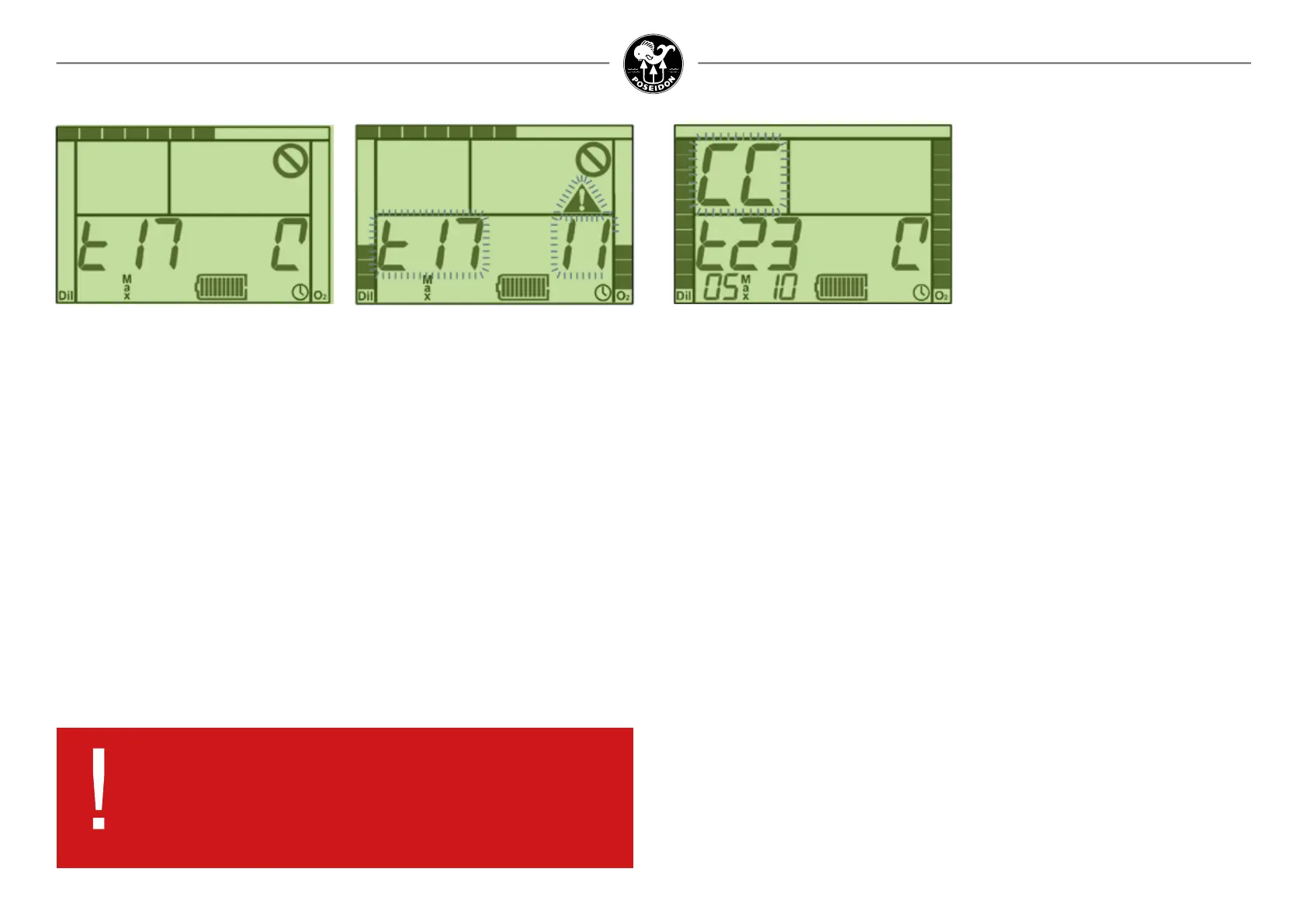
Two things are worth noting in Figure 2-5. First, the bar graph along the top of the LCD screen
is a progress bar, indicating how much time remains before the PST is complete, or how much
time is left for the diver to complete some required action. Second, the circle with the diagonal
line through it in the upper-right corner of the screen is the “Do Not Dive” symbol, which is
displayed throughout the entire pre-dive process. As long as this symbol is displayed, the dive
should not be started.
If a test fails, the routine is halted at the failed test, and the value displayed on the right side of
the screen changes from a countdown timer to an error code (see Figure 2-6). Both values (the test
number and the error code). If the wet-switch is connected (i.e., wet), then the rig will not
power-down, and the system will inject excessive oxygen intermittently, in case a diver is
breathing on the loop.
When one of the PSTs fails, consult Appendix 1 to understand further what the failed test
means. In most cases, the rst thing to try is to run the automatic pre-dive routine again by
activating the wet switch on the back of the Primary Display. If the same test fails again with
the same error code, wait for the electronics to power-down, then eject and re-seat the battery
(see Chapter 1). If the automatic pre-dive routine persistently fails any of these tests, contact a
Poseidon Tech Center for assistance. In general, repeated failure of any one of these automated
tests indicates a problem with the Poseidon SE7EN+ that will not be serviceable by the user.
DANGER:
Do not attempt to conduct a dive until the system has successfully
completed all of the pre-dive tests. Diving in spite of a failed
pre-dive test is extremely dangerous, and could lead to serious
injury or death.
Mouthpiece CC position test (test 23)
Test 23 (mouthpiece CC position test) is automatically passed provided the mouthpiece was
left in the CC position following the previous steps. If, for some reason, the mouthpiece is not
in the CC position when Test 23 appears on the screen, the audio alarm with two frequency
tones will activate and a message prompting the diver to switch the mouthpiece to the CC
position (Figure 2-6B). There will be two beeps. If you do not repsond to the action required the
beep will be repeated and eventually turn on constantly 20 seconds before a test-user-notresponse-
time out. The system allows the diver up to two minutes to make this switch.
The “Closed-Circuit” icon will continue to display until Test 43, when the mouthpiece needs to
be switched to the open-circuit (OC) position. If the mouthpiece appears to be in the closed-
circuit position, but Test 23 does not pass, then make sure that the mouthpiece switch is fully
in the CC position. If the test still does not pass, then make sure the HUD is positioned correctly
on the mouthpiece, and is not twisted or otherwise moved from its proper position. There are
two magnets inside the mouthpiece which are used together with a sensor to determine the
mouthpiece position. If no amount of repositioning of the mouthpiece lever or HUD allows the
system to pass Test 23, then contact an authorized Poseidon Service Center.
Figure 2-6B. Introduce test 23.
Pre-Dive Tests
Once the PST tests have completed the dive manager will send the SE7EN+ into Pre-Dive
mode. A very brief summary of these pre dive tests is as follows:
• Test 41: Scrubber installed conrmation
• Test 43: Mouthpiece OC test
• Tests 44-45: Sufcient oxygen and diluent to go diving test
• Test 48: Sufcient battery power to go diving test
• Test 49: Positive pressure loop test (PPLT)
• Test 50: Mouthpiece CC test
• Test 53: O2 calibration test
• Test 54: Open Circuit regulator test
• Test 55: Service interval test
For further details on the Pre-Dive tests, see Appendix 1.
Figure 2-5. Test 17 (Backlight Power
consumption), displaying test number on the
left and the “spinning wheel” on the right.
Figure 2-6. Test 17 failure, with ashing test
number and error code.



 To Next Page