Poseidon SE7EN+ User Manual Appendix 3 Page 106
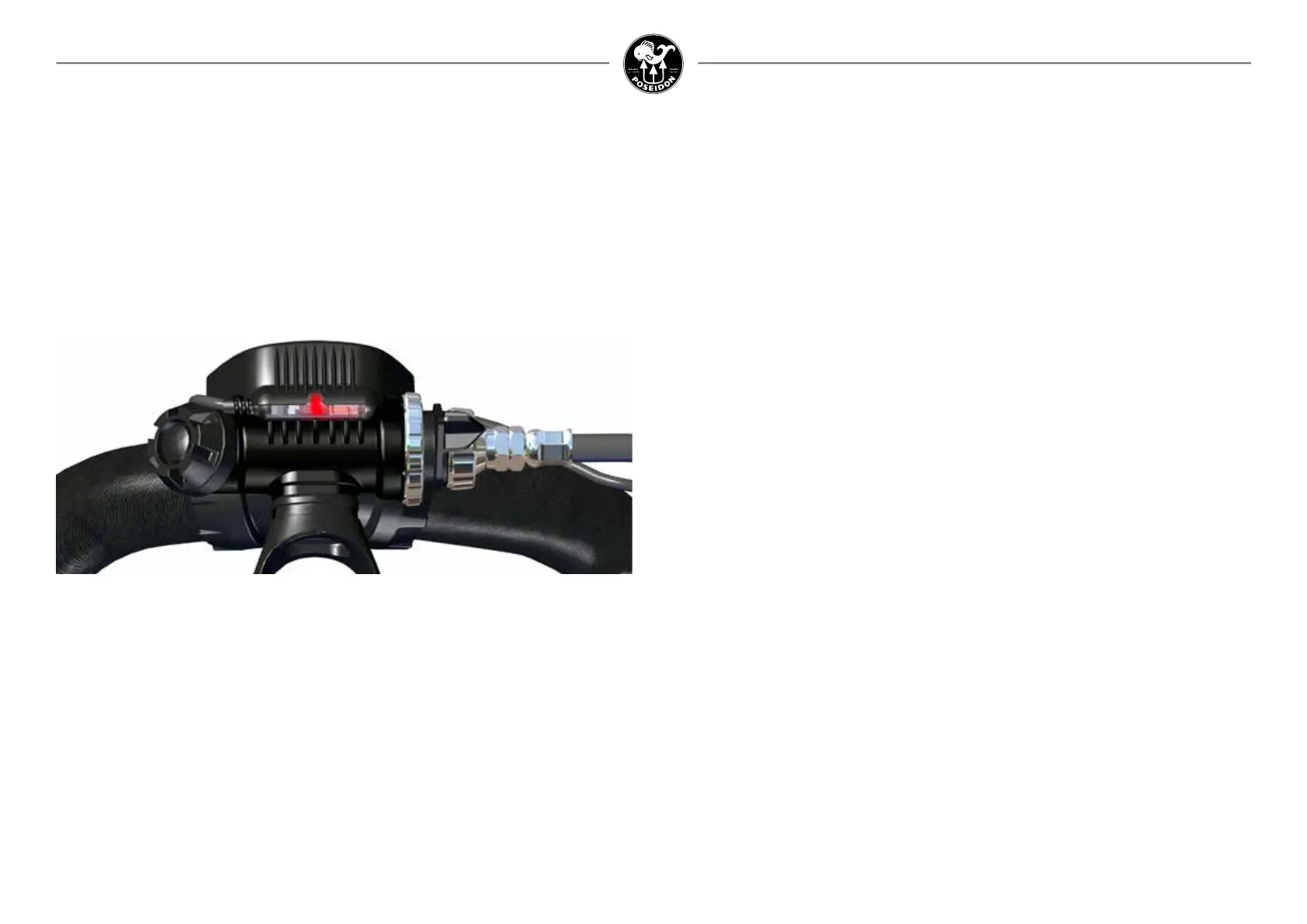
HUD Light
The HUD incorporates a RED LED light (Figure 3-1a), designed to signal that there is a possible
problem (Red). Under normal diving conditions, the RED light will periodically ash to serve as
a reminder to the diver to monitor the Primary Display. Whenever a problem has been detected
by the system or when any of the dive parameters are not within safe limits, the HUD light will
ash continuously RED (and the vibrator will “blib” every 60 seconds). In either case, the
purpose of the HUD light is to alert the diver to look at the primary display for further
information.
Audio alarm
One of the two alarm systems located in the battery module is the audio alarm. It emits a loud
staccato tone that alternates between two frequencies as a signal to abort the dive. Whenever
the audio alarm is triggered, the diver should immediately terminate the dive and commence a
safe ascent to the surface, while monitoring the Primary Display. The audio alarm will continue
to sound whenever the mouthpiece is not in the correct position, or when the diver fails to
ascend in an abort situation.
Buddy alert light
Also contained in the battery module is the buddy alert light. This consists of two separate
high-intensity red LED lights that ash whenever the HUD Light is ashing. The purpose of this
alarm is to alert other nearby divers of a potential problem.
Monitoring the M28 primary display
Most of the information concerning the status of the dive and the various system parameters
is communicated to the diver via the M28 Primary Display. It consists of a 2,8” TFT Color
display and provides the diver with important information concerning sensor readings, system
messages, decompression status, and other data during the course of the dive. It is extremely
important that all Poseidon SE7EN+ divers understand how to read the information contained
in the Primary Display, particularly concerning various alarm conditions.
Before even turning the Poseidon SE7EN+ electronics on, it is useful to understand the general
layout of the Primary Display, and the logic behind how the information is organized. The
display is arranged in different regions, each presenting different kinds of information. The
most important region is the upper-right corner of the screen (1 in the illustration), which
contains icons for alarm conditions. Under normal circumstances, this region should be blank.
The alarm condition icons (described in more detail below) are designed to symbolically repre-
sent the nature of the problem, and most of them will ash when activated. This should be the
rst part of the screen that a diver should glance at when monitoring the Primary Display, as it
will be immediately obvious if there are any alarm conditions, and what they are.
The battery icon reect the M28 battery status.
Figure 3-1A.
HUD with red LED on.



 To Next Page