Poseidon SE7EN+ User Manual Appendix 3 Page 96
Electronics Power-Up
Insert the battery following the procedures described in Chapter 1, which will automatically
power-up the electronics and the M28. If the battery is already inserted, the electronics can be
powered-up by following the instructions below the header M28 power up.
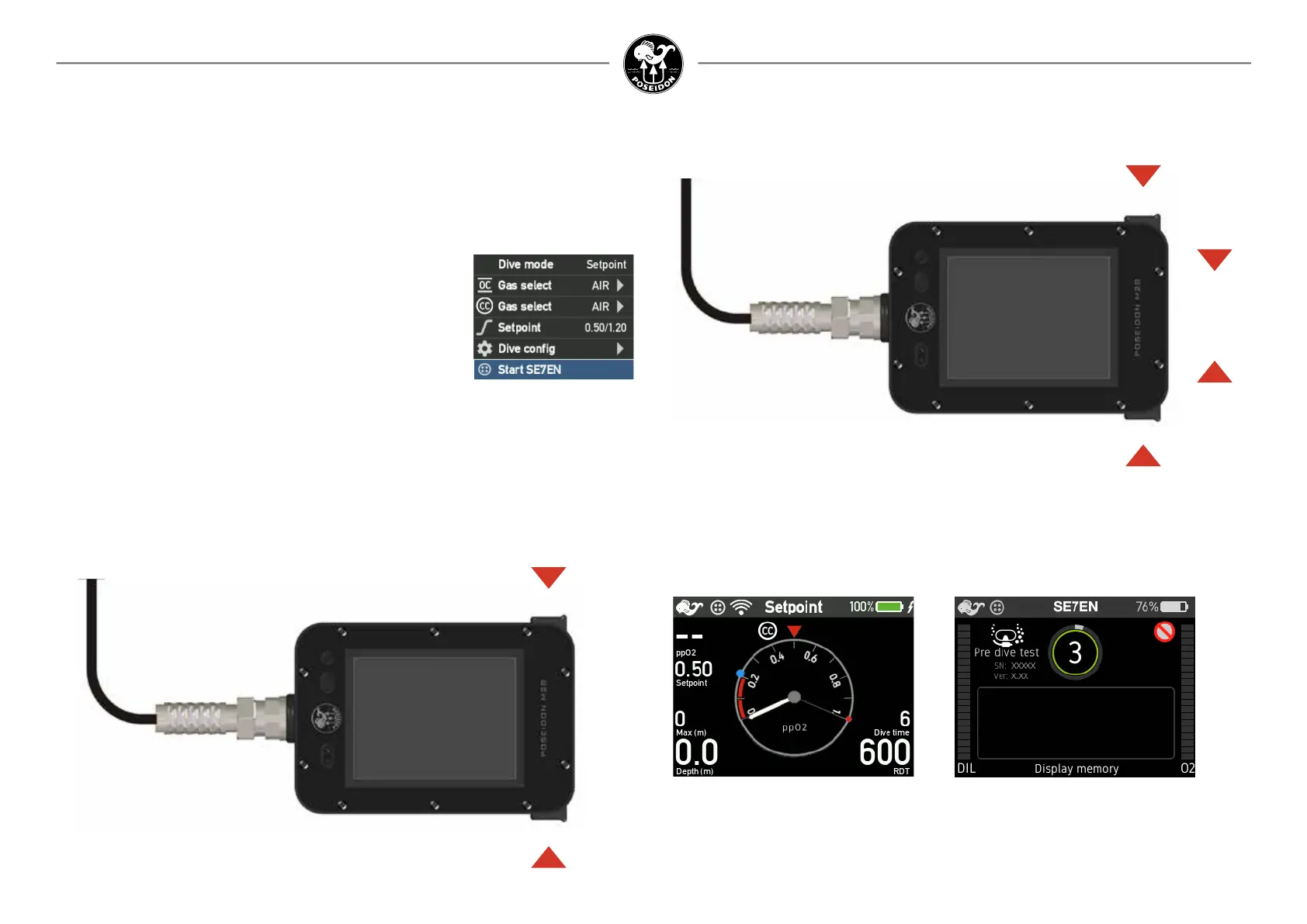
Figure 2-2. Initial display during a few
seconds before the M28 enters the
PreDiveTest mode, regardless of
previous mode.
Figure 2-3. PreDiveTest display where the
number in the circle represents the test number
together with an explainatory text at the bottom
of the screen.
Button function
ENTER
Press enter to menu,
scroll up or down and press enter to select.
On no choice after 30 seconds, it returns to the previous view.
UP
DOWN
What happens next depends on how the system is initially powered up. If it is powered-up by
battery insertion with a turned on M28, then the rst screen displayed shows the Setpoint dive
mode display (Figure 2-2) for a few seconds before switching automatically to initiate the Pre-
DiveTest mode. (Figure 2-3). The rmware version number is shown in the upper left area
underneath the open circuit bail out icon together with the unit serial number. Because the
SE7EN+ and the M28 are designed to accept rmware updates, knowing the specic version
number of the rmware is extremely important when diagnosing problems.
SE7EN+ Power-Up through the M28
The M28 can be individually powered-up by a brief push at both
buttons simultaneously (Figure 2-1), the SELECT command, a
green LED vill become visible, followed by a Poseidon welcome
screen and further to the “Dive app”. Select “Dive mode” and
further select “Start SE7EN+”. The electronics will now initiate the
pre dive test (Figure 2-3) if the battery is inserted into the SE7EN+.
Please consult the M28 main manual for further information
concing menus etc.
Figure 2-1.
Press both buttons simultaneously
for power up.



 To Next Page