Poseidon SE7EN+ User Manual Chapter 3 Page 58
Battery status indicator
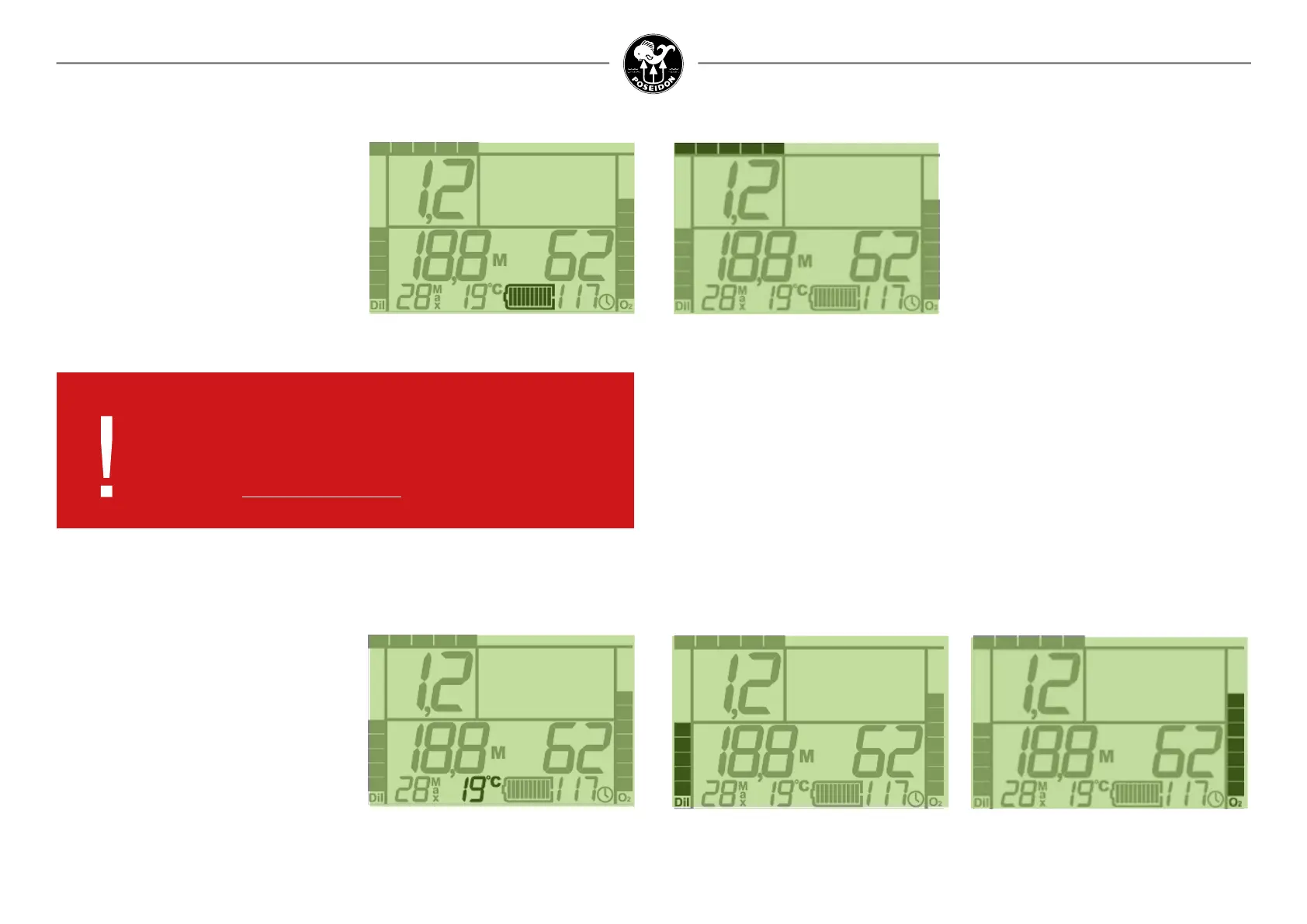
Figure 3-29. Battery status indicator.
Near the bottom of the Primary Display, just to
the left of the Elapsed Dive Time value, is the
Battery status Indicator. This indicator serves as
a “fuel gauge” for remaining battery capacity. If
the remaining battery capacity is less than 20%,
this indicator will ash, and the screen will
indicate that the dive should be terminated. The
more time that has elapsed since the last
battery Learn Cycle, the greater percentage of
battery charge is needed to ensure 20% remain-
ing power.
Temperature
Figure 3-30. Temperature.
Immediately to the left of the Battery Life Indicator
is the Temperature reading. This value is displayed
in units of centigrade when in metric mode, and
units of fahrenheit when in imperial mode.
NOTE: These numbers will show the last two
decimals of the PO
2
value, if it has been set to
“High Res“ in the Reef app. or the M28 computer.
DANGER:
Do NOT ignore the remaining battery status indicator. If the battery
fails, the entire life-support system (including alarms) may cease
to function. Failure to abort to open-circuit and terminate the dive
could lead to serious injury or death.
Cylinder pressure indicators
Along either side of the Primary Display are the two cylinder pressure indicators, represented
as bar graphs. The graph on the left side of the screen is for the diluent supply, and the graph
on the right side of the screen is for the oxygen supply. Each segment in the bars represents
approximately 10% of the total gas supply for each cylinder. When the pressure in the Oxygen
cylinder drops below 26 bar or 20 % of the congured maximum Oxygen pressure the remain-
ing segments in the Oxygen bar graph will ash together with the alert icon. When the pressure
in the diluent cylinder drops below 40 bar or 20 % of the congured maximum diluent pressure,
or if the diluent gas quantity is insufcient for a safe open circuit bailout descent to the surface
(for deco enable OFF), the remaining segments in the diluent bar graph will ash together with
the alert icon. The full-scale (100%) value of each of these bar graphs is established using the
Reef app. or the M28 computer.
Figure 3-31.
Diluent cylinder pressure indicator.
Figure 3-32.
Oxygen cylinder pressure indicator.
Ascent rate indicator
Figure 3-33. Ascent rate indicator.
The bar graph along the very top of the Primary
Display indicates the diver’s current ascent
rate. It spans from left to right, and is not dis-
played when the diver is not ascending. If the
bar is half-way across the width of the screen,
the diver is ascending at a rate of 9 m / 29,5 ft
per minute. If the status bar is shown across
the entire width of the screen, the diver is
ascending at a rate of 18 m / 59,0 ft per minute.
The segments in this graph will ash if the safe
ascent rate (10 m / 33 ft per minute) is exceeded.



 To Next Page