WMA-5 Operation Manual V. 1.01 61 support@ppsystems.com
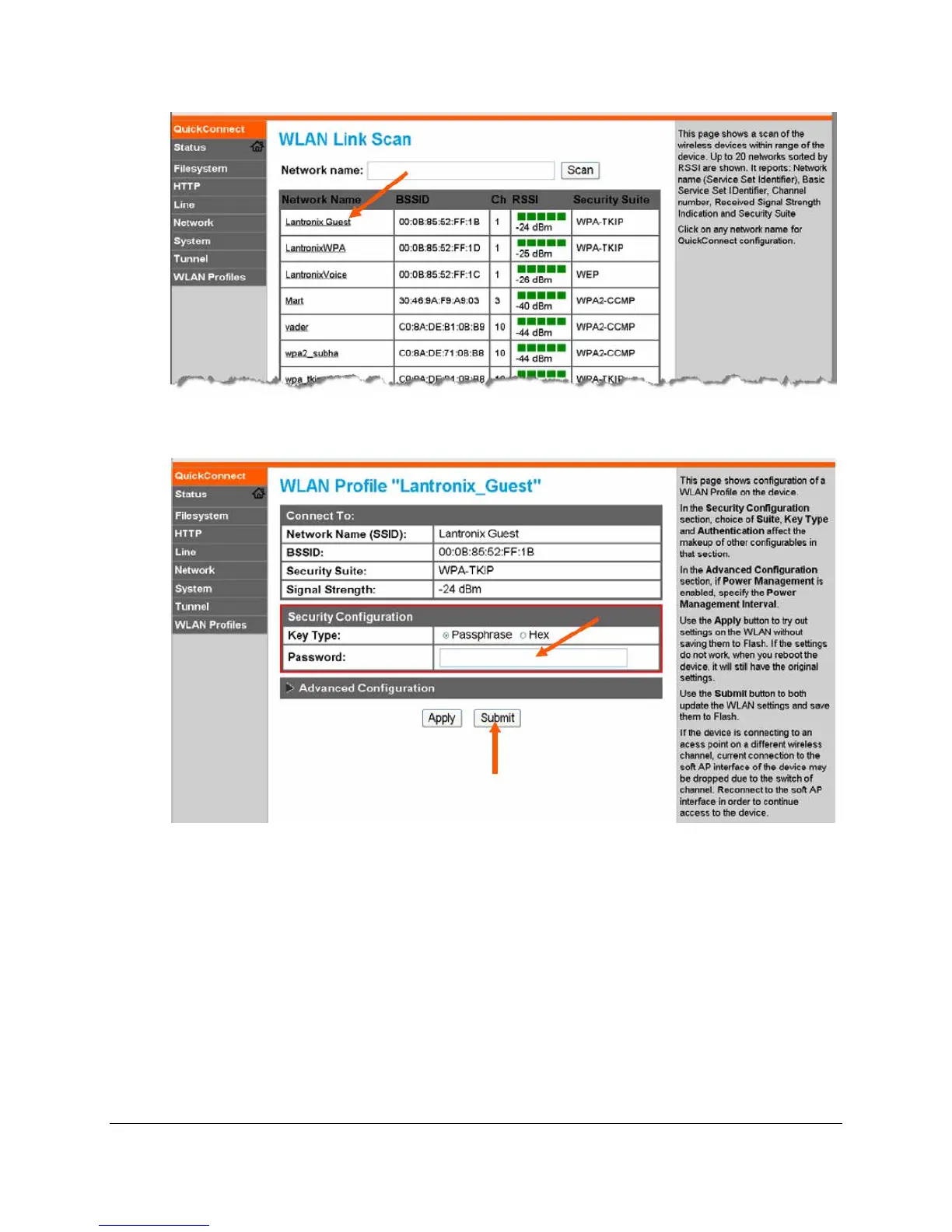
4. When the selected Access Point profile displays, enter the password and click Submit to directly
connect to the Access Point and to add the profile and configuration details to the WLAN profiles.
5. Once added, the Quick Connect profile is connected and is accessible and configurable through
WLAN Profiles.
6. Then, once the WMA-5 is successfully connected a LAN, view the Status page under the
Interface wlan0 section to see the particular IP address that was assigned to the WMA-5. In the
example below, the LAN IP address 10.0.0.150 was assigned to the WMA-5 (and the softAP
Interface ap0 address is still available for direct connection at 192.168.0.1). The LAN-assigned
IP address can be changed from time-to-time by the LAN router, but the ap0 address will always
be 192.168.0.1.



 To Next Page