PreSonus StudioLive
™
24.4.2
10
Quick Start:
Level
Setting
Controls Connecting
to a
Computer
Scenes,
Presets &
System
Menu
Technical
Information
Tutorials Trouble-
shooting
& Warranty
Overview
2 Overview
10
Owner’s Manual
11
Quick Start:
Level
Setting
ControlsScenes,
Presets &
System
Menu
TutorialsTechnical
Information
Trouble-
shooting
& Warranty
Overview
Overview 2
11
Software
Universal Control,
Capture, and
Studio One Artist
Hookup
HookupConnecting
to a
Computer
Software
Universal Control,
Capture, and
Studio One Artist
2.5 Summary of Virtual StudioLive software features What is in the box 2.6
2.5 Summary of Virtual StudioLive software features
The Virtual StudioLive application is completely integrated with
your StudioLive 24.4.2. VSL is a highly advanced editor/librarian and
control panel. Because of the continuous bidirectional communication
between your StudioLive and VSL, whatever you do on the StudioLive‘s
control surface will be reected in VSL and vice versa.
t Easy drag-and-drop workow
t Drag presets directly to channels
t Drag parts of presets directly to components in the Fat Channel
t Adjust the Fat Channel gate, compressor, and EQ plus the graphic EQ and eects
t Quickly drop entire Scenes to the mixer for instant recall
of all channel, eects, and graphic EQ settings
t Load eects quickly by simply dragging presets into the GUI
t Makes StudioLive as easy to use as Studio One
t Use the mouse to quickly assign channels to multiple buses, mute, solo, etc.
t Timestamped backups of the entire board
t Preset Management
t Store and organize presets on your computer, then
transfer them to your mixer for that night’s gig
t Create presets on the road, store them to the mixer, then drag them to
your preset pool the next time you’re connected to the computer
t Reorder presets in mixer memory; easily order presets
to best t your workow for the gig
t Share presets with friends; drag presets out of the browser and
email, IM, or disk-swap presets with other StudioLive owners
t Mixer Overview
t See all of the most-used parameters on the mixer at once
t See the state of all Fat Channel settings at once
t See all aux mixes at once
t See the current eects and parameter settings
t See graphic equalizer settings
2.6 What is in the box
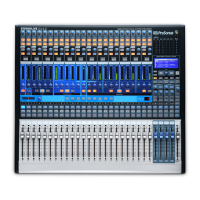
In addition to this manual, your StudioLive package contains the following:
t PreSonus StudioLive 24.4.2 digital recording and
performance mixer
t 6’ (1.8 m) 6-pin-to-6-pin FireWire 400 cable
t 6' (1.8 m) 6-pin-to-9-pin FireWire 400-to-800 cable
t IEC power cord
t StudioLive Software Library containing
t PreSonus StudioLive Artist program DVD plus gigabytes of third-party content
t PreSonus Capture™ CD with demo Sessions
t PreSonus Virtual StudioLive and Universal Control CD










 To Next Page