PreSonus StudioLive
™
24.4.2
112
Quick Start:
Level
Setting
Overview Controls Scenes,
Presets &
System
Menu
Technical
Information
Tutorials Trouble-
shooting
& Warranty
Connecting
to a
Computer
Owner’s Manual
113
Quick Start:
Level
Setting
OverviewControlsScenes,
Presets &
System
Menu
TutorialsTechnical
Information
Trouble-
shooting
& Warranty
Software
Universal Control,
Capture, and
Studio One Artist
Hookup
Hookup
Software
Universal Control,
Capture, and
Studio One Artist
Connecting
to a
Computer
Studio One Artist 7.4
SOFTWARE: Universal Control, Capture, and Studio One Artist 7
7.4 Studio One Artist
7 SOFTWARE: Universal Control, Capture, and Studio One Artist
7.4 Studio One Artist Quick Start
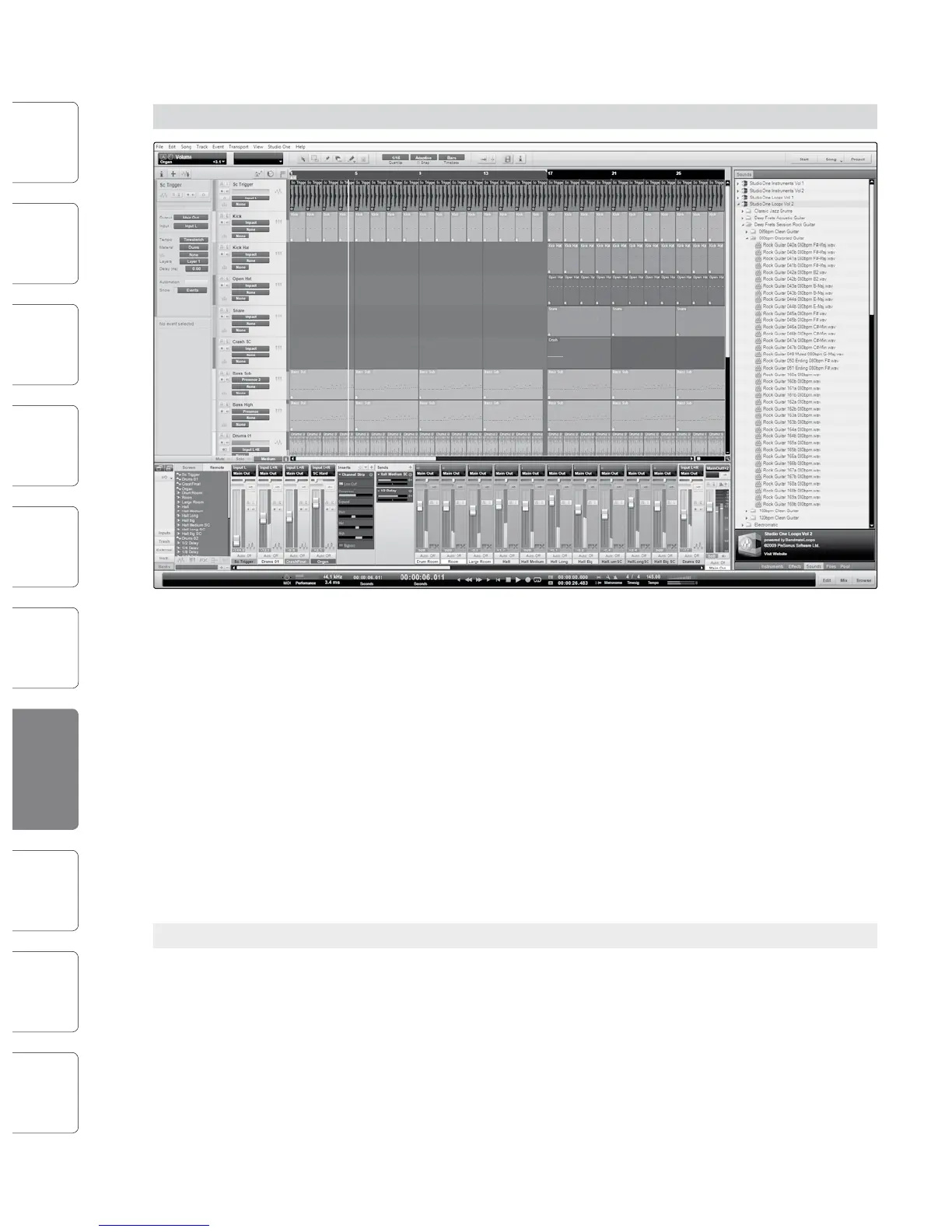
Your StudioLive 24.4.2 comes with Studio One Artist recording and
production software. Whether you are about to record your rst
album or your ftieth, Studio One Artist provides you with all of the
tools necessary to capture and mix a great performance. As a valued
PreSonus customer, you are also eligible for an upgrade discount for
Studio One Pro when you are ready to master your work, create a digital
version for the Web, or incorporate third-party VST plug-ins into your
recording process. For more details on the Studio One Pro upgrade
program for PreSonus customers, please visit www.presonus.com.
Studio One Artist was designed for easy integration with both
the StudioLive and Capture. Sessions recorded in Capture can be
opened directly in Studio One; no exporting or importing is required.
Any markers, edits, and so on that are made in Capture will be
preserved when the Capure session is opened in Studio One.
7.4.1 Installation and Authorization
Once you have installed the StudioLive drivers and connected your
StudioLive to your computer, you can use the PreSonus Studio One
Artist music-production software included with your StudioLive to
begin recording, mixing, and producing your music. To install Studio
One Artist, insert your installation disc into your computer’s DVD drive.
Follow the onscreen instructions to complete the installation process.
Running the Studio One Installer
To Install Studio One Artist, insert your Studio One Artist installation DVD
into your computer’s DVD drive.
t Windows Users: Launch the Studio One Artist
installer and follow the onscreen instructions.
t Mac Users: Drag the Studio One Artist application into
the Applications folder on your Macintosh HD.
Creating a User Account
t After installing Studio One Artist, launch the program, and the Activate
Studio One menu will appear. If you are a new Studio One user, you will
need to create a user account. Follow the Create Account link if your
computer is connected to the Internet. Once you have created your
account, continue activating Studio One Artist online.
t If your computer is not connected to the Internet, visit the Studio
One product page at www.presonus.com on an Internet-connected
computer to create your account. After you have created your account,
skip to "Activating Studio One Artist Oine."
Activating Studio One Artist Online
t Now that you have created a user account, you can activate your copy of
Studio One Artist. Launch Studio One Artist, and the Activate Studio One
menu will appear.
t Click on the Activate Online link and enter your previously
created account username, password, and the product key
you received with the Studio One Artist installation disc. Click
on the Activate button to nish the activation process.










 To Next Page