PreSonus StudioLive
™
24.4.2
8
Quick Start:
Level
Setting
Controls Connecting
to a
Computer
Scenes,
Presets &
System
Menu
Technical
Information
Tutorials Trouble-
shooting
& Warranty
Overview
2 Overview
8
Owner’s Manual
9
Quick Start:
Level
Setting
ControlsScenes,
Presets &
System
Menu
TutorialsTechnical
Information
Trouble-
shooting
& Warranty
Overview
Overview 2
9
Software
Universal Control,
Capture, and
Studio One Artist
Hookup
HookupConnecting
to a
Computer
Software
Universal Control,
Capture, and
Studio One Artist
2.2 Summary of StudioLive 24.4.2 hardware features Summary of Capture software features 2.3
Thank you, once again, for buying our product. We are
condent that you will enjoy your StudioLive!
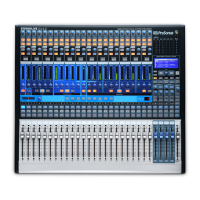
The StudioLive™ 24.4.2 performance and recording digital mixer is a fully
loaded professional digital mix er, combined with a complete 32x26 FireWire
recording system. Racks of processing eects—including compressor, limiter,
gate, four-band parametric EQ, reverb and delay—are available on every
input channel, subgroup, aux, and main mix, delivering total control in a
compact, rugged steel chassis. The StudioLive 24.4.2 includes Capture™, a
fully integrated live recording software by PreSonus,allowing you to record
every performance and rehearsal with a few clicks of your mouse.
Intuitive, exible, and powerful, StudioLive revolutionizes music
production, opening endless creative possibilities.
2.2 Summary of StudioLive 24.4.2 hardware features
t 24-bit/48 kHz sampling rate
t 24 Class A XMAX microphone preampliers
t 24 line-level inputs
t 10 auxiliary buses
t 4 subgroups
t High-denition analog-to-digital converters (118 dB dynamic range)
t Unlimited-headroom, 32-bit oating-point, digital mixing and eects processing
t 32x26 FireWire digital recording interface with two FireWire 400 (IEEE 1394) ports
t Scene automation with load/save/recall of all settings
t Fat Channel with:
t High-pass lter
t Compressor
t Limiter
t Expander/Gate
t 4-band fully parametric EQ
t Pan
t Load/save
t 2 master DSP eects (reverb and delay with Load and Save)
t 100 mm long-throw faders
t Military-grade quick-touch buttons
t Fast-acting LED meters
t Talkback communication system
t Rugged steel chassis
t PreSonus Capture™ multitrack-recording software
t Compatible with Cubase, Digital Performer, Logic,
Nuendo, Sonar, Studio One, and others
t PC and Mac® compatible
2.3 Summary of Capture™ software features
Included with your StudioLive is Capture, a digital-audio multitracking
application designed to make recording quick and easy to set up and
operate. Perfect for live recording and for mixing your audio in real time to a
stereo audio le, Capture software was designed to interface perfectly with
StudioLive 24.4.2, allowing instant setup and recording of performances.
In addition to recording the 24 channels of the StudioLive 24.4.2, Capture
also allows you to record a single stereo track from the StudioLive’s main
output, one pair of subgroup outputs, or a pair of aux sends, giving you
the option to record your main mix or create a separate recording mix.
You can arm all 26 tracks to record with the click of a single button.
Please consult the Capture user manual for complete instructions.
t 26x26 multitrack recording application
t Record with two mouse clicks
t Essential editing suite (copy, cut, paste, splice, resize)
t Peak LED-style meter bridge with clip indicators
t Marker placement and recall
t Export between marker
t Record stereo mix from StudioLive mixer
t Import/export .wav, .ai, or OpenTL les
2.4 Summary of StudioOne™ Artist software features
All PreSonus audio interfaces include PreSonus Studio One Artist recording
software, which comes with over 4 GB of plug-ins, loops, and samples, giving
you everything you need for music recording and production. The Studio
One Artist Quick Start Guide is located in Section 4.1 of this manual. You will
nd a complete user manual on the Studio One Artist installation DVD.
t Unlimited track count, inserts, and sends
t 20 high-quality native plug-ins: amp modeling (Ampire), delay (Analog Delay,
Beat Delay), distortions (Redlight Dist), dynamics processing (Channel Strip,
Compressor, Gate, Expander, Limiter, Tricomp), equalizer (Channel Strip, Pro EQ),
modulation (Autolter, Chorus, Flange, Phaser, X-Trem), reverb (MixVerb, Room
Reverb), and utility (Binaural Pan, Mixtool, Phase Meter, Spectrum Meter, Tuner)
t Over 4 GB of loops, samples, and instruments, featuring: Presence
virtual sample player, Impact virtual drum machine, SampleOne virtual
sampler, Mojito virtual analog-modeled subtractive synthesizer
t Innovative and intuitive MIDI mapping
t Powerful drag-and-drop functionality for faster workow
t Mac OS X® and Windows® compatible










 To Next Page