PreSonus StudioLive
™
24.4.2
32
Quick Start:
Level
Setting
Overview Connecting
to a
Computer
Scenes,
Presets &
System
Menu
Technical
Information
Tutorials Trouble-
shooting
& Warranty
Controls
4 Controls
32
Owner’s Manual
33
Quick Start:
Level
Setting
OverviewScenes,
Presets &
System
Menu
TutorialsTechnical
Information
Trouble-
shooting
& Warranty
Controls
Controls 4
33
Software
Universal Control,
Capture, and
Studio One Artist
Hookup
Hookup
Software
Universal Control,
Capture, and
Studio One Artist
Connecting
to a
Computer
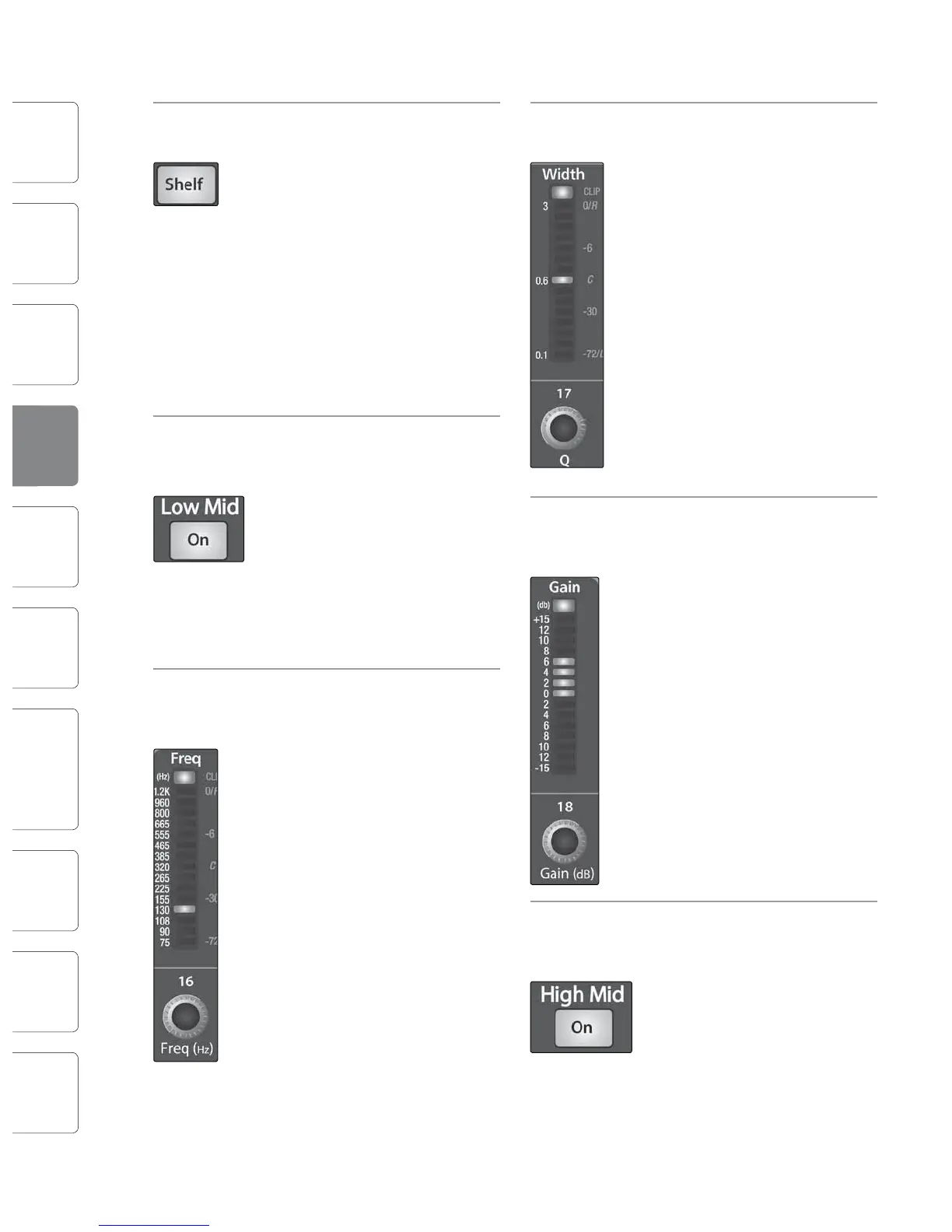
Low Shelf Turns on the Low Shelving EQ for the
EQ Button Selected Input or Output Bus.
When the Shelf button is not
engaged, the Low band is parametric.
Enabling the Shelf button turns the
Low band into a low-shelving EQ that
alters, by a xed amount, a band of
low frequencies at and below a
user-selected shelving frequency.
A Low Shelving EQ is like a bass-
control knob on a stereo. In this
mode, the Center Frequency control
selects the shelving frequency.
Low-Mid EQ Activates Controls for the Low-Mid
On/O EQ for the Selected Input or
Button Output Bus.
This button actives the controls for
the equalizer’s Low-Mid band for the
selected input or output. The button
will illuminate to indicate control is
active.
The Low-Mid EQ is available for
all input and output buses.
Low-Mid EQ Sets and Displays the Center
Frequency Frequency of the Low-Mid EQ.
Control
This encoder sets, and the meter
displays, the center frequency for the
Low-Mid band. You can adjust the
center frequency from 75 Hz to 1.2
kHz.
High-Mid EQ Sets and Displays the Center
Frequency Frequency of the High-Mid EQ.
Control
This encoder sets, and the meter
displays, the center frequency of the
High Mid band. You can adjust the Q
from 380 Hz to 5 kHz.
High-Mid EQ Sets and Displays the Q of the High
Q Control Mid Frequency Band.
This encoder sets, and the meter
displays, the Q for the High-Mid
band. The Q is the ratio of the center
frequency to the bandwidth. When
the center frequency is constant, the
bandwidth is inversely proportional
to the Q, so as you raise the Q, you
narrow the bandwidth.
Low-Mid EQ Sets and Displays the Q of the Low-
Q Control Mid Frequency Band.
This encoder sets, and the meter
displays, the Q for the Low-Mid band.
The Q is the ratio of the center
frequency to the bandwidth. When
the center frequency is constant, the
bandwidth is inversely proportional
to the Q, so as you raise the Q, you
narrow the bandwidth.
Low-Mid EQ Sets and Displays the Gain
Gain Control Attenuation or Boost of the Center
Frequency for the Low-Mid Band.
This encoder sets, and the meter
displays, the Gain cut or boost at the
center frequency of the Low-Mid
band. The level of the center
frequency can be set between -15
and +15 dB.
High-Mid EQ Activates Controls for the High-Mid
On/O EQ for the Selected Input or Output
Button Bus.
This button actives the control for
the High-Mid band for the selected
input or output. The button will
illuminate to indicate that the
control is active.
The High-Mid EQ is available for
all input and output buses.
High-Mid EQ Sets and Displays the Gain
Gain Control Attenuation or Boost at the
Center Frequency.
This encoder sets, and the meter
displays, the gain cut or boost at the
center frequency of the High-Mid
band. The level of the center
frequency can be set between -15
and +15 dB.
High EQ Activates Control for the High EQ
On/O for the Selected Input or Output Bus.
Button
This button actives control of the
High band for the selected channel
or bus. The button will illuminate to
indicate control is active.
The High EQ band is available
for all input and output buses.
High EQ Sets and Displays the Center
Frequency Frequency of the High EQ.
Control
This encoder sets, and the meter
displays, the center frequency of the
High band. You can adjust the center
frequency from 1.4 to 18 kHz.
Fat Channel 4.14.1 The Fat Channel










 To Next Page