Troubleshooting and Maintenance 67
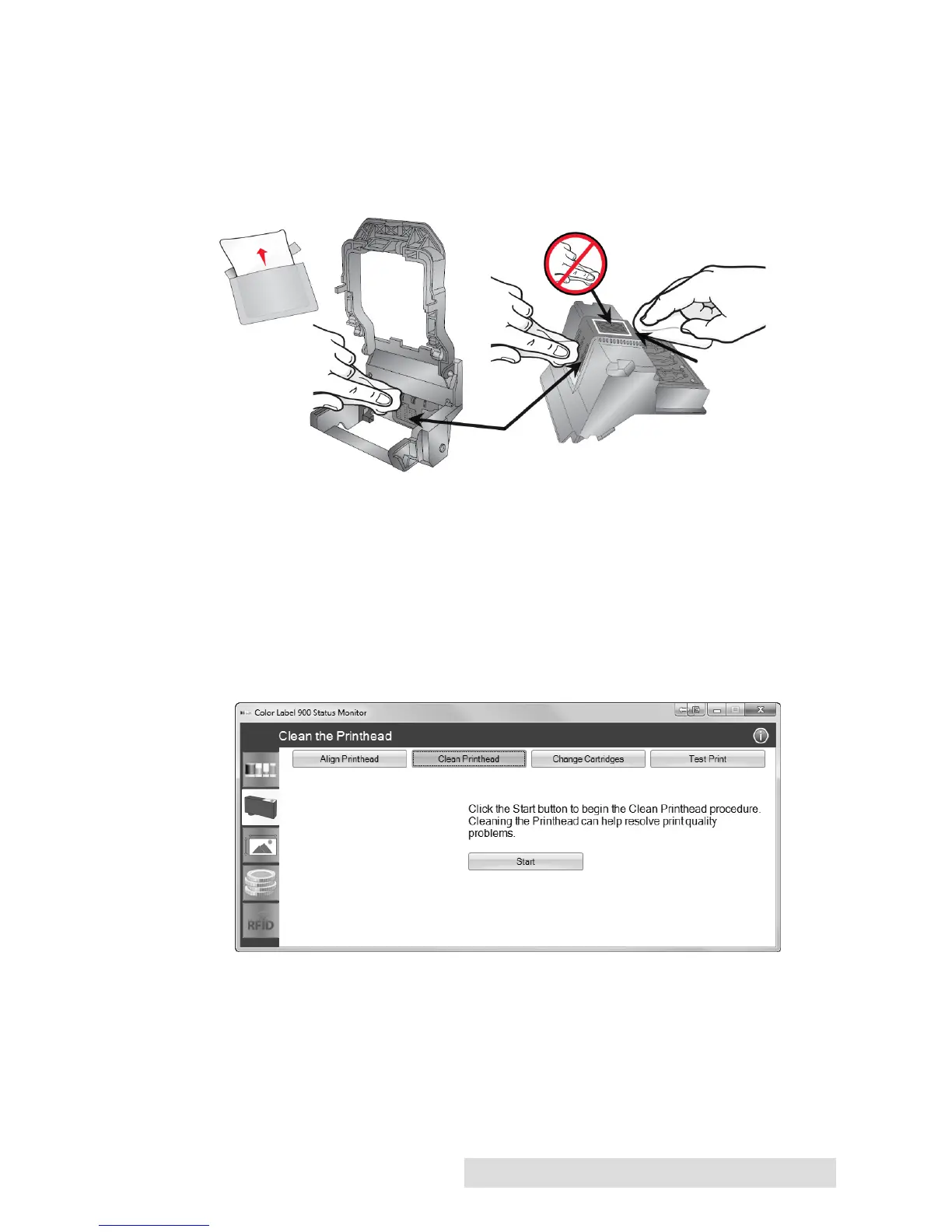
2. Clean the Copper Contacts. Ink over spray can build up inside
the printer over time causing interrupted electrical signals.
Remove the print head and clean the copper
contacts on the print head carrier and the print head.
(Area 1, 2 and 4 below). Do not clean the print nozzles! (Area 3).
3. Clean the Print Head.
DO NOT touch the print head nozzles with a tissue or paper
towel. This can damage the nozzles! This may be different that
previous printers. Instead used the methods described below:
1. Open PTStatus monitor.
2. Click Clean print head on the Cartridge Utilities Tab
(second tab).



 To Next Page