Chapter 7: Monitor Profiles
43
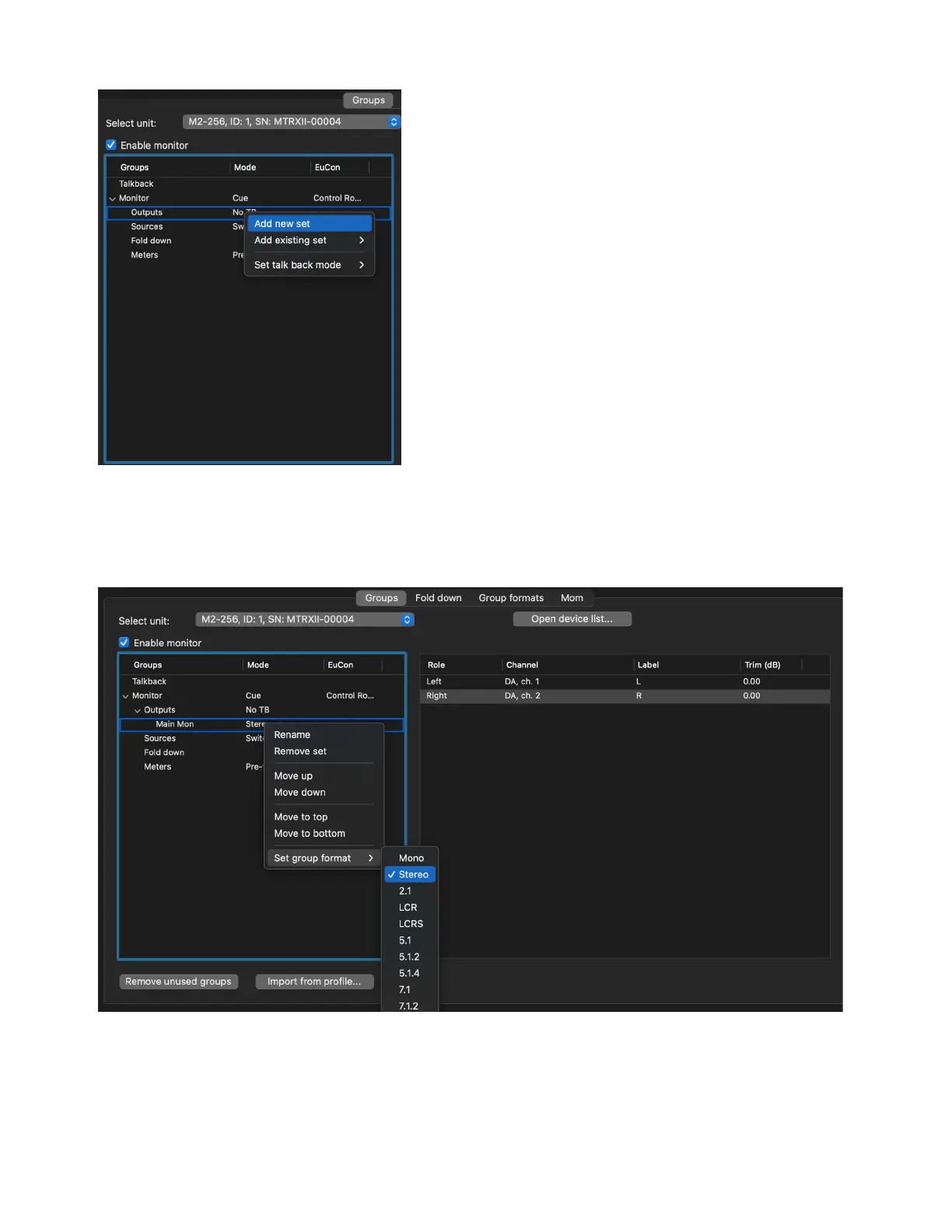
3 Right-click New output set and choose Rename (or double-click the name in the Groups column), and type a descriptive name.
4 Right-click the output set and select the desired channel width from Set group format. Choose from the available preset formats
(such as
Stereo or 5.1). You can also create custom formats (see Group Formats) to choose from.
5 Select the output set. The right pane lists all channels in the output set.
6 In the right pane, right-click each channel of the selected output and select the desired output assignment from the available outputs
(such as
DA > DA, ch. 1).
Add new output set
Set group format



 To Next Page