Chapter 7: Monitor Profiles
44
7 If desired, click in the Label column of each row and type a descriptive label.
8 To adjust the trim on any channel, click in the Trim column for any channel and type a negative value to attenuate or a positive value
(in dB) to boost the output signal for that channel.
Once you have made all assignments for the output set, you can repeat these steps to add additional output sets to the monitor group. You
can select the desired output set for monitoring in the Monitor section of the DADman window.
To remove an output set:
Right-click the output set and choose Remove set.
Talkback Mode for Output Sets
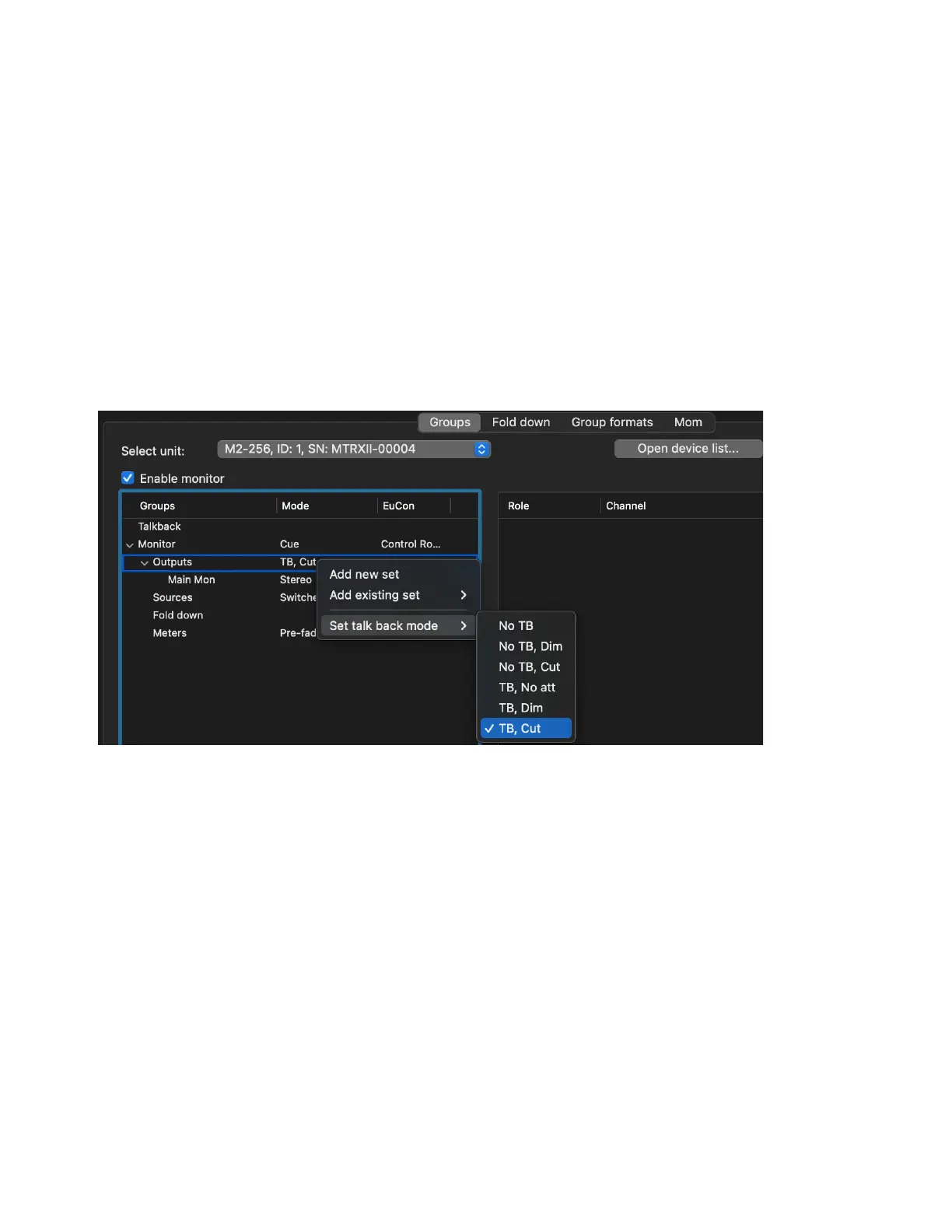
If you have assigned an input source for Talkback (see Talkback), you can set the Talkback mode for any Monitor group Output (applies
to all Outputs sets for the selected Monitor group).
To set the Talkback mode for a Monitor group Output:
Right-click Outputs and select one of the following from Set Talkback mode:
No TB
No Talkback for this Monitor group.
No TB, Dim
Talkback is not injected, but on Talkback press the program is dimmed.
No TB, Cut
Talkback is not injected, but on Talkback press the program is cut.
TB, No att
Talkback is injected on Talkback press with no attenuation.
TB, Dim
Talkback is injected on press and program is dimmed.
TB, Cut
Talkback is injected on press and program is cut.
Monitor Sources
You can add multiple Sources of any format (channel width) to a Monitor group. If there are multiple Sources, and the source selec-
tion mode
is set to Switched, the selected Source in the Monitor section of DADman is used. In Summed mode, all defined sources (or
all selected sources) are summed for monitoring.
To add Sources to a Monitor group:
1 If necessary, click the disclosure triangle (Mac) or + button (Windows) to list the attributes of the Monitor group.
Setting Talkback mode



 To Next Page