14
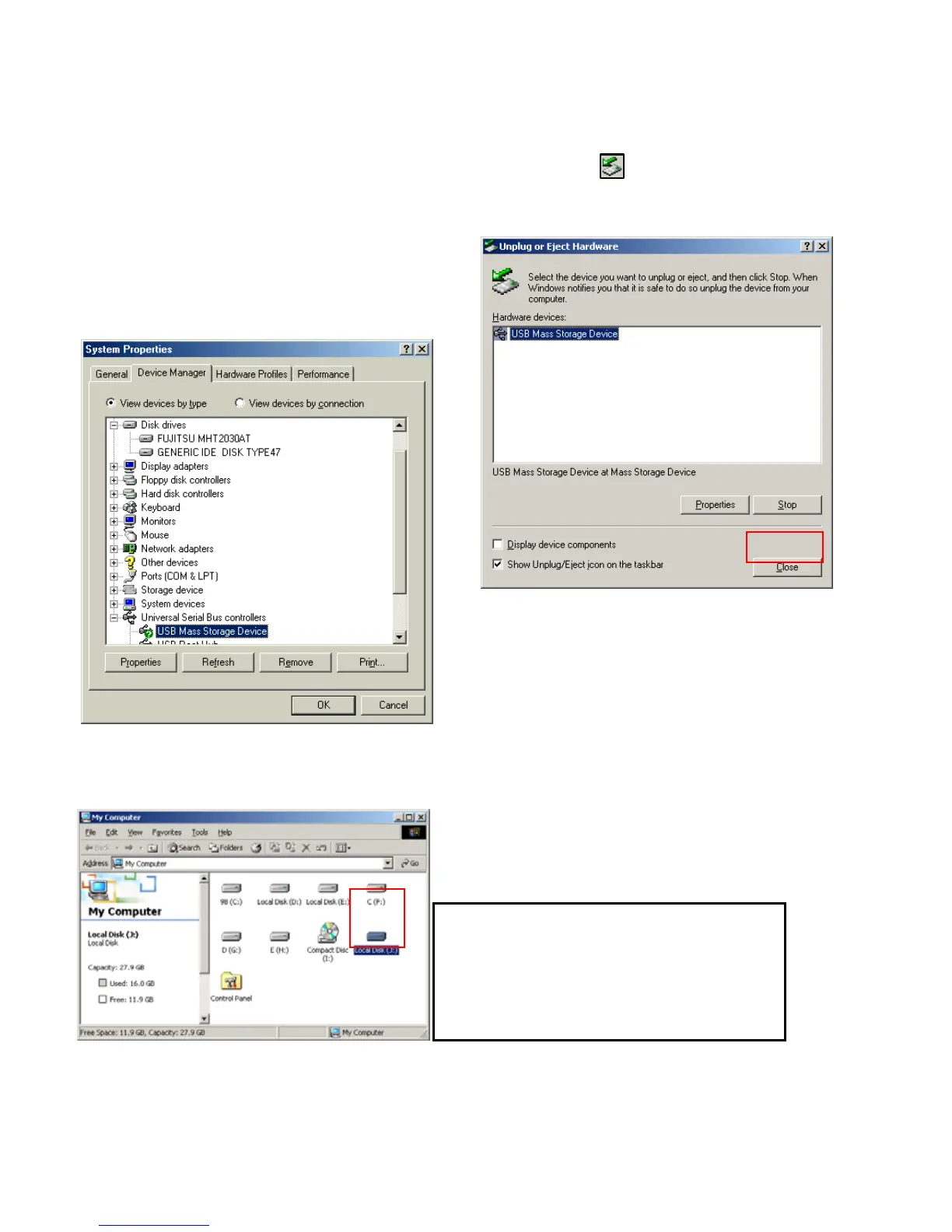
1) After connecting PBR-500 and plug power
cable, Windows itself will install driver
automatically.
And then, check the driver installation at
Windows [Start > Settings > Control Panel >
(view all Control Panel options) > System >
Device Manager > Universal Serial Bus
controllers > USB Mass Storage Device]
2) You can now find a new volume at ‘My
Computer’ or ‘Explorer’ and you can copy &
paste the files.
3) After file transfer, remove PBR-500 by using
remove icon at Windows right-down corner.
If you don’t follow this procedure, the transferred
files and PBR-500 may be damaged.
1.3.2 Windows ME
If you can not find a new volume, then do
HDD format again.
Windows ME detects FAT32 file system
only.



 To Next Page