32
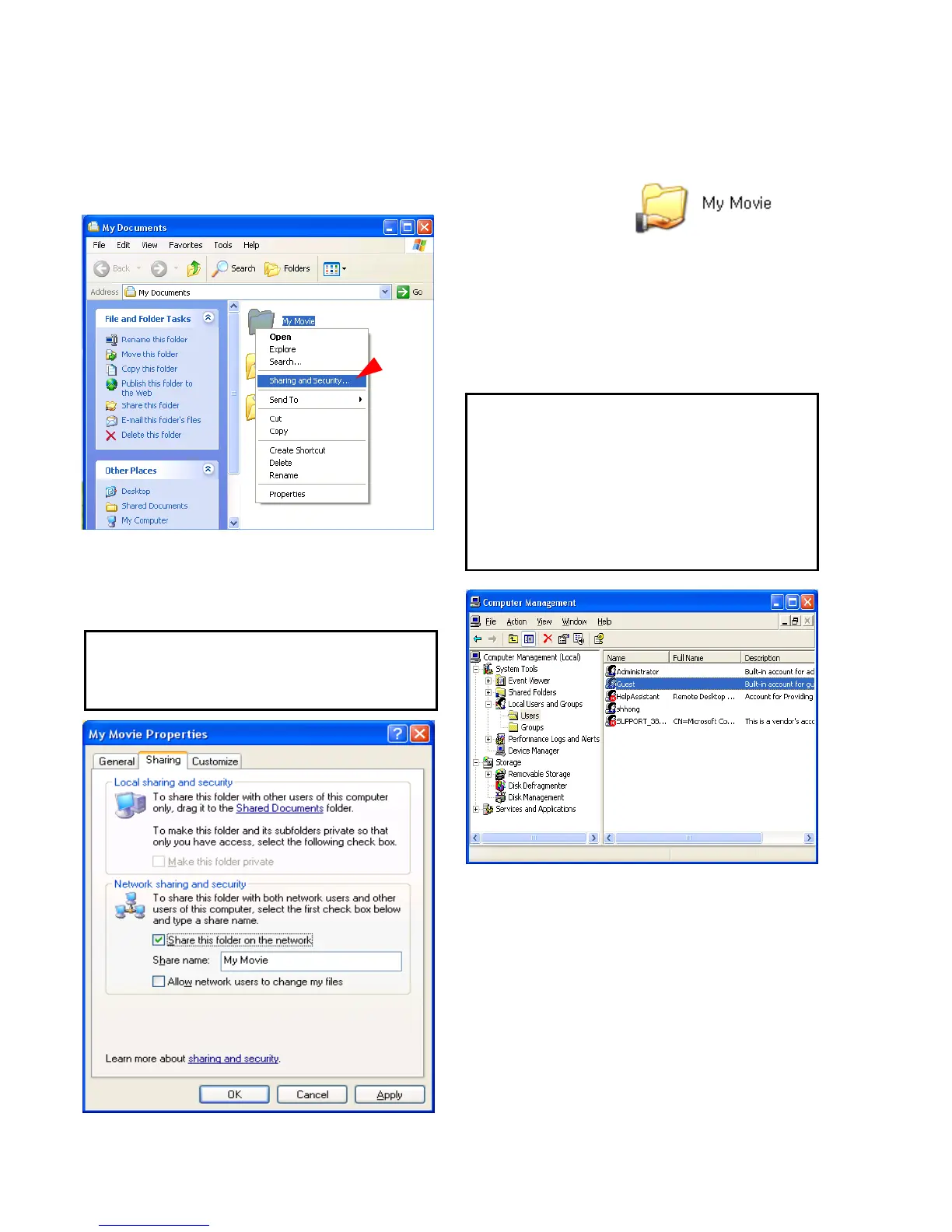
1) Select a folder which you want to share.
Right-click the folder and click ‘Sharing and
Security’ in pop menu.
2) Check ‘Share this folder on the network’ and
write ‘Share name’.
For example, “My Movie”
3) After that, the shared folder will be displayed
as following picture.
4) Move to [Settings>Control Panel>
Administrative Tools>
Computer management>
Local Users and Groups>Users],
and double click ‘Guest’.
5) Check ‘User cannot change password’ and
‘Password never expires’.
>> See next page
3.3 Windows XP
Make sure not to write a long ‘share name’ in
English.
This is for Windows XP Professional. Windows
XP Home users can’t see this figure. Go to next
number 6).
If you can’t find ‘Administrative Tools’ at Control
Panel, click “Switch to classic view” in left-up corner
on screen.



 To Next Page