8
Product Descriptions of Each Part
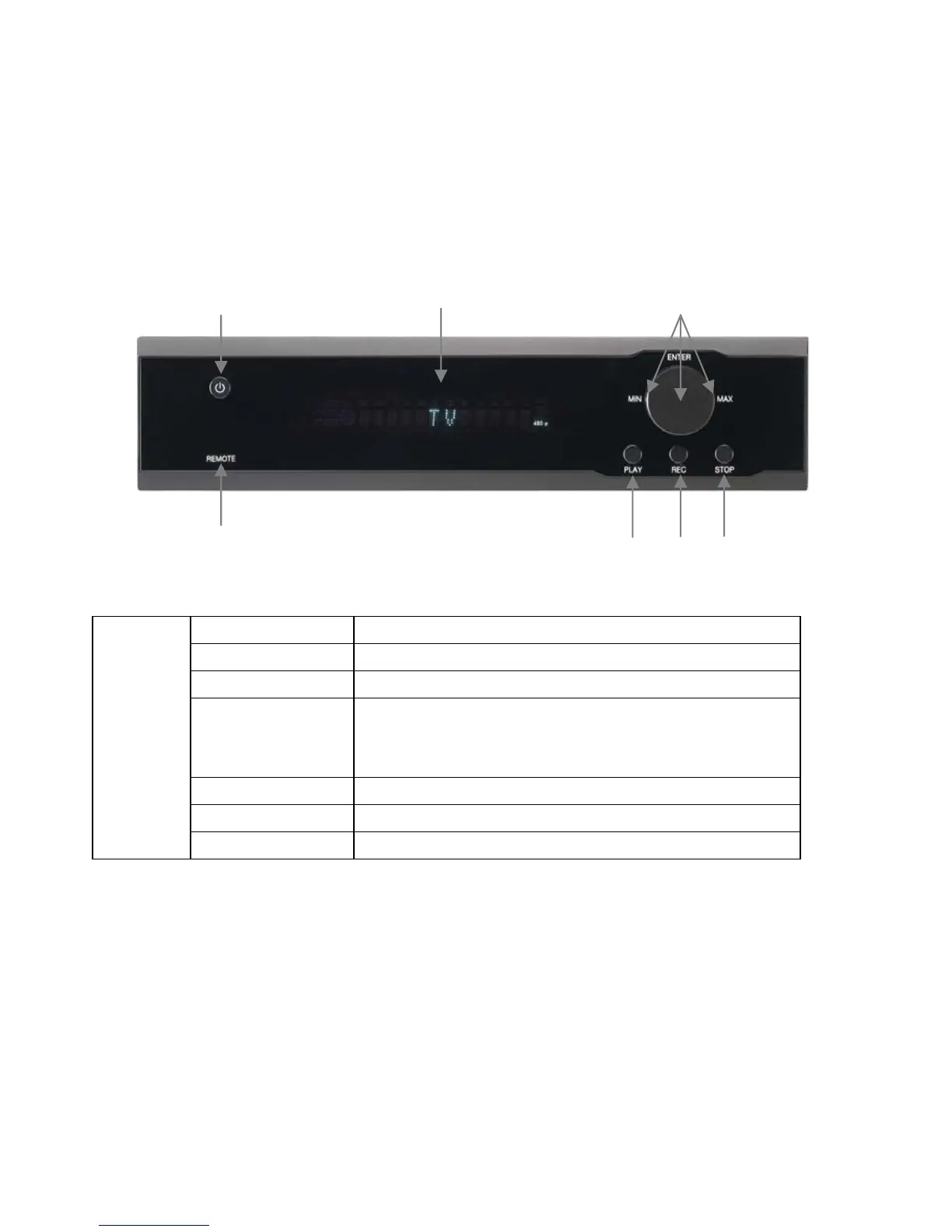
The PBR-500 has its own button at the front panel as well as with the remote controller.
① POWER Power ON / OFF button
② IR Receives the remote controller signal
③ VFD Display Colorful display for the status of the unit.
④ OK [Enter]
Navigation
OK (Enter)or Select button.
Volume Up / Down knob
Left / Right Navigation knob.
⑤ PLAY Play the files (contents) button
⑥ REC Direct Record Button
Front View
⑦ STOP Stop the file playback button.
③
④
⑥⑤
②
①
⑦
< Front View >



 To Next Page