49
8. The Main Menu Explanations of Probox PBR-500
8.1 Record Analogue & Digital TV Channels
Thanks to having a Hybrid Tuner with the PBR-500, you can watch and record TV (Analogue & Digital)
channels with this menu.
Direct Record / Time-Shift / EPG Record,/Time-Scheduling Record / AV-IN Record
functions are available at
this menu.
Make sure that the PBR-500 is connected to TV and TV should be on AV mode.
While you are watching a channel on TV mode, you can record another channel on AV mode with the PBR-
500.
8.1.1. Direct Record Analogue & Digital TV Channels.
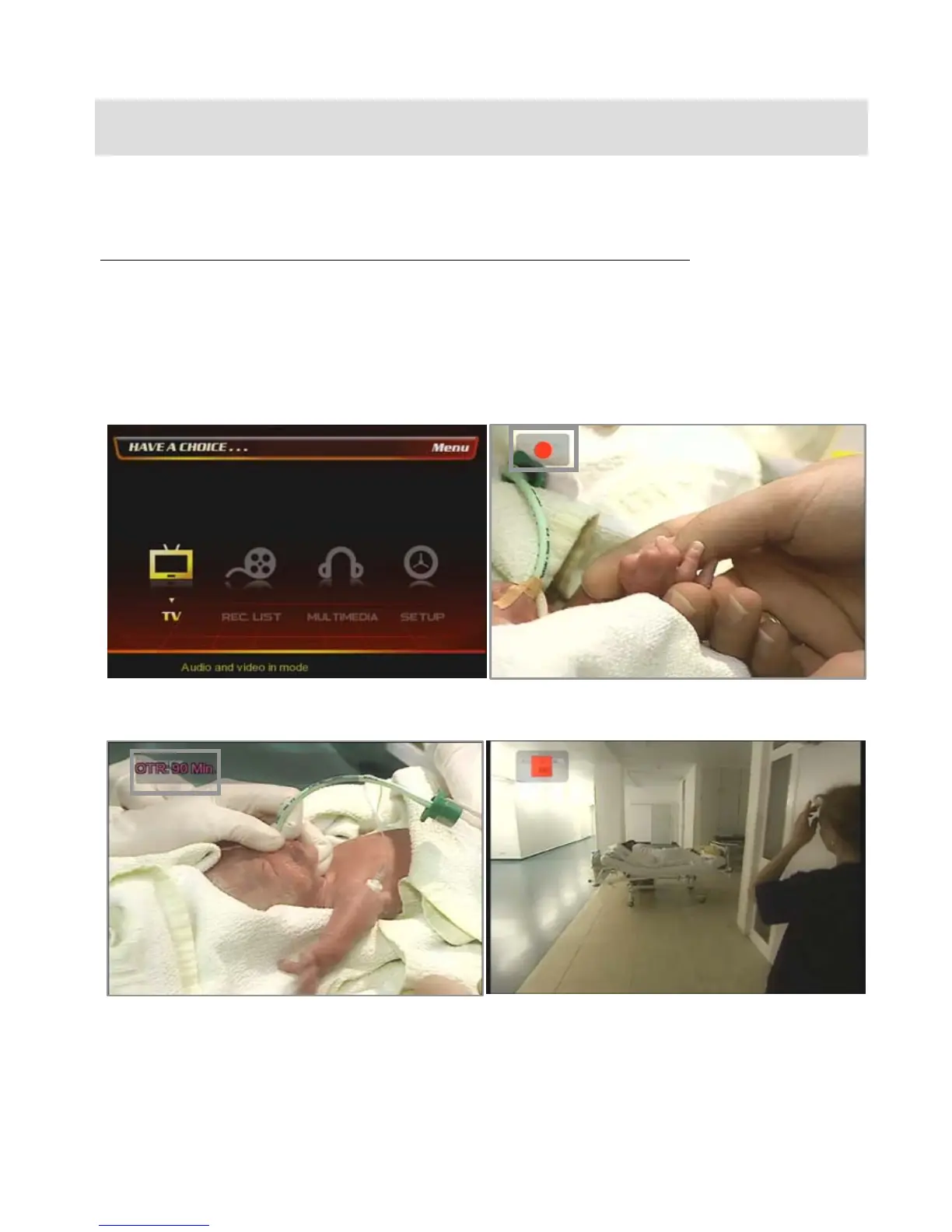
At the main page, select [① TV] icon.
② Press [Record] button on the remote then the
record icon at the top-right is shown.
③ If you press [Record] button one by one then the
recorded time is increased up to 240minutes.
(30->60->90->120->180->240minutes->Off)
④ If you want to stop the recording TV channel, then
press [Stop] button on the remote. Refer to the next
chapter [8.2 REC. List] for more detail.



 To Next Page