30
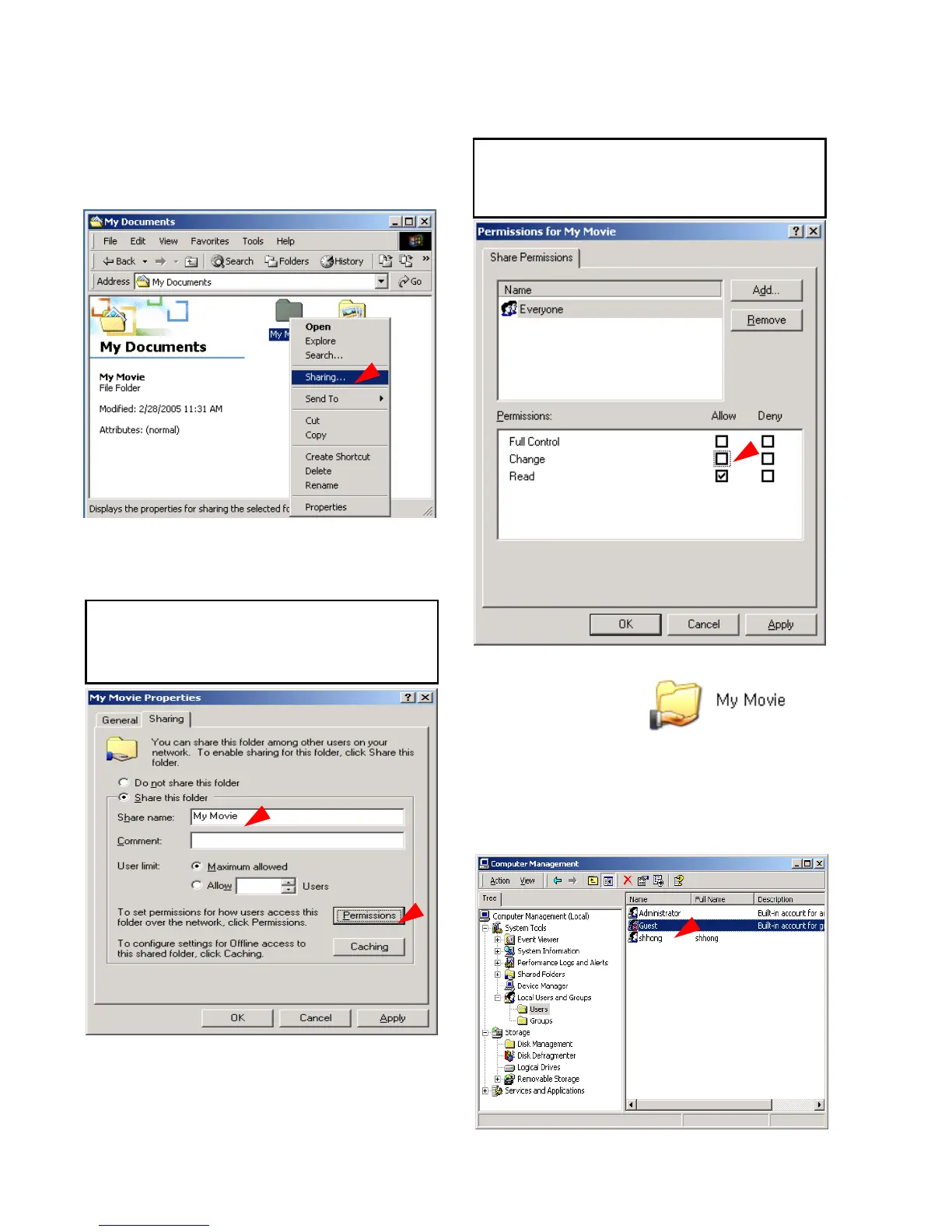
1) Select a folder which you want to share.
Right-click the folder and click ‘Sharing’ in pop
menu.
2) Check ‘Share this folder’ and write ‘share
name’.
For example, “My Movie”
3) Click ‘Permissions’ and check whether
“Everyone” account is or not. If not, add
“Everyone” account.
4) After that, the shared folder will be displayed
as following picture.
5) Move to [Settings>Control
Panel>Administrative Tools>Computer
management>Local Users and Groups>Users],
and double click ‘Guest’.



 To Next Page