35
3.4 Windows Vista
Before you start “folder sharing”, you need to set up 3 items for correct Network sharing.
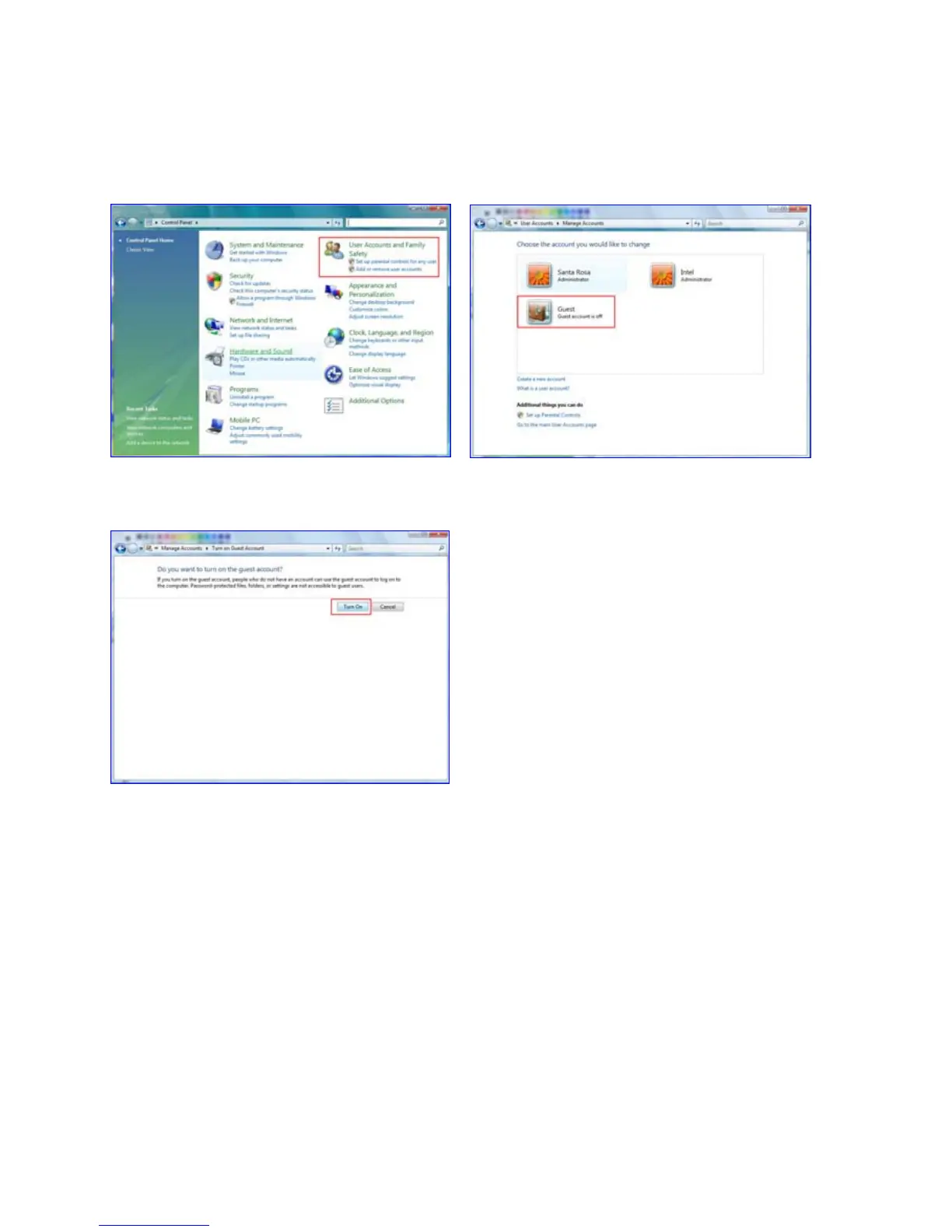
3.4.1 Setup of User Accounts and Family safety
1) Click Start > Settings > Control Panel >
Users Accounts and Family safety
2) Make sure the account is “Guest”.
3) If the “Guest” account is off, then switch
it to “On”.



 To Next Page