36
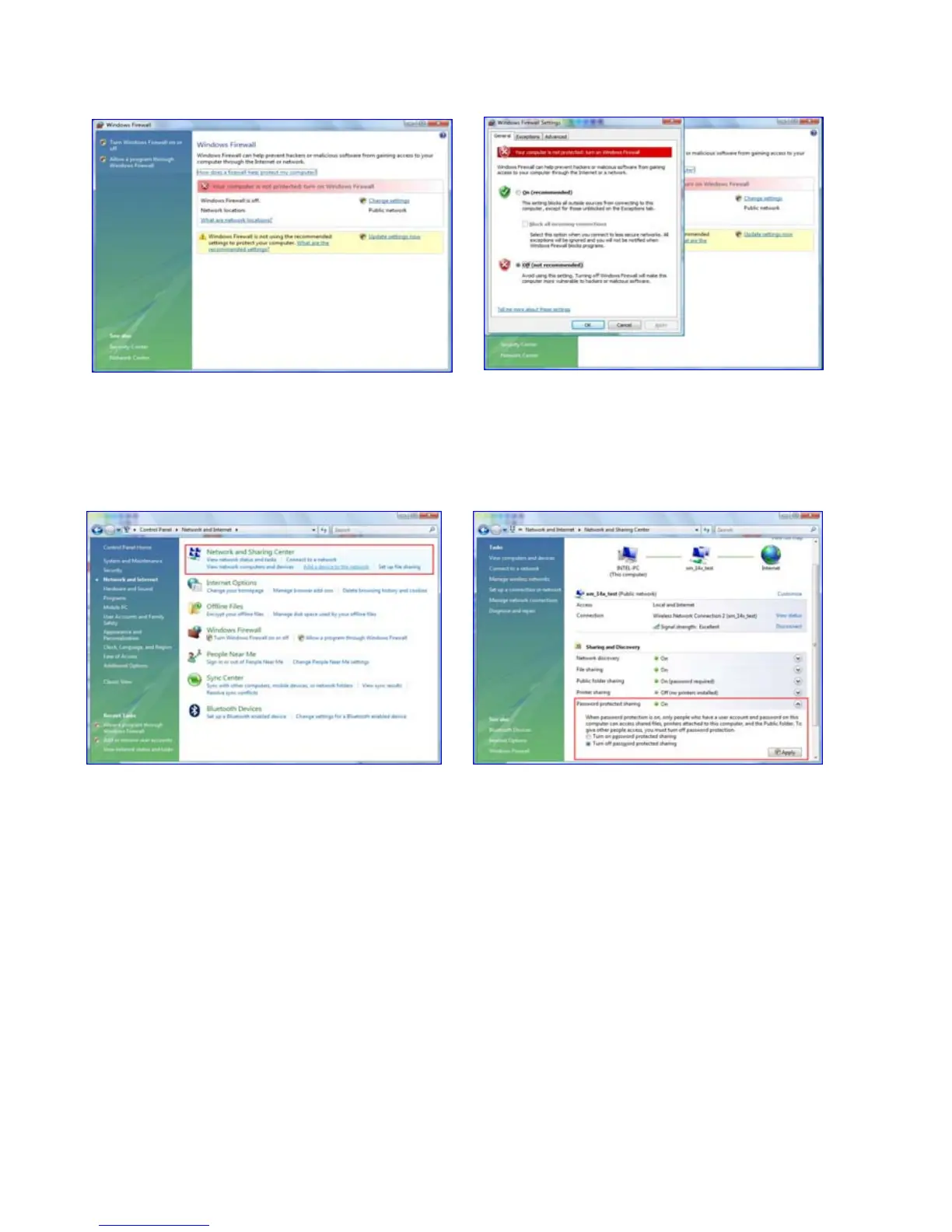
3.4.2. Disable the “Firewall”
3.4.3 Setup of Network and Sharing Center
1) Click Start > Setting > Control Panel >
Security > Windows Firewall on / off
2) Click at ‘Off (not recommended)
1) . Click Start > Setting > Control Panel >
Network and Internet > Network and
Sharing Center.
2) Select “Password Protected sharing”
and select “Turn off password protected
sharing”.



 To Next Page