41
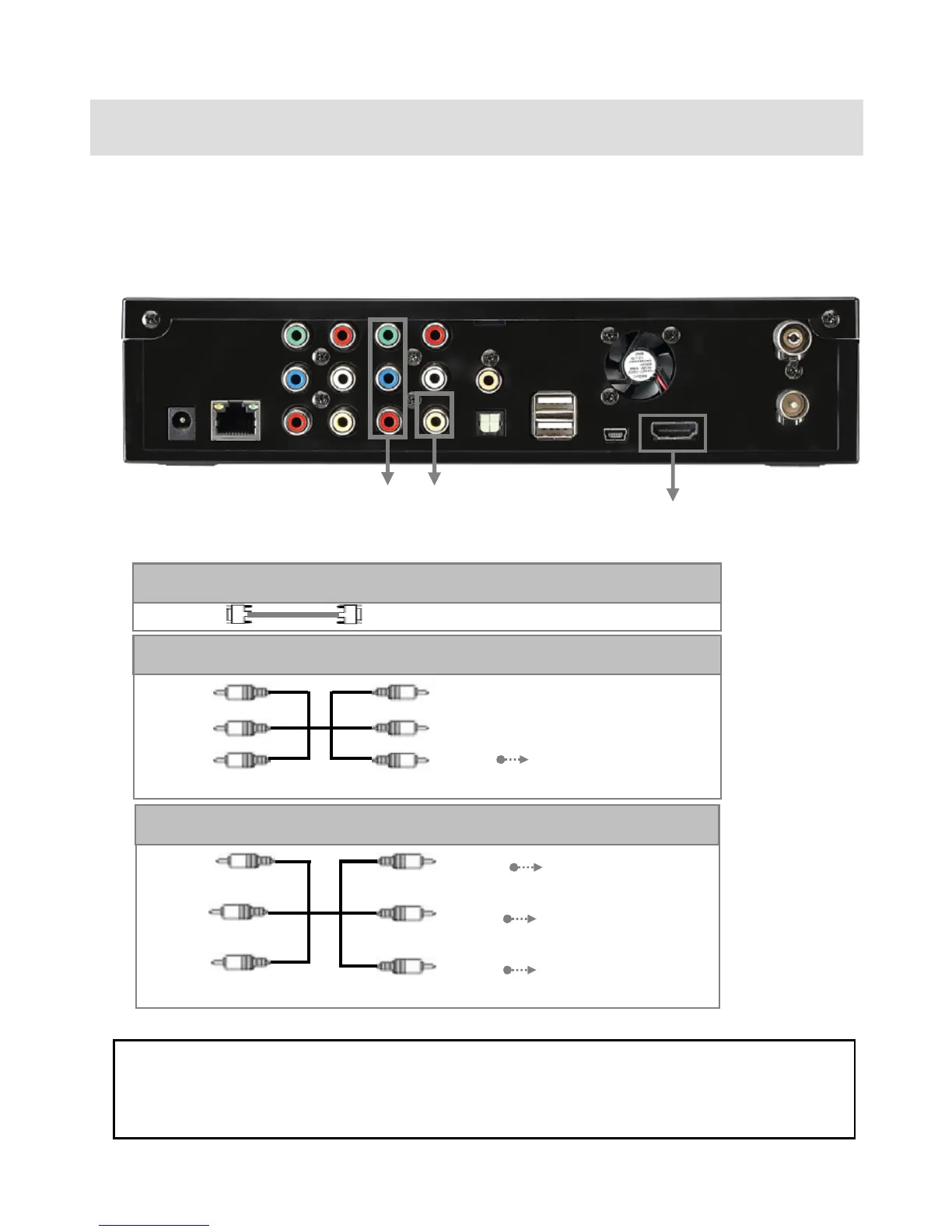
5. Connect to TV or an External AV Device
5.1 Connect Video Cable
The PBR-500 supports three types of video output; “Composite, Component and HDMI” and you can
connect one of these connections.
If you can not see a normal screen after connecting a video cable, check the followings;
On TV : Switch to video Input Mode: Turn on TV, and switch to the same video input mode as video connection.
See TV user manual.
① HDMI : HDMI Cable (not supplied)
HDMI Connect HDMI Jack of TV
Yellow
(CVBS)
Yellow
(CVBS)
Connect to Composite
(CVBS) Jack of TV
② Composite: Yellow RCA cable. (Supplied)
Red
(Pr)
Blue
(Pb)
Green
(Y )
Red
(Pr)
Green
(Y )
Connect Pr Jack of TV
Connect Pb Jack of TV
Connect Y Jack of TV
③ Component: Y, Pb, Pr component cable (not supplied)
Blue
(Pb)
①
②
③



 To Next Page