60
8.4 Setup
Set up the various configurations of Probox PBR-500.
8.4.1. TV
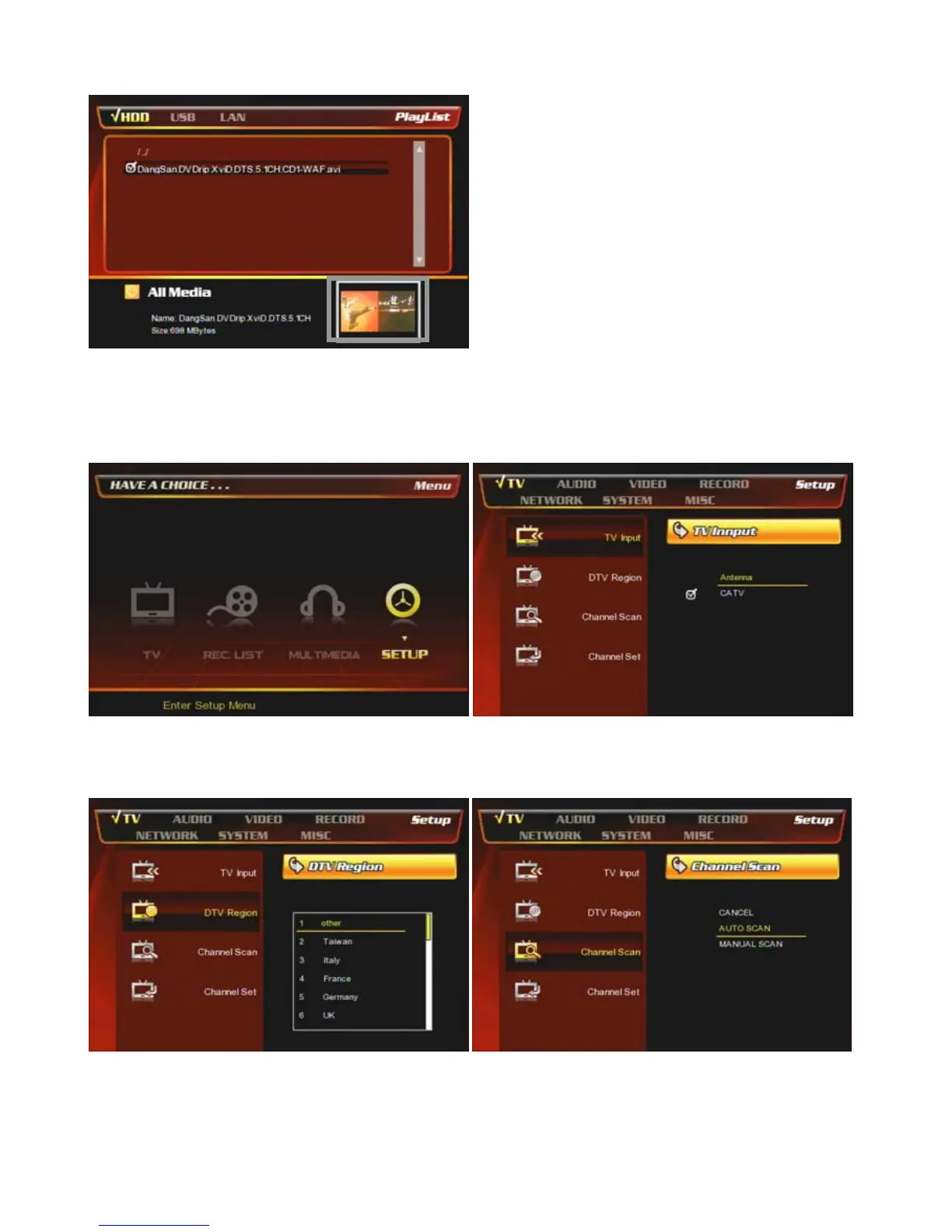
③ If you play a movie or photo, it provides ‘Preview’
function as the above.
◆ Tip
You can use various buttons on the remote while you
are playing movie, audio, photo.
For more information, refer to [How to use the Remote
Control] at Chapter 6.
① At the main page, select [Setup] icon or press
[SETUP] button on the remote.
② [TV Input] : Select TV-Input type
Antenna : Connect antenna cable
CATV : Connect cable TV cable.
③ [DTV Region] : Select a country name for
Digital TV signal reception.
④ [Channel Scan] : You can scan TV channels
automatically or manually.



 To Next Page