19
2. Connect to a PC(s) through Network connection
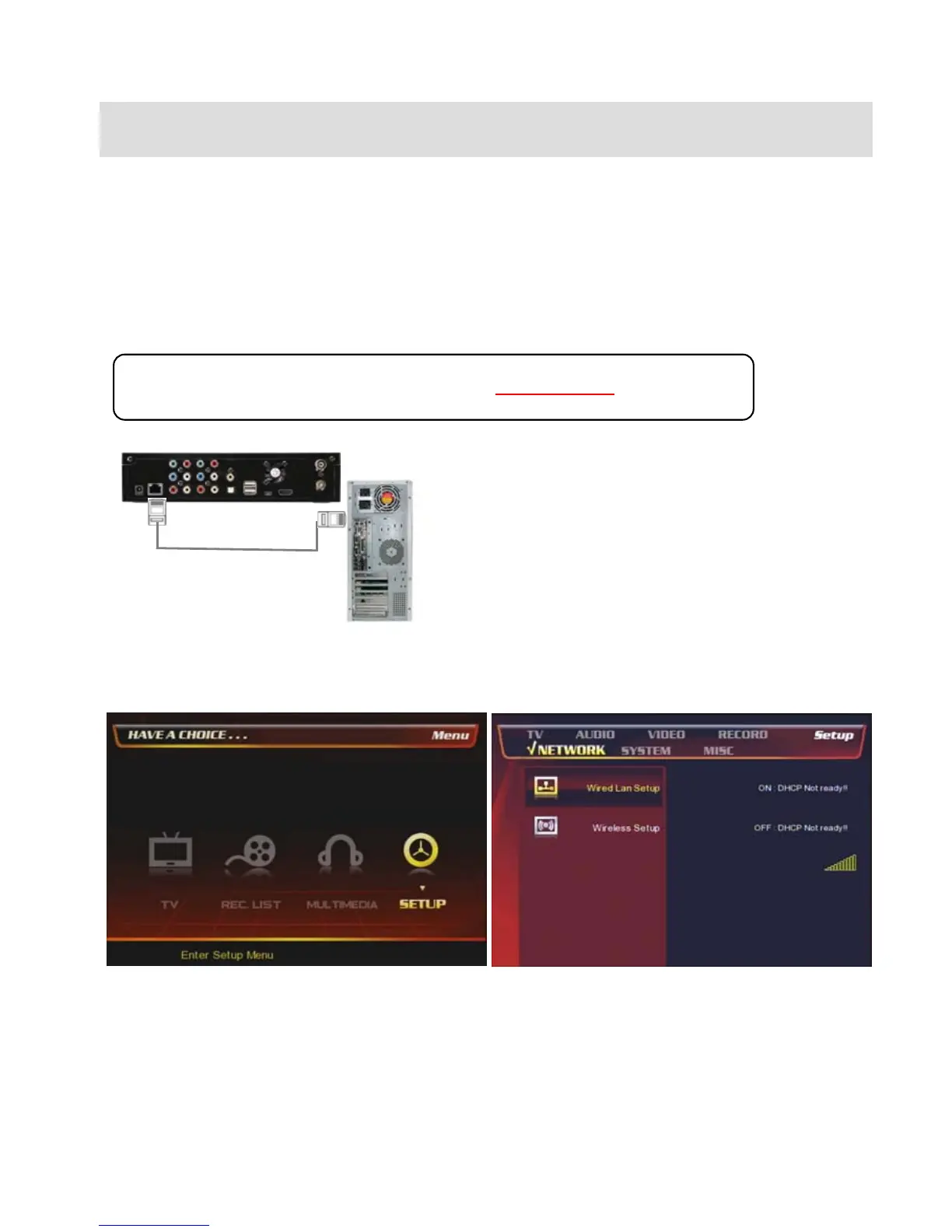
2.1 Wired LAN Connection
You can connect PBR-500 to a PC (PCs) for a file streaming by LAN or wireless and for using ‘Real-Time-
Transcoding’ streaming.
2.1.1 Direct connection between PBR-500 & a PC.
Follow up the below procedure.
Connect LAN cable to the LAN ports between PBR-
500 and PC.
[TIP] If the computer’s LAN card was connected to
Internet line, you can mount additional LAN card to
your PC and connect that additional LAN card to PBR-
500.
In case, connect a PC to PBR-500 directly (Have to use a ‘Cross-Over’ cable.)
① At the main page, select [Setup] icon or press
[Setup] button on the remote.
② Select [Network] icon => [Wired Lan Setup]



 To Next Page