20
For more information how to make a folder shared, go to [Shared File Playback (Stream)].
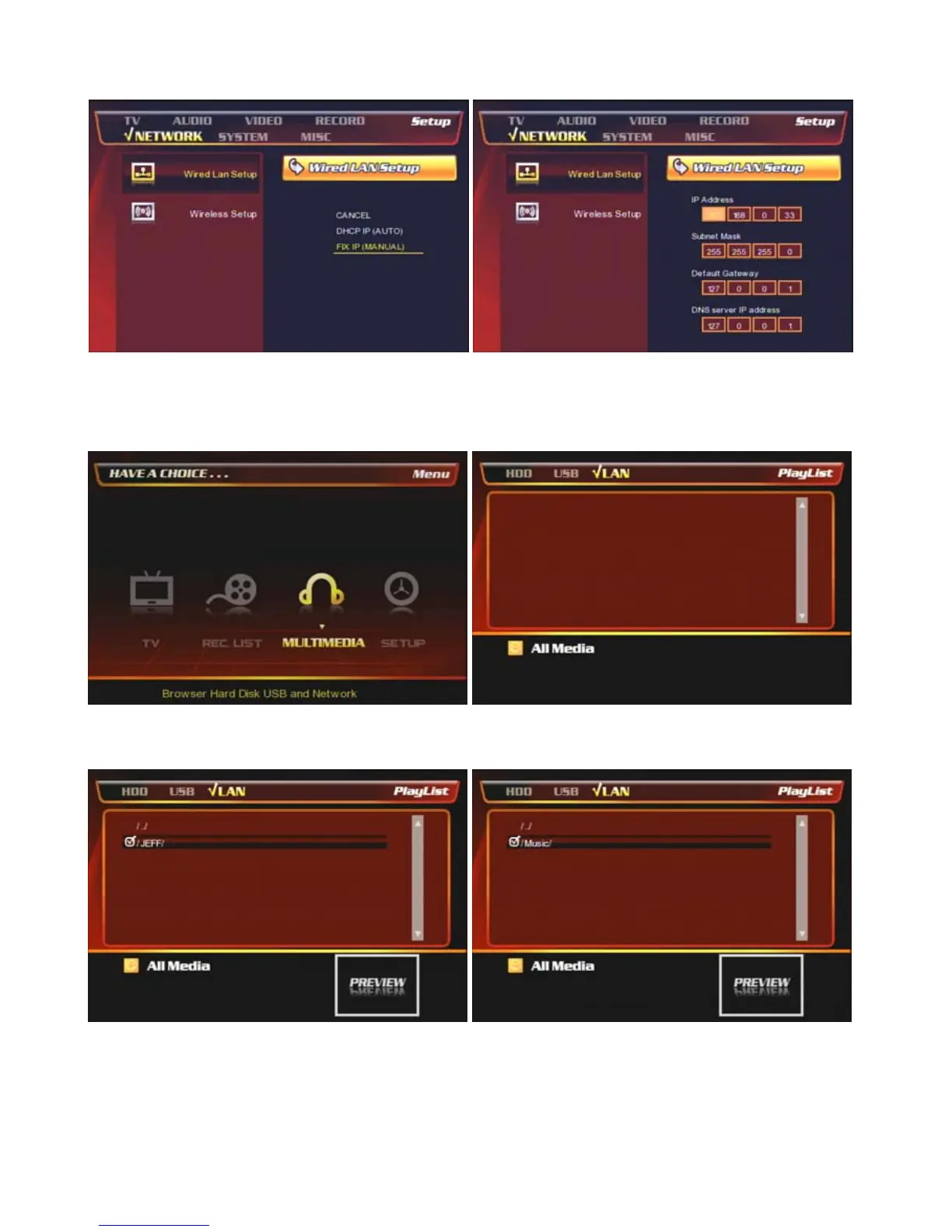
③ Select DHCP IP (AUTO) or FIX IP (MANUAL).
④ Put the fixed IP address & subnet mask as the
above. (No need to put Default Gateway / DNS server
IP address) and press [OK] to save the configuration.
⑤ Go to the main page and select [Multimedia] icon to
find the connected to PBR-500 by network.
⑥ Select [LAN] icon.
⑦ You can find the connected a PC(s) by network. ⑧ You can find the shared folder.



 To Next Page