21
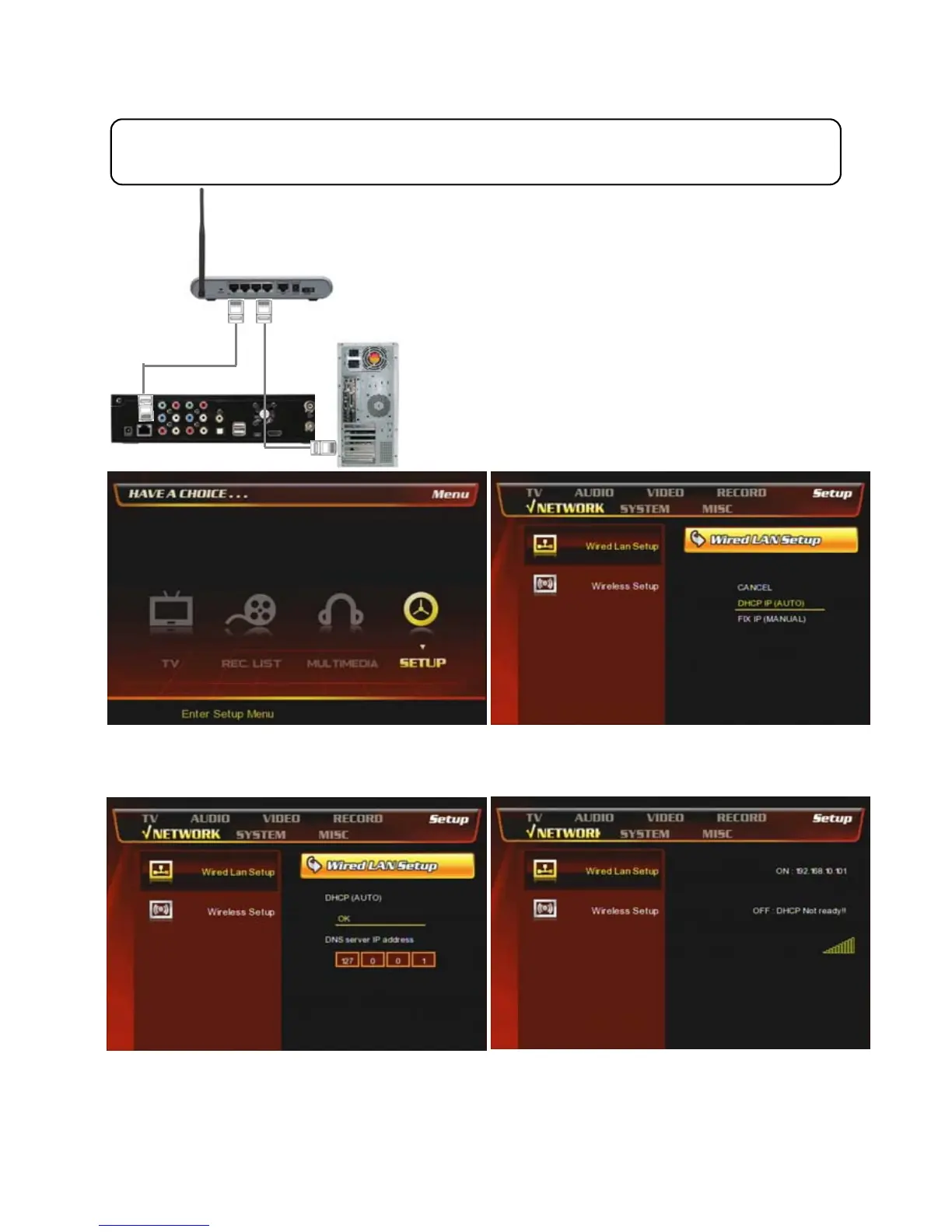
2.1.2 Connection through a router PCs.
Connect LAN cable to the LAN ports between a Router
or Hub and PBR-500.
In this case, you have to use a general Direct LAN Cable
type.
In case, connecting through a Router or Hub and you can use a general ‘Direct cable’.
① At the main page, select [Setup] icon or press
[Setup] button on the remote.
② Select [Wired Lan Setup] => [DHCP IP (AUT)]
③ Press [OK].
* You can assign a specific DNS server IP address.
④ Now, PBR-500 get a dynamic IP address.



 To Next Page