50
8.1.2. Time-Shift Record.
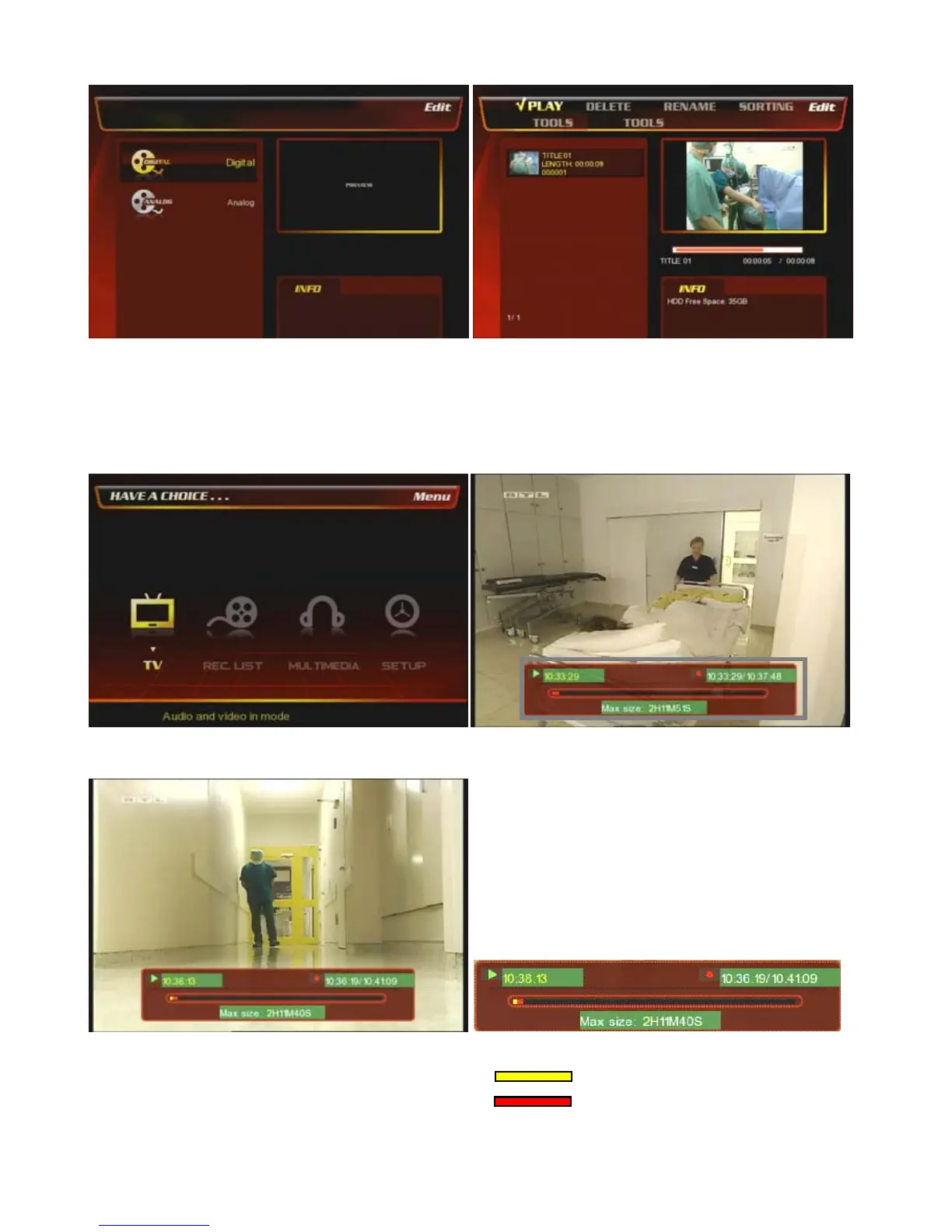
At the main page, select [① TV] icon.
② Press [Time-Shift] key on the remote then the time-
shift progress bar is shown at the bottom of TV.
③ Press [Play] button on the remote then it resumes
from the paused frame.
④ Progress bar explanation.
: Play progress bar.
: Time-Shift progress bar.
⑤ If you want to watch the recorded TV channels then
go to [REC. List] menu and select [Digital] or [Analog]
menu.
⑥ You can find the recorded lists here and play the lists.



 To Next Page