51
8.1.3. EPG Record.
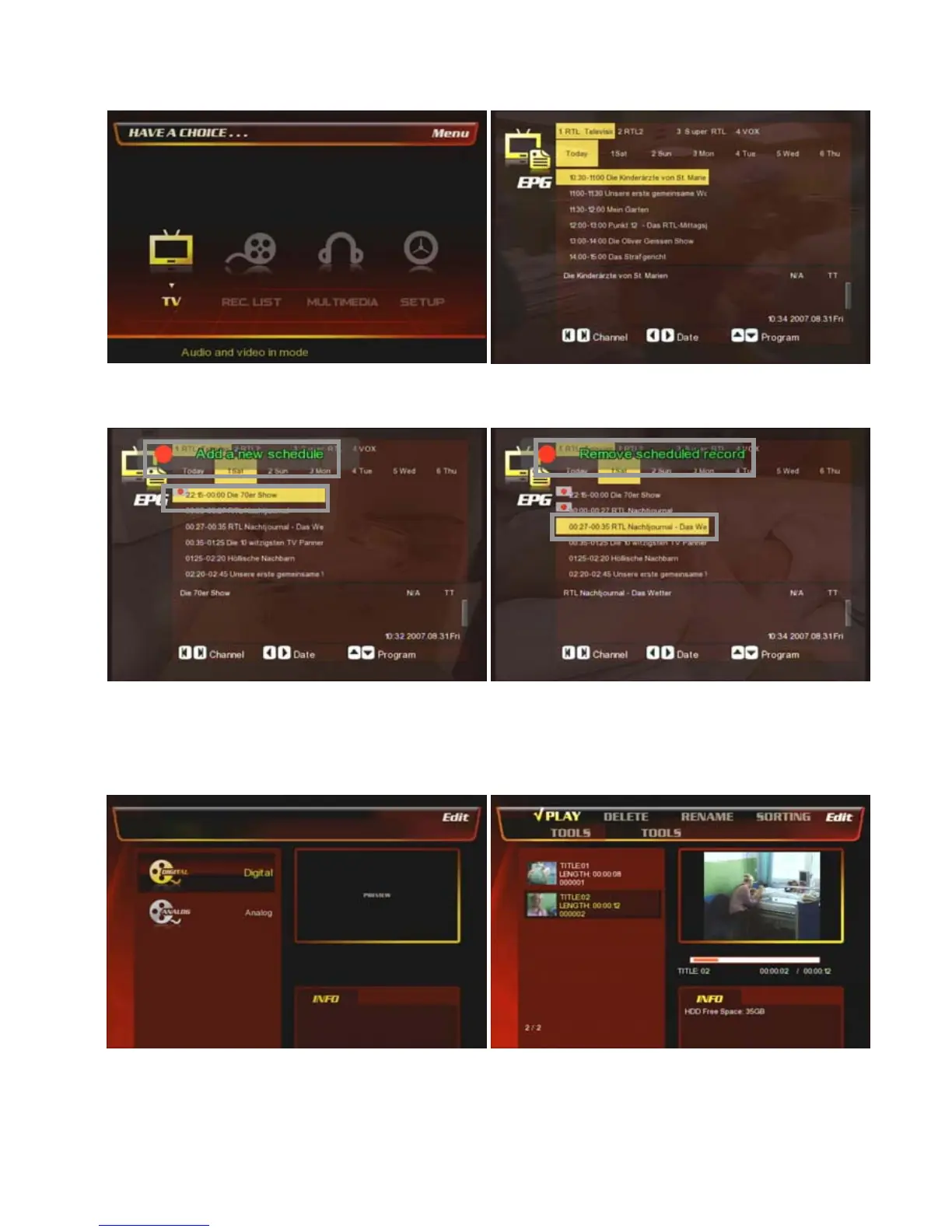
At the main page, select [① TV] icon.
② Press [EPG] button on the remote and then you will
have the EPG program page as the above.
③ Select a day & a program that you want to record by
pressing [Rec. Schedule] button on the remote.
Then it added a new schedule as the above.
④ If you want to cancel the selected EPG record
program, then press [Rec. Schedule] button at the
selected list on the remote again, and then it will be
removed as the above.
⑤ You can see the recorded list at [REC. List] menu.
Refer to the next chapter [8.2 REC. List] for more detail.
⑥ You can find the recorded list by EPG record.



 To Next Page