52
8.1.4. Time-Scheduling Record.
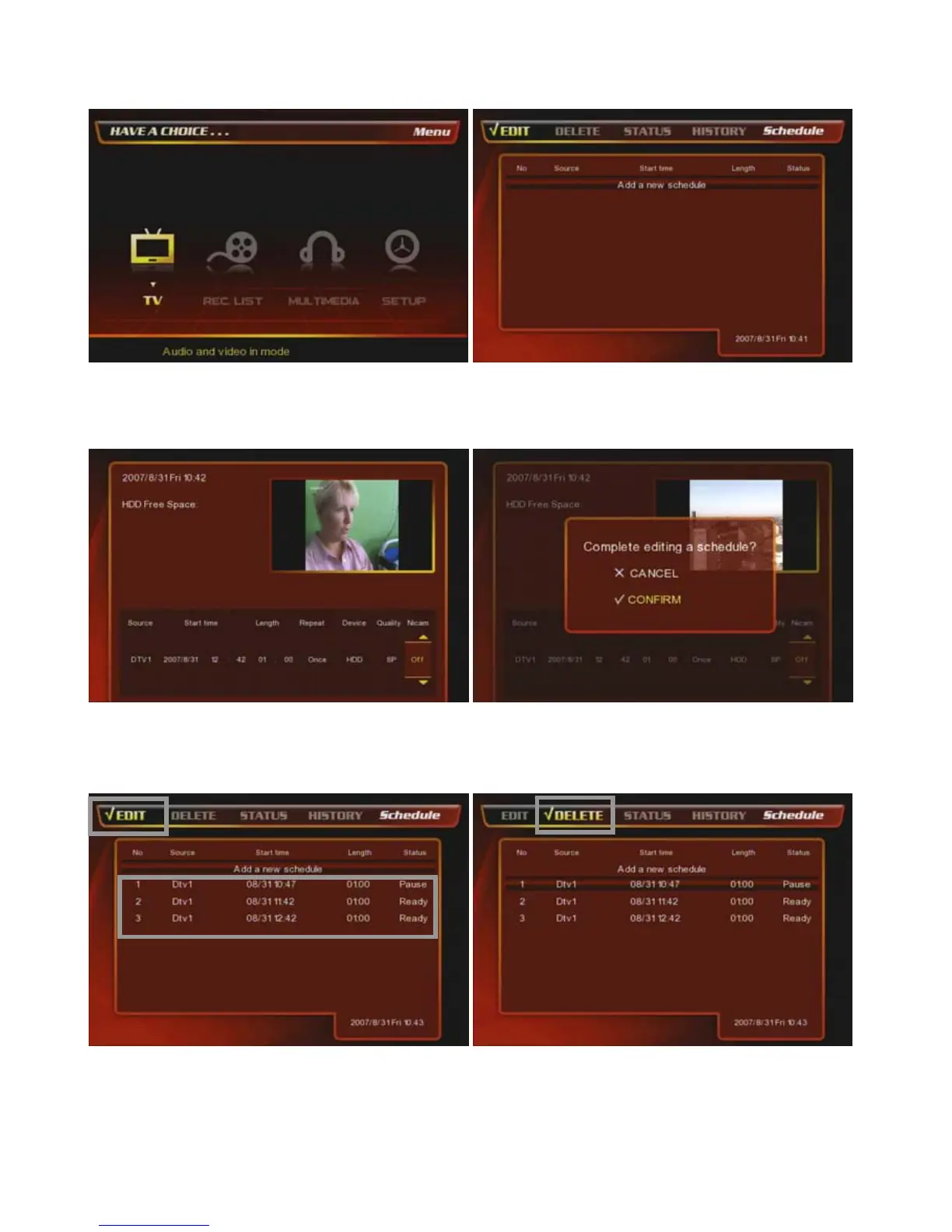
At the main page, select [① TV] icon.
② Press [REC. Schedule] button on the remote and
then you will have the Time-Scheduling-Record page
as the above.
③ You have the time-scheduling-reocrd page as the
above and select & set up of TV Channel / Start Time /
Length / Repeat period / Record Path / Quality, etc.
④ After set up the configuration, press [OK] key on the
remote then there will be confirmation window as the
above and select [Confirm].
⑤ Then the selected channel is added as the above.
⑥ If you want to delete the selected TV channel, then go
to [Delete] menu and select a program file and press
[OK] on the remote.



 To Next Page