53
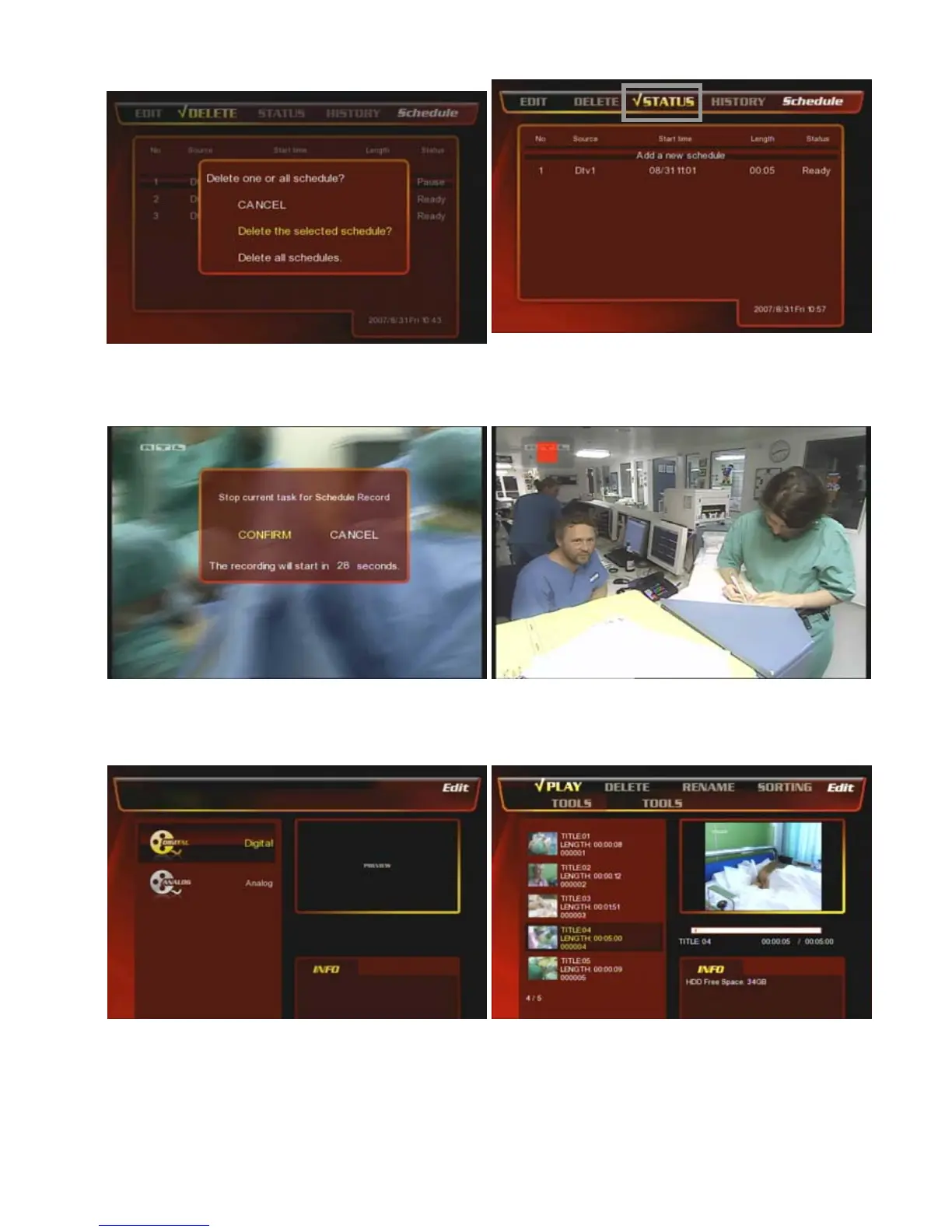
⑦ Select one of the three menu to cancel the time-
scheduling-record.
⑧ If you want to check the status of the selected record
list then go to [Status] menu and then you can see the
status detail.
⑨ If you want to stop the record, then press [Stop]
button on the remote and then select [Confirm].
⑩ After the record is completed, then you can go to the
[Status] menu and check the recording status.
⑧ When the time-scheduling-record is coming then it
shows the question prompt and select [Confirm] or just
leave it then it starts the recording automatically.
⑪ After the recording is completed, then you can go to
the [REC. List] menu and find the recorded lists.



 To Next Page