33
.
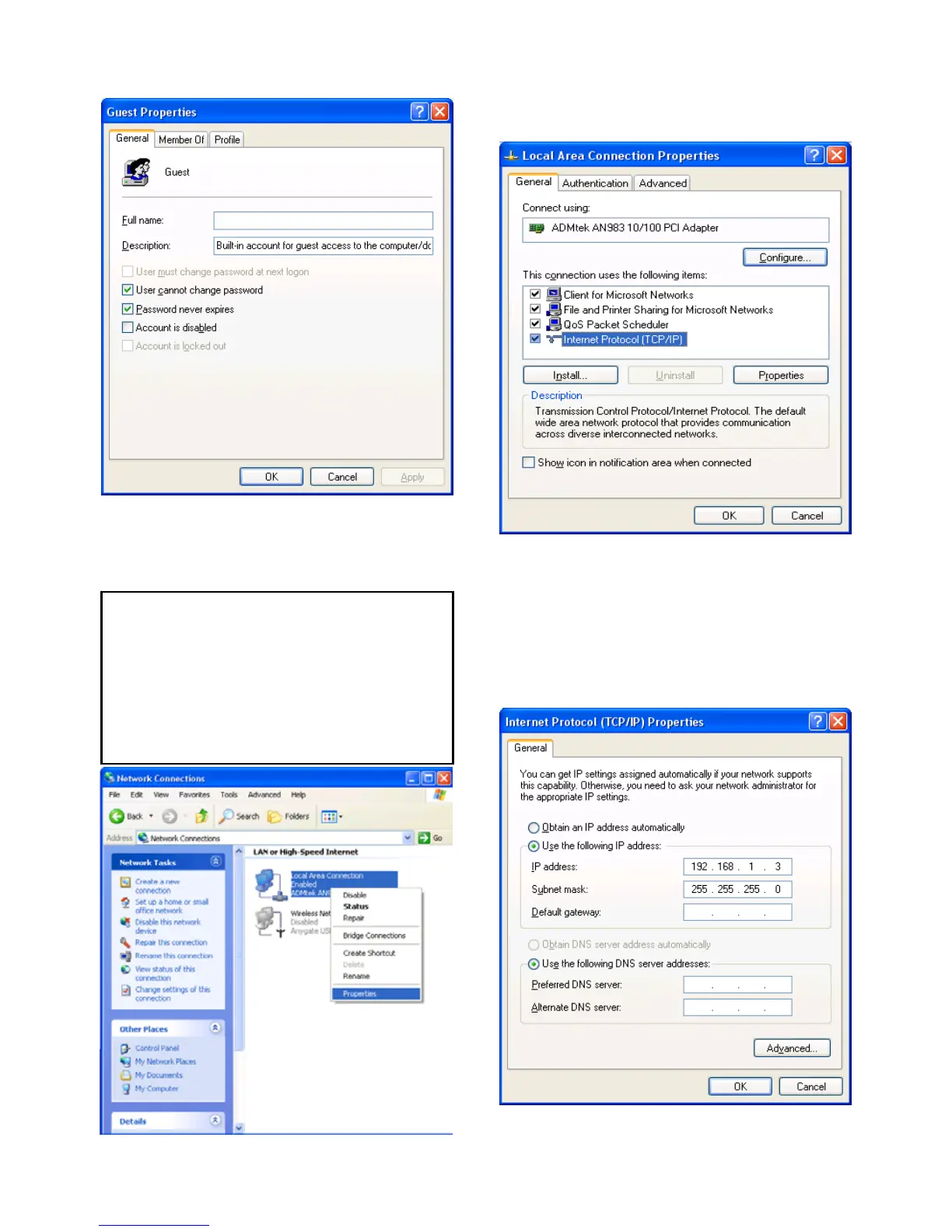
6) Move to [Control Panel>Network
connections], and select ‘Local area
connections’ properties by right click of mouse.
7) Double click ‘Internet Protocol(TCP/IP)’ that
you want to use on your computer.
8) Check ‘Use the following IP address’, and
write ‘IP address’ & ‘Subnet mask’ that you want
to use.
For example,
IP address: 192.168.1.3
Subnet mask: 255.255.255.0
If you can’t find ‘Administrative Tools’ at Control
Panel, click “Switch to classic view” in left-up corner
on screen.
If you see two or more ‘Local area connections’,
select one that you will use for connecting to PBR-
500.



 To Next Page