24
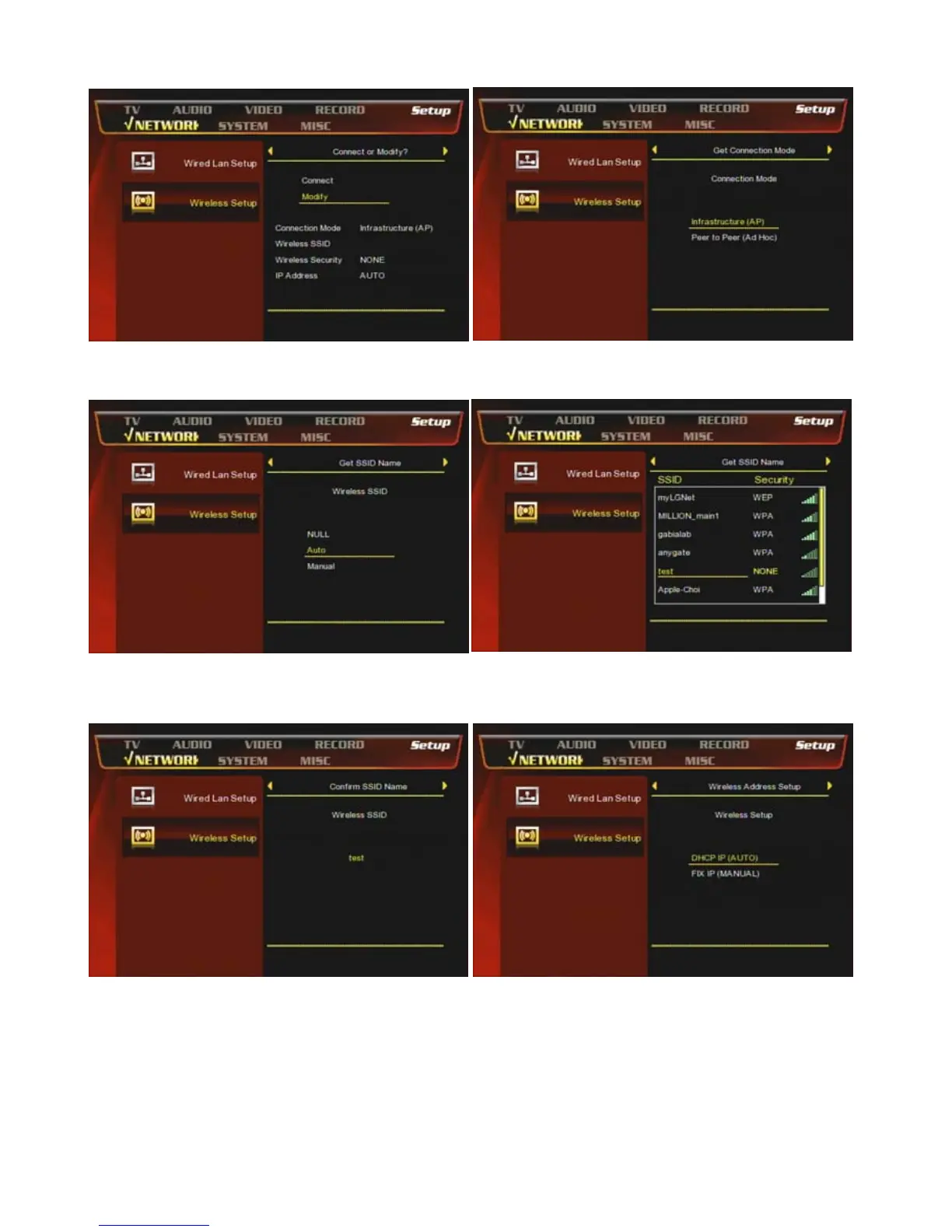
③ Press [OK] to modify the connection Select [▷]
button on the remote.
④ Select Infrastructure (AP)
⑤ Select [Auto] and ress [▷] button
⑥ You can find the wireless Access Points and select
one AP.
⑦ Double-check the selected Wireless SSID and
confirm.
⑧ Select [DHCP IP AUTO]] to get a dynamic IP
address.



 To Next Page