56
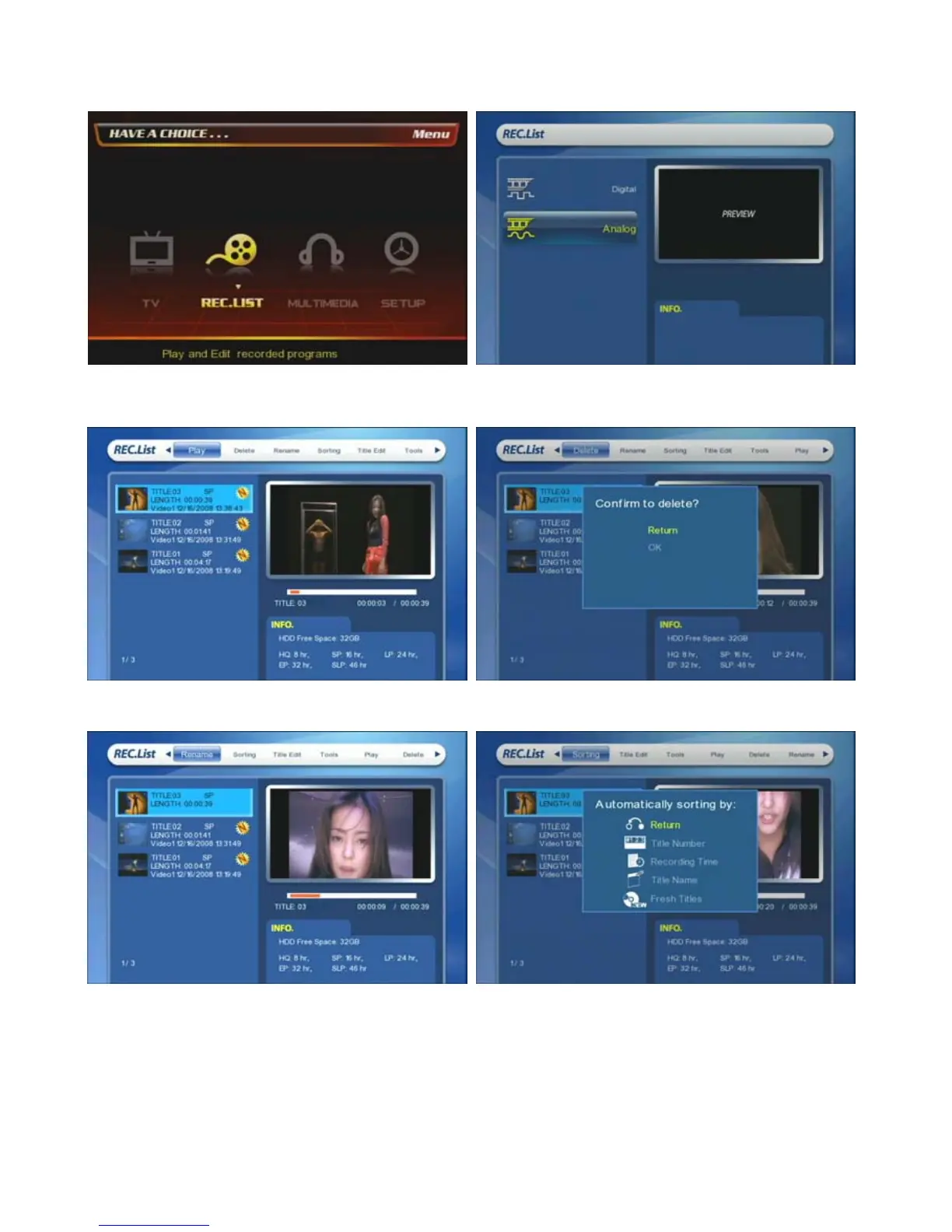
8.2.2. Analogue Recorded Lists
① At the main page, select [REC. List] icon or press
[REC. List] button on the remote.
② Select [Analog]
③ You can play, delete, rename, sort, title edit, tools the
files.
④ You can delete the selected files.
⑤ You can change the file name by using a virtual
keyboard.
⑥ Sort the files by ‘Title Number’, ‘Recording Time’, ‘Title
Name’, ‘Fresh Titles’.



 To Next Page