Beta Draft Confidential
2-6 Professional Series Network Thermostat Configuration Guide, Release 3.0
Part No. 600-01000-200, Rev. 2
CHAPTER 2: Configuring the Thermostat Using the TDI
HVAC Screen
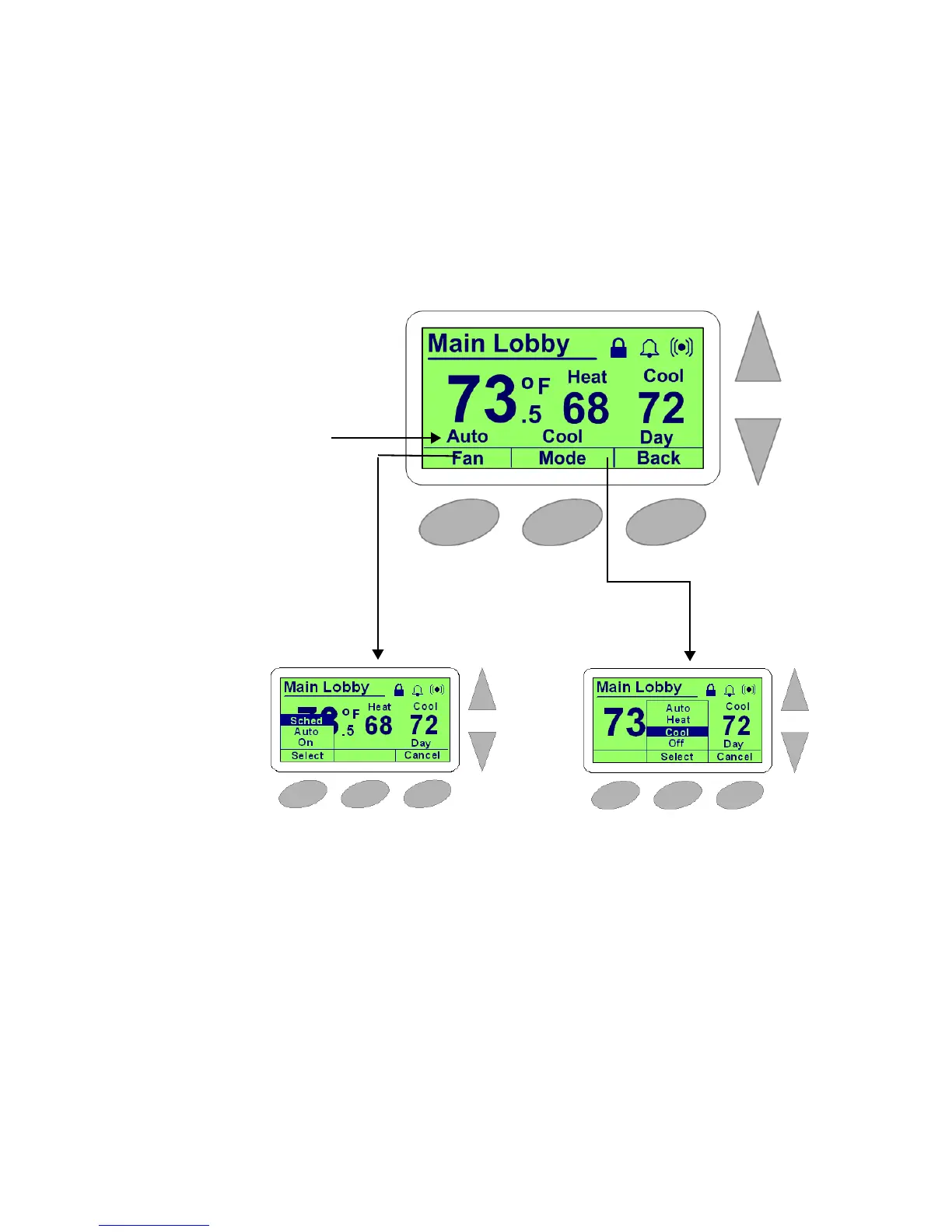
The HVAC screen is a sub-screen of the default Thermostat (Default) Screen (page
2-4). Most of the content on the HVAC screen is identical to the Thermostat screen
with the exception of the HVAC mode and fan setting controls.
Figure 2-4 HVAC Screen, Fan Setting, and HVAC Mode Example
Fan Control
Fan State
HVAC Mode
HVAC Screen


 To Next Page