Beta Draft Confidential
2-8 Professional Series Network Thermostat Configuration Guide, Release 3.0
Part No. 600-01000-200, Rev. 2
CHAPTER 2: Configuring the Thermostat Using the TDI
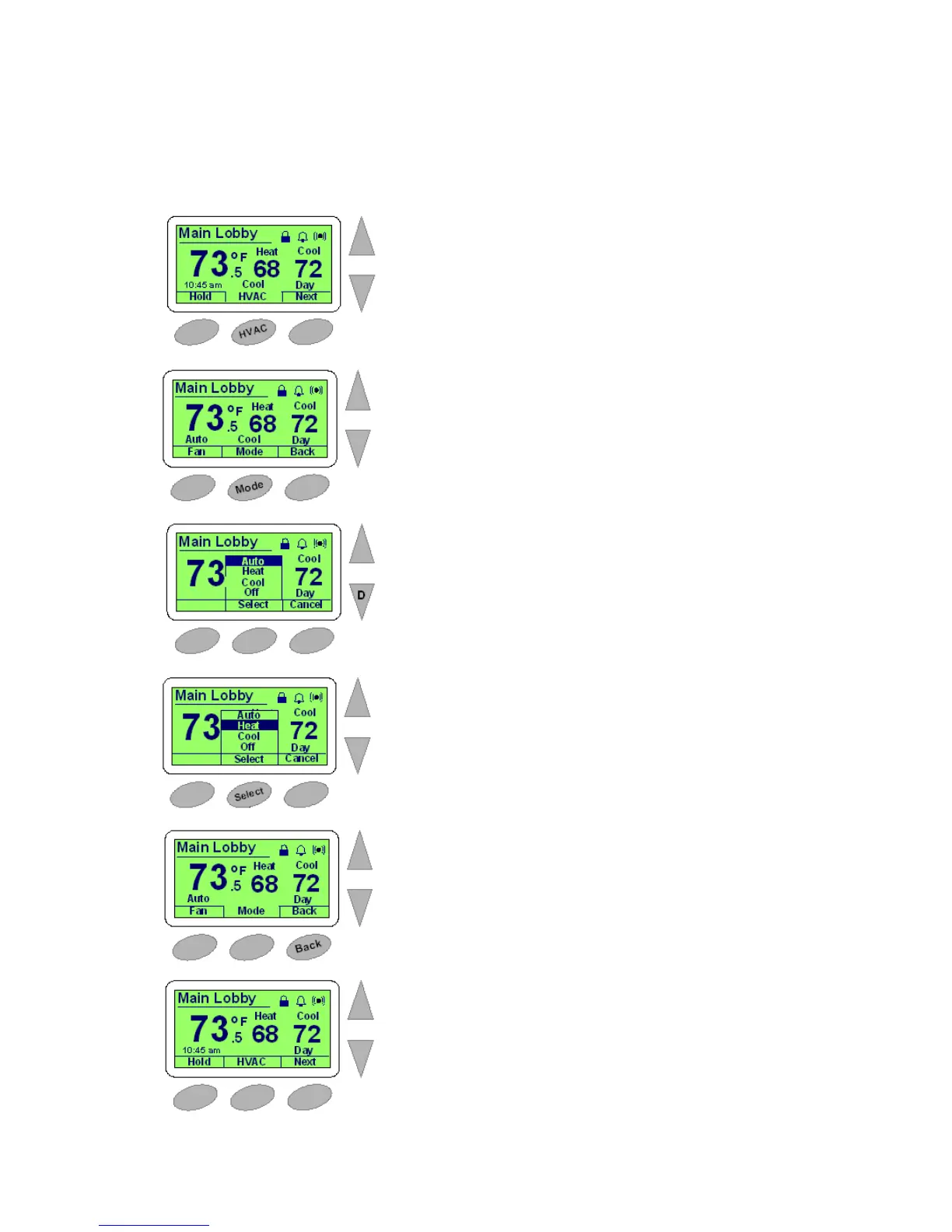
Figure 2-5 shows an example of the process of changing HVAC settings at the
thermostat.
Figure 2-5 Changing the HVAC Setting
1
2
3
4
5
6
Select the middle HVAC button to enter the HVAC mode.
Select the middle Mode button to modify HVAC or fan settings.
Use the Down arrow to select Heat.
Press the middle Select button.
Press the right Back button to return to the default Thermostat screen.
Default Thermostat Status screen (see Figure 2-3 on page 2-4).



 To Next Page