Beta Draft Confidential
3-28 Professional Series Network Thermostat Configuration Guide, Release 3.0
Part No. 600-01000-200, Rev. 2
CHAPTER 3: Configuring the Thermostat Using the TMI
Example 2
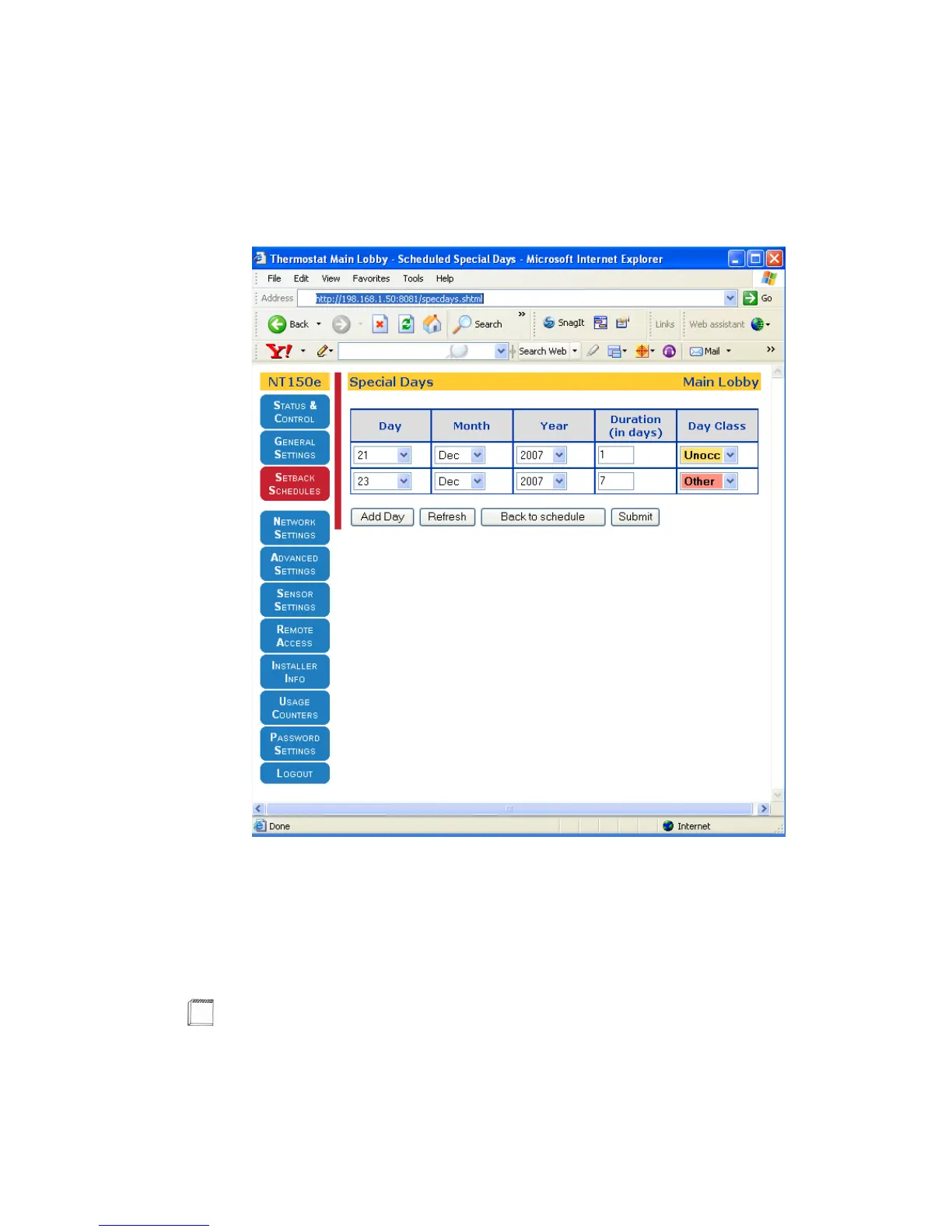
Figure 3-11 shows an example of adding a week-long period to the thermostat
schedule from the December 23, 2007 through December 29, 2007.
Figure 3-11 Special Days Table Page (Example 2)
For example, to add a week-long holiday period:
1 Click Edit Special Days (from Figure 3-5 on page 3-19). Figure 3-11 appears.
2 Enter all fields. The Day Class field is updated to Other.
3 Click Submit. The Setback Schedules Page (page 3-19) appears.
Note
To remove any of the Special Days, you must change the Day field to Unused and
click Submit.



 To Next Page