Beta Draft Confidential
Remote Access Page
Professional Series Network Thermostat Configuration Guide, Release 3.0 3-49
Part No. 600-01000-200, Rev. 2
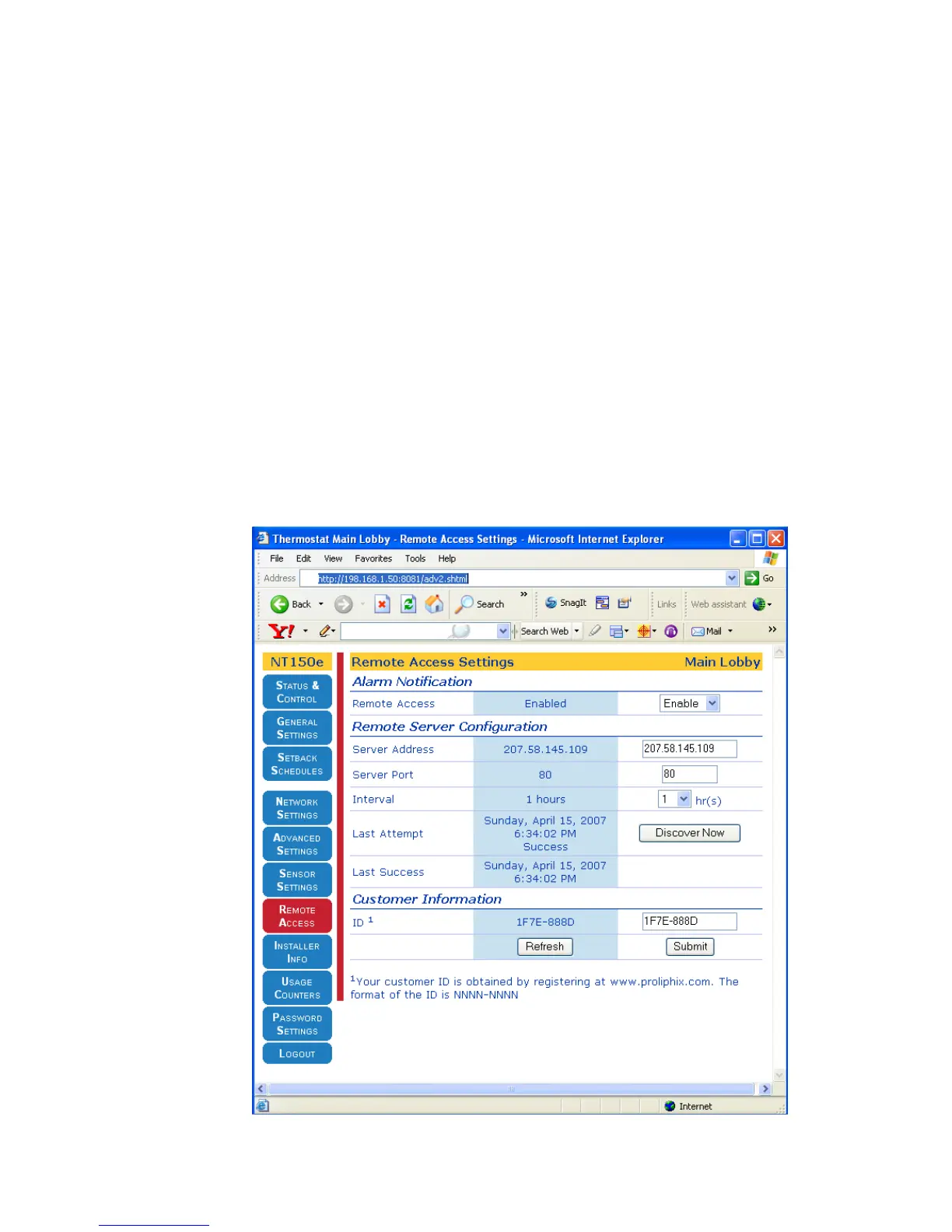
Remote Access Page
From the Remote Access Page, you can configure parameters necessary to invoke
and control the intercommunication of the thermostat with a remote server (e.g.
Proliphix Web Site) for remote access. Note that when this service is enabled (i.e.
Remote Access is enabled, see below) all alarm notifications are sent to the Proliphix
Web Server IP address for processing and subsequent transmission as an e-mail.
Remote Server Configuration
You can access the Professional Series thermostat remotely from anywhere in the
world using a web browser. By default, Proliphix thermostats intercommunicate with
the Proliphix Web Server to provide this capability. If the Proliphix Web Server is not
used, a private server may be used but it must provide both alarm notification
processing and e-mail generation to fully emulate the remote-access capability which
Proliphix provides. Certain parameters must be configured in this section to facilitate
the remote access feature.
Figure 3-17 Remote Access Page



 To Next Page