EasyManua.ls Logo

ProMinent gamma/ X - User Manual

ProMinent gamma/ X
140 pages
Print Icon
To Next Page IconTo Next Page
Loading...
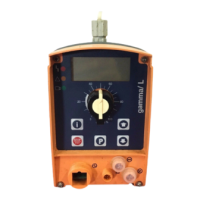
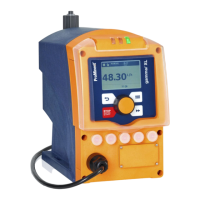
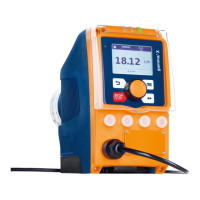
Solenoid Metering Pump
gamma/ X, GMXa
Operating instructions
EN
Original Operating Instructions (2006/42/EC)Part no. 984586 BA G 044 04/15 EN
Please carefully read these operating instructions before use. · Do not discard.
The operator shall be liable for any damage caused by installation or operating errors.
The latest version of the operating instructions are available on our homepage.

Table of Contents

Other manuals for ProMinent gamma/ X

Questions and Answers

  • R
    Rodney SmithAug 20, 2025
    Why is my ProMinent Water Pump interfering with other devices?
    • G
      Gloria AllenAug 20, 2025
      If your ProMinent Water Pump is causing interference with other devices, several factors could be at play. First, try switching off the WiFi on your smart device, as the WiFi signal might be the cause. If that doesn't work, adjust the pump's orientation or relocate it entirely. Another approach is to connect the pump and the affected devices to separate power circuits. For Bluetooth interference, try increasing the distance between the pump and other devices. If problems persist, consider consulting a high-frequency engineer.
  • K
    katrinascottAug 22, 2025
    What to do if ProMinent Water Pump does not start after pressing the slide switch in the app?
    • E
      Emily FlemingAug 22, 2025
      If your ProMinent Water Pump isn't starting even after you've used the slide switch in the app, it might be due to the pump being stopped via the [START/STOP] function or because there's a fault pending. To resolve this, use the [START/STOP] function to initiate the pump. Additionally, make sure to address any existing faults.
  • E
    Erin TateAug 25, 2025
    Why does the ProMinent Industrial Electrical identifier show 'Level error!' message?
    • R
      Regina HayesAug 25, 2025
      The 'Level error!' message appears because the fluid level in the storage tank has reached the 'Liquid level low 2nd stage'. To resolve this, fill the storage tank.
  • L
    Linda WalkerAug 26, 2025
    What to do if ProMinent Industrial Electrical shows 'Storage tank overflow' message?
    • H
      Hunter BarrAug 26, 2025
      The 'Storage tank overflow' message appears because the stroke memory has overflowed. You should remedy the cause, such as too low a factor or too high a contact frequency. Then, press the [Clickwheel], keeping in mind the consequences for the process.
  • J
    Joseph Johnson DVMAug 27, 2025
    What does it mean when ProMinent Industrial Electrical displays 'Diaphragm rupture'?
    • T
      Todd ClarkAug 28, 2025
      The 'Diaphragm rupture' message indicates that the diaphragm is broken. Replace the diaphragm and clean the diaphragm rupture indicator. Consult the 'Repair' chapter for instructions.
  • T
    Tyler MorenoAug 29, 2025
    What should I do if my ProMinent Industrial Electrical shows ‘Air in dosing head’?
    • D
      Debra BradleyAug 29, 2025
      The ‘Air in dosing head’ message indicates gas bubbles in the liquid end, which can be caused by leaks, a gaseous medium, or cavitation. To fix this, bleed the liquid end and rectify the cause by sealing the system or slowing the suction stroke.
  • J
    Jeffrey DavisAug 31, 2025
    What does it mean when ProMinent Industrial Electrical displays 'Overload'?
    • P
      peter36Sep 1, 2025
      The 'Overload' message indicates that the pump has detected too high a back pressure. To resolve this, rectify the cause of the high back pressure.
  • M
    Megan RiveraSep 3, 2025
    Why is my ProMinent Industrial Electrical showing 'Input signal < 4 mA'?
    • C
      colemanrobertSep 3, 2025
      The 'Input signal < 4 mA' message appears because the pump is in ‘Analogue’ operating mode, a fault behavior has been programmed in the ‘Analogue’ menu, and the control current has fallen below 4 mA. To resolve this, clear the cause of the low control current or switch the programming of the fault behavior to ‘off’. See chapter "Set Up"-"Settings"-"Operating mode"-"Analogue".
  • A
    allisonnobleSep 4, 2025
    Why is my ProMinent Industrial Electrical showing 'Input signal > 20 mA'?
    • J
      Jeffery WrightSep 5, 2025
      The 'Input signal > 20 mA' message appears because the pump is in ‘Analogue’ operating mode, a fault behavior has been programmed in the ‘Analogue’ menu, and the control current has risen above 20 mA. To resolve this, clear the cause of the high control current or switch the programming of the fault behavior to ‘off’. See chapter "Set Up"-"Settings"-"Operating mode"-"Analogue".
  • J
    James FischerSep 7, 2025
    Why is my ProMinent Industrial Electrical showing 'Control signal < Imin'?
    • J
      Jessica RileySep 7, 2025
      The 'Control signal < Imin' message appears because the pump is in ‘Analogue’ operating mode-'xx side band', a fault behavior has been programmed in the ‘Analogue’ menu, and the control current has fallen below 4 mA. To resolve this, clear the cause of the low control current or switch the programming of the fault behavior to ‘off’. See chapter "Set Up"-"Settings"-"Operating mode"-"Analogue".

Summary

Safety Chapter

Identification of Safety Notes

Explains how danger levels are communicated using signal words and pictograms.

Emergency Procedures and Personnel Qualification

Outlines actions for emergencies and required personnel qualifications for safe operation.

Installation Procedures

Hydraulic Installation Guidelines

Instructions for connecting hydraulic lines, considering safety and pump types.

Electrical Connection and Terminals

Details on mains voltage connection, terminal functions, and relay options.

Pump Configuration and Settings

Information and Settings Menu Overview

Accessing pump information and configuring key settings like operating mode and calibration.

Calibration Procedures

Step-by-step guide for calibrating the pump for accuracy.

Maintenance and Repairs

Diaphragm Replacement Procedure

Detailed steps for safely replacing the pump diaphragm.

Troubleshooting Guide

ProMinent gamma/ X Specifications

General IconGeneral
Protection classIP65
Max. Pressure25 bar
Power supply100-230 V, 50/60 Hz
Material of pump headPVDF, Stainless steel
Temperature range-10 °C to +45 °C
TypeDiaphragm dosing pump
Stroke lengthAdjustable
Stroke frequencymax. 180 strokes/min
Materials in contact with the mediumPVDF, PTFE, stainless steel
ControlManual, external control via contacts or 0/4-20 mA signal
Control OptionsExternal, potential-free contacts, 0/4-20 mA
Dosing Accuracy±2%

Related product manuals