Installation and setup
Page C-14 Operator’s Manual PiCCO
2
Version 3.1
If monitoring of a new patient has been started, all previous results will be cleared from the system memory.
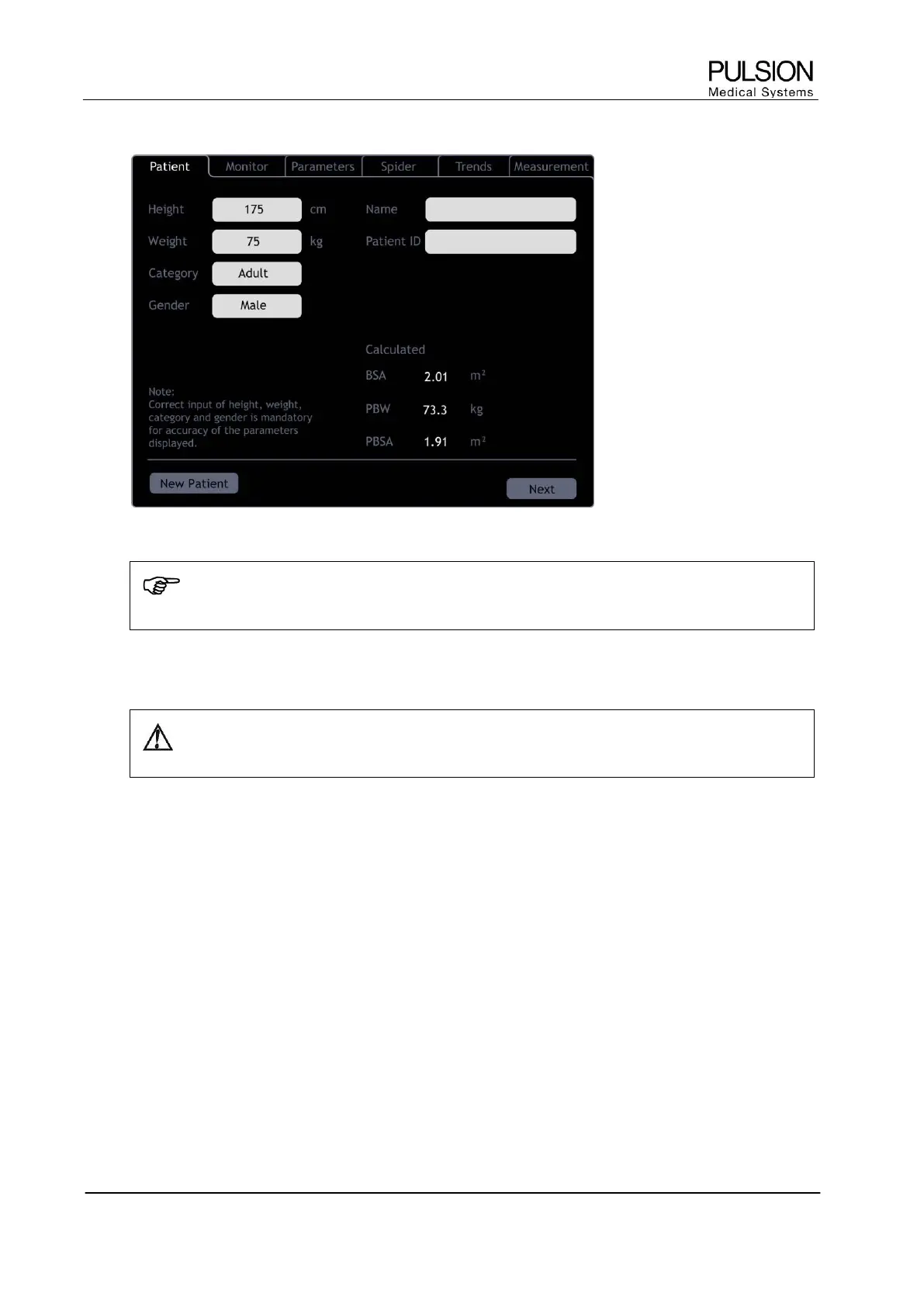
Figure 19: Input screen
NOTE: Correct input of height, weight, category and gender is mandatory for the accuracy of the
displayed parameters as well as for the correct indexing of some parameters.
Patient name and ID can be entered optionally.
WARNING: If a new patient is connected to the device without the device being shut down, the
procedure "New Patient" must be selected. Otherwise data from the last patient is still displayed.
For further details please refer to chapter C5.1.1 Information input.


 To Next Page