Installation and setup
Page C-30 Operator’s Manual PiCCO
2
Version 3.1
4.4 Profiles
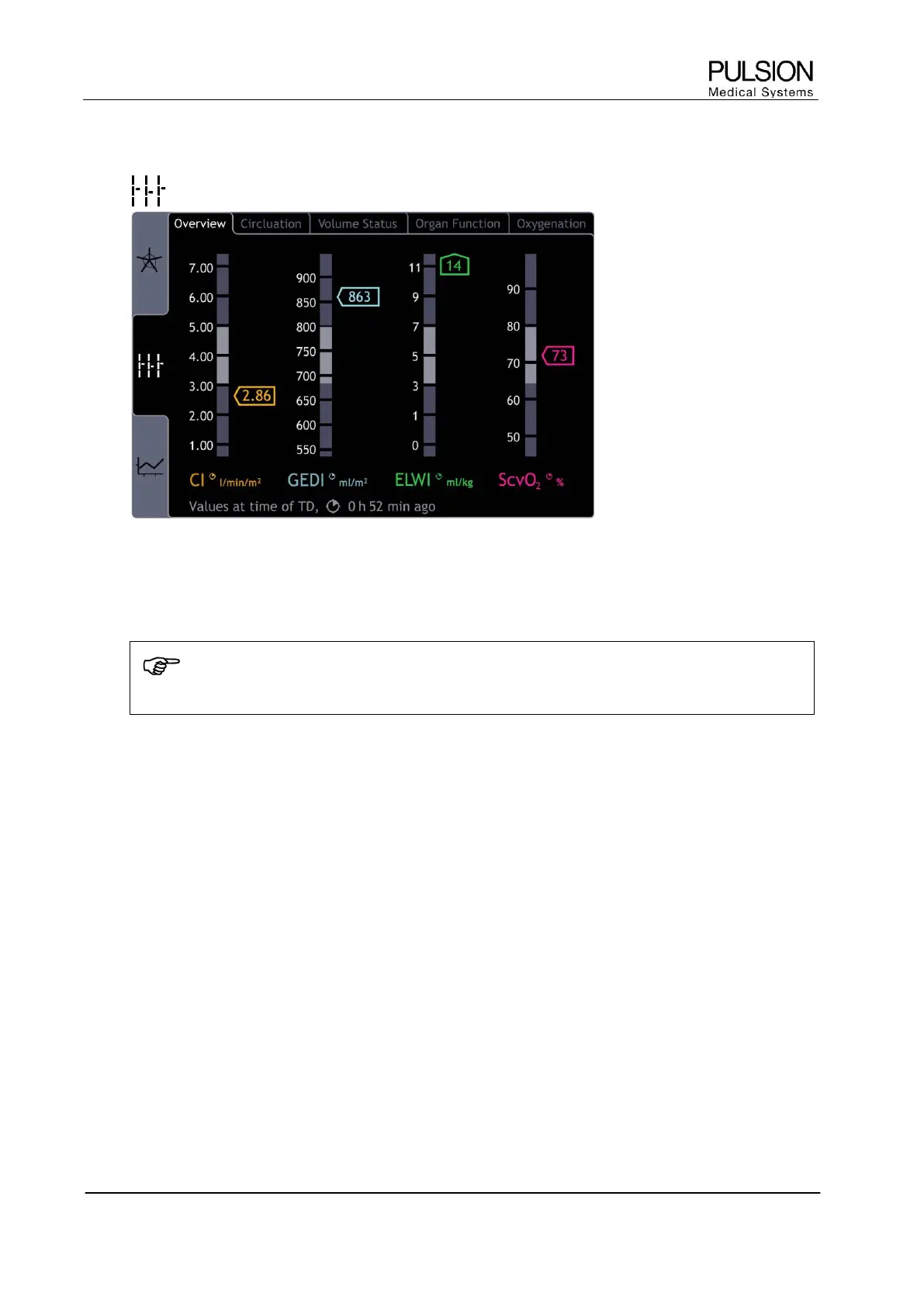
Figure 32: "Profiles" screen
Parameter profiles show the measured parameters in respect of their position to the normal value range which
is highlighted.
NOTE
All values displayed in the profile correspond to the time of the last thermodilution measurement.
 The option "Overview" shows the main parameters. The organ specific parameters can be displayed by
selection of the respective option.
The marked normal value ranges can be modified. Please contact your PULSION representative to
individually modify the normal values range.


 To Next Page