Installation and setup
Page C-40 Operator’s Manual PiCCO
2
Version 3.1
5.6 Measurement configuration
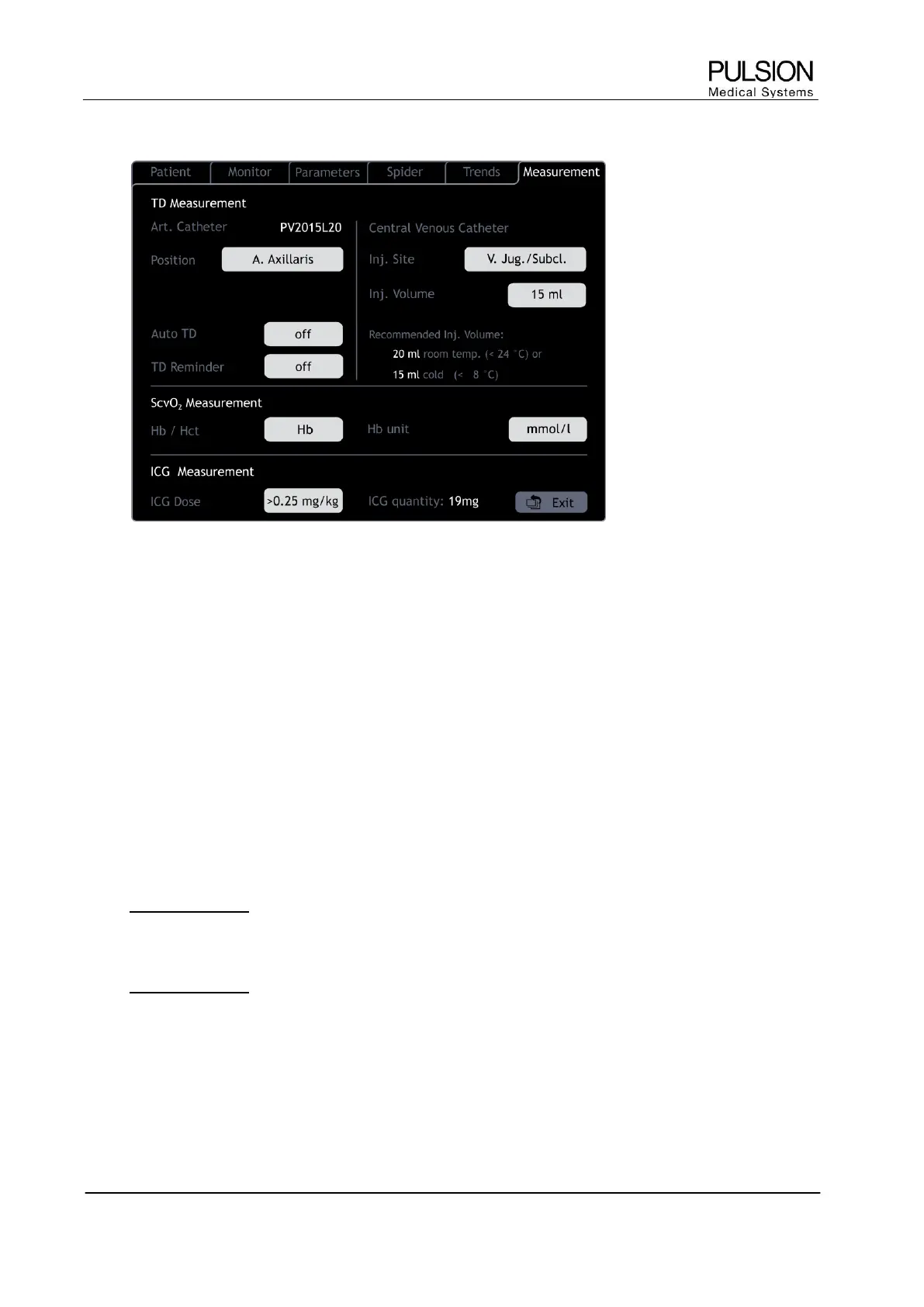
Figure 40: "Measurement configuration" screen
 The measurement configuration can be directly accessed from the respective measurement screen.
5.6.1 Configuration of thermodilution measurement
Art. Catheter
Automatic detection and display of the connected thermodilution catheter. If a new PiCCO catheter type is not
automatically recognized by the device, it is necessary to enter the ACC (Arterial Catheter Constant, indicated
on the connector of the PiCCO catheter).
Position A. Axillaris / A. Brachialis / A. Femoralis / A. Radialis
The intended catheter position is displayed and can be changed if necessary.
Auto Thermodilution Mode (Auto TD) Off / 3x / 4x / 5x
The number of TD measurements can be set automatically. The device will prompt the user to inject without
the need to press the START button repeatedly.
Default setting is 3x.
L New in version 3.1: The selected value remains valid for every new patient.
TD Reminder Off / 1h / 2h / 4h / 8h
Setting of the individual reminder to perform a thermodilution measurement. Default setting is 8h.
L New in version 3.1: When the selected TD reminder time has elapsed, the message “TD Measurement
recommended” and the amount of time elapsed since the last measurement are displayed in the information
bar (see also chapter 6.2).
The selected value remains valid for every new patient.


 To Next Page