Installation and setup
Page C-32 Operator’s Manual PiCCO
2
Version 3.1
4.6 Trend
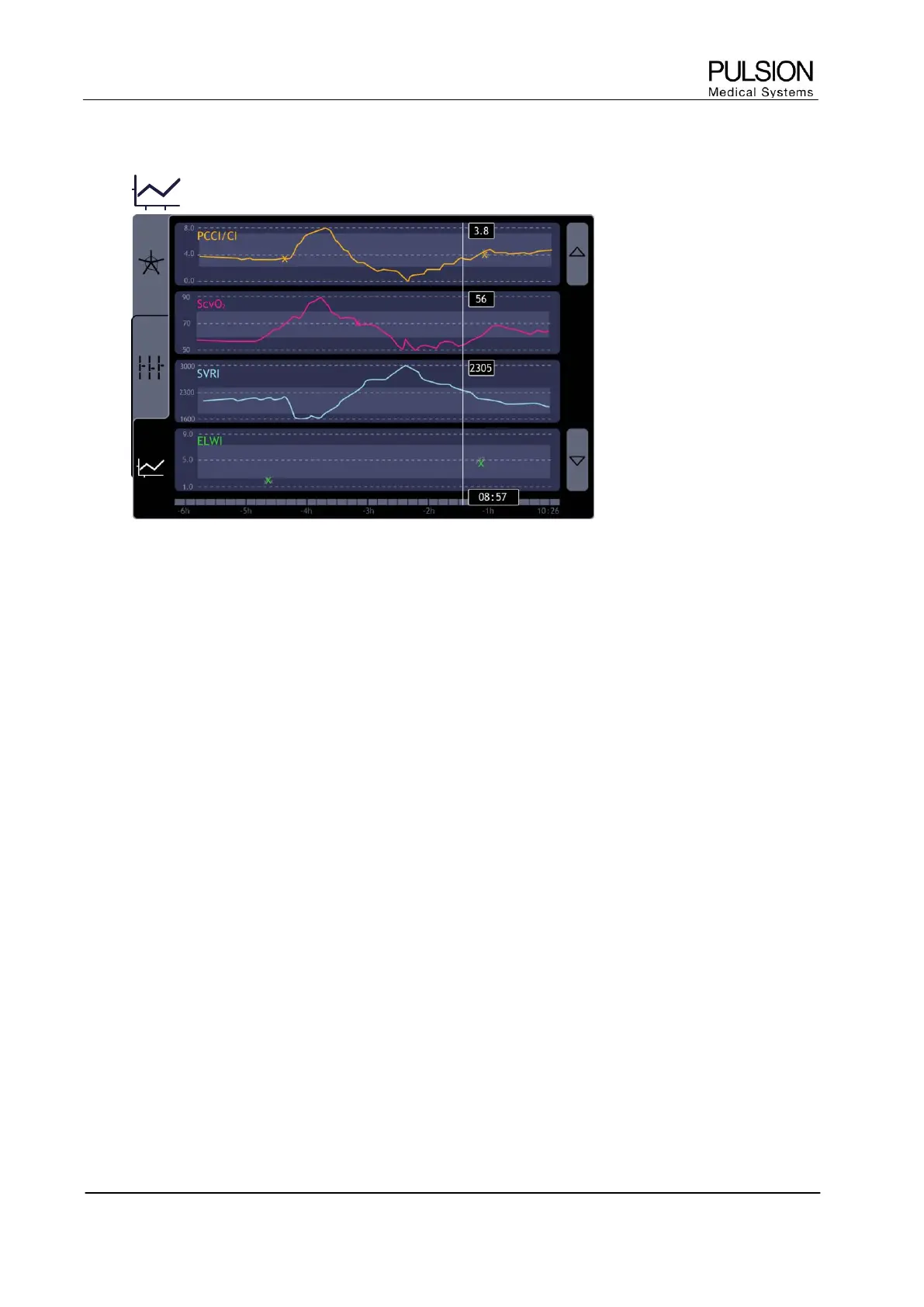
Figure 34: "Trend" screen
The number of trends as well as the trend time span of the PiCCO
2
parameters can be configured individually.
 Selection of a trend curve on the touch screen directly leads to individual configuration.
If more than 4 trends are configured at the same time, the arrow keys on the right side of the screen can be
used for scrolling up or down the trends.
The vertical cursor, which can be activated and moved by the navigation dial, is used for accurate display of
the numeric values at the respective time.
The trend can be displayed numerically or graphically. This selection can be done in the Trend Configuration
screen.


 To Next Page