Installation and setup
Page C-38 Operator’s Manual PiCCO
2
Version 3.1
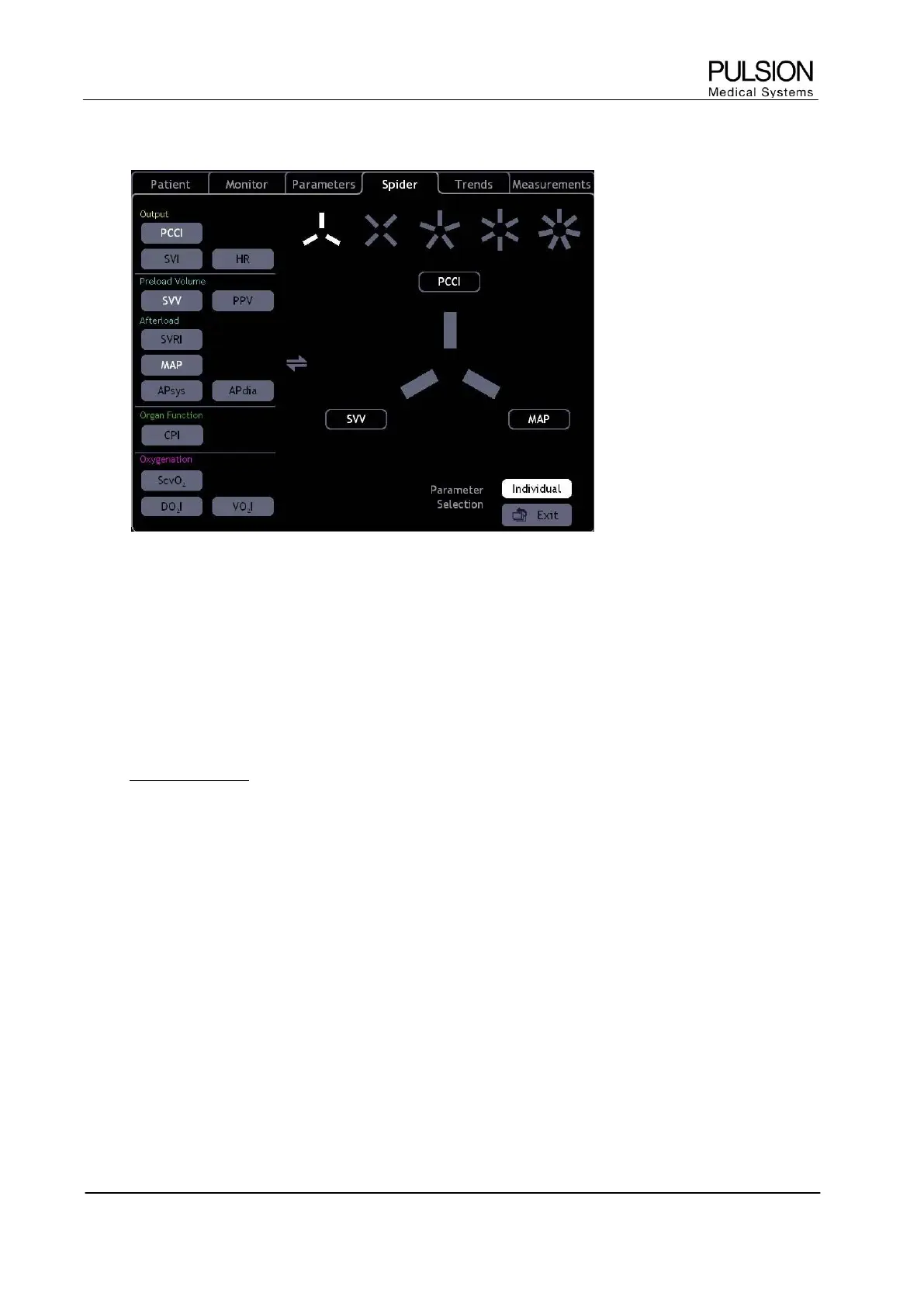
5.4 Spider configuration
Figure 38: "Spider configuration" screen
The SpiderVision diagram can be configured individually:
x First select the number of spider legs (3 to 7)
x Select the parameter to be placed (left)
x Select the spider leg where the parameter should be placed
 The spider configuration can be opened by direct selection of the spider diagram.
L New in version 3.1: The buttons “SVV” and “PPV” are both available for selection.
Parameter selection Basic / Individual
The "Basic" setting uses the default setting of the device which can be recalled at any time.


 To Next Page